Affiliate links on Android Authority may earn us a commission. Learn more.

The VITURE Beast are the first pair of XR glasses I want to bring on every trip
Jul 15, 2026 — 6:00 AM ET
VITURE The Beast
MSRP: $549.00
What we like
What we don't like
VITURE The Beast


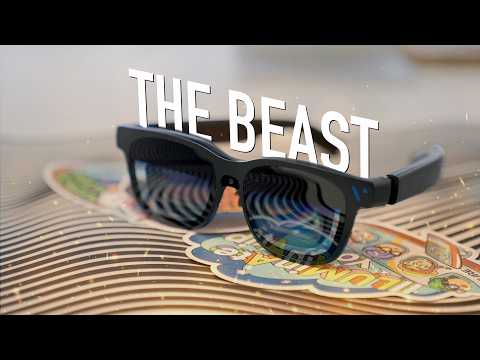
I’m confident smart glasses and XR devices are mature enough to go mainstream — I have multiple pairs of Meta glasses and am the (un)proud owner of an Apple Vision Pro headset. Still, I see display glasses as one of the more exciting categories in XR tech. We reviewed the VITURE Luma Pro around this time last year, and they were outstanding XR glasses. Now, the VITURE Beast is here, and this pair of glasses solves our biggest problems with the Luma Pro while costing only $50 more.
The VITURE Beast’s calling card is 3DoF tracking that runs entirely on-device, proving a smoother experience than anything in the Luma series. The glasses are incredibly bright, and connect to almost any device using a standard USB-C to USB-C cable. A few shortcomings still remain, like middling sound quality, pricey accessories, and blurry text, so I wouldn’t use them as my primary laptop screen, but the VITURE Beast has quickly become the definitive way I enjoy my gaming handhelds. For games and videos, there’s nothing better at the $550 price point than the VITURE Beast.
Premium, polished, and plug-and-play smart glasses

The VITURE Beast arrive in a durable protective case, with a felt-lined interior and a compartment for housing the included USB-C to USB-C cable. The carrying case is excellent for travel, with a sturdy zipper and rigid construction that holds its shape well to protect the glasses themselves. This is one of the VITURE Beast’s perks — everything you need to get started is in the box. You can choose two different sizes at checkout: regular (IPD 64.0) and large (IPD 68.0). To further customize your fit, there are four sizes of swappable nose pads.
Don’t overlook the importance of finding the best-fitting set of nose pads. I found that with the wrong size or shape, it was difficult to keep the entire virtual screen in view. If you require corrective lenses like me, there is a prescription lens frame in the box as well, plus a cleaning cloth. The lens frame is for you to take to your optician, who can cut the included lenses to match your eye prescription. You can also buy prescription lenses straight from VITURE. I tried VITURE’s high-strength prescription lens frame with my review unit, and came away impressed with how thin the lenses were — they’re at least half as thick as my everyday lenses.
This solution is necessary because unlike the Luma series, the Beast doesn’t have myopia adjustment dials. Neither the Luma Pro and Ultra’s -4.0D support nor the regular Luma’s -6.0D support matches the diopters required for my prescription, so this wasn’t an issue for me. However, if your prescription falls in the supported range and you don’t want to buy separate inserts, the VITURE Beast may not be for you.
The USB-C to USB-C cable features one angled end that plugs into the VITURE Beast’s right temple tip. This helps the cable fall straight down for comfortable wear. It also represents one of the Beast’s biggest upgrades. Unlike glasses in the Luma series, which had a metal connector that required a proprietary cable terminating in USB-C, the Beast has a USB-C port for simpler connections. You can swap the cable for a cheap third-party one, provided it supports a recent USB version and has DisplayPort Alt Mode, without needing to buy an official $49 magnetic cable from VITURE.
I can use the VITURE Beast with virtually any device, and the experience is plug-and-play.
Thanks to the polished USB-C support, I can use the VITURE Beast with virtually any device, and the experience is plug-and-play. Using a device with native USB-C and DisplayPort Alt Mode support, all you need to connect it to the glasses and mirror or extend your screen to get started. I used the VITURE Beast glasses with multiple Android phones, PC gaming handhelds, and laptops — all worked instantly without a hitch, no companion apps required.

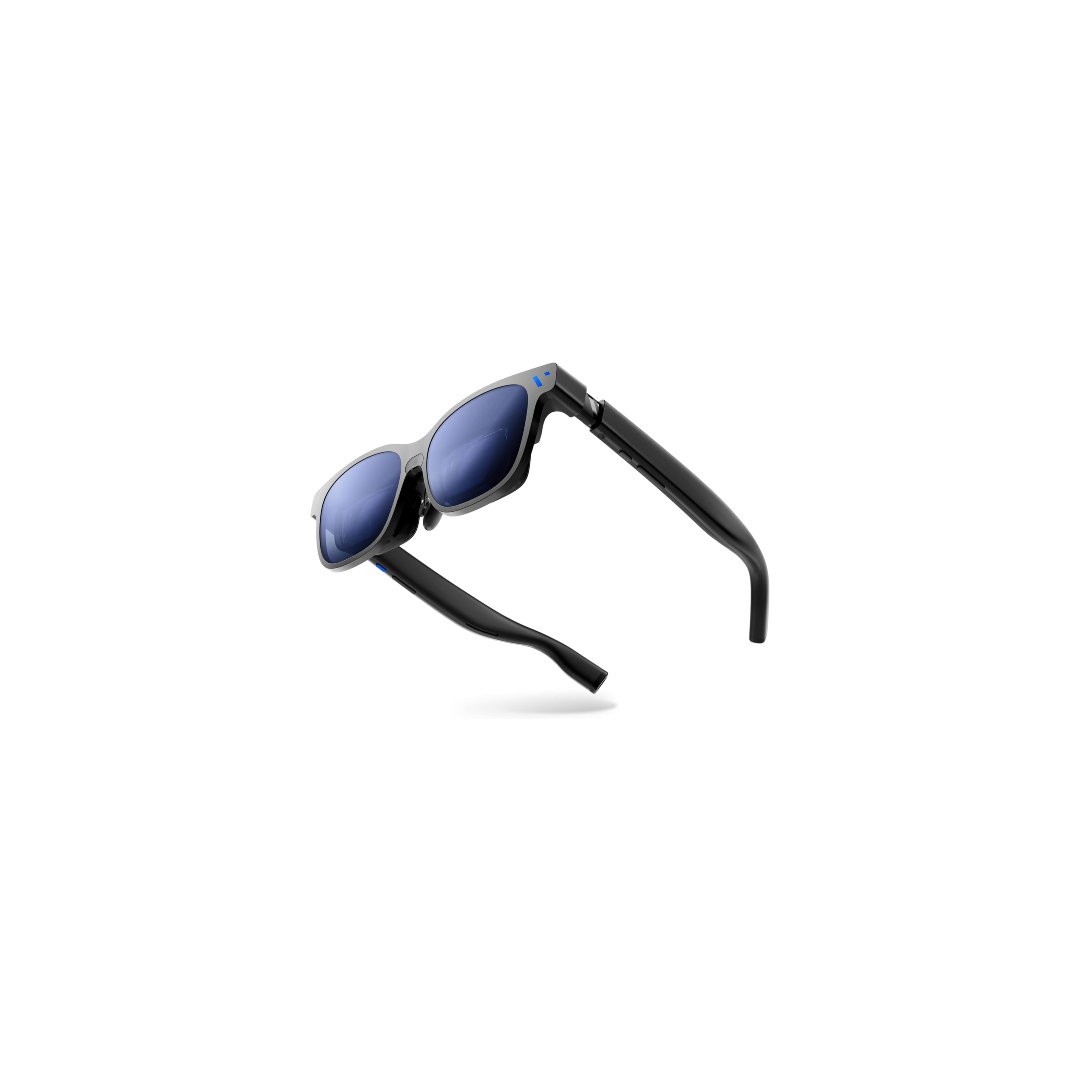
There’s no doubt that the VITURE Beast are larger than regular glasses, and there’s no missing the cable connecting them to your host device. The glasses are more subtle than the Luma Pro or Ultra, though. They’re made of matte plastic without the semi-transparent design or flair of other VITURE models. There isn’t even a logo on the temples, which makes it easier to go incognito when wearing them.
I probably wouldn’t wear them at a coffee shop, but I had a blast using them in my electric car while at a charging station. Suddenly, a 25-minute charge felt less like a chore and more like a chance to game on my Steam Deck with a larger-than-life screen using the VITURE Beast. In a pinch, I’d use them with my laptop for productivity, too. I plan to take them on planes, trains, and road trips. As someone that wore an Apple Vision Pro headset in public — for testing purposes, of course — display glasses like the Beast aren’t nearly as embarrassing.
VITURE’s Beast has more on-device features than ever

I’ve used display glasses before, most recently from RayNeo, and the ones I enjoy the most don’t rely on external docks or apps. The Beast tries to shake its dependence on the VITURE SpaceWalker app with on-device 3DoF tracking using the front-facing camera and spatial processing. Using the button on the underside of the right temple, you can cycle through anchor mode, follow mode, and 0DoF mode without needing extra hardware or apps. The motion tracking is smooth, even if I found the 0DoF mode to be visually intense during gameplay. Instead, I usually opted for anchor mode or follow mode.
The button on the underside of the left menu activates a settings menu for the glasses, allowing you to adjust the display size, distance, resolution, and refresh rate. There are also special modes, like ultrawide and side mode. The latter is particularly clever — it’s like picture-in-picture, but for your glasses. Experience a minimized screen in one of the display corners, and see your real-world environment through the rest of the lenses. One thing to note is that the glasses show 1080p, 60Hz visuals by default. To get the most out of your glasses, you’ll want to bump the resolution and refresh rate up to 1200p, 120Hz.
For those that own a PC gaming handheld, I think display glasses like the VITURE Beast are a necessity.
The native hardware 3DoF tracking and USB-C DisplayPort Alt Mode support made hooking my devices up to the glasses hassle-free. I’m a gaming handheld fanatic, so I tried the VITURE Beast with the Steam Deck, ASUS ROG Ally, and Lenovo Legion Go. For those that own a PC gaming handheld, I think display glasses like the VITURE Beast are a necessity, even if you don’t pick up this exact model. Being able to sit on your couch with a gaming handheld in your lap, looking straight ahead at your game in a 174-inch virtual screen, is breathtaking.
Using the Lenovo Legion Go with the VITURE Beast was the best of all. I detached the controllers, tossed the Legion Go to my side, and put on the VITURE Beast glasses. I immediately had a portable gaming setup with a lightweight design — the glasses weigh 88 grams and the Legion Go controllers weigh about 210 grams combined. Plus, the Legion Go has two USB-C ports: one for the glasses, another for a power cable. This kind of setup is ideal for when you’re in public and don’t want people nearby snooping on your game or movie, like in a crowded airplane economy cabin.
For some devices, such as a laptop or a smartphone, it pays to download the SpaceWalker app anyway. It unlocks extra features, like multi-monitor ultrawide support and the ability to convert 2D content into engaging 3D experiences. I didn’t find the 3D effect convincing, and it didn’t work all the time. The ultrawide and multi-monitor support was a different story entirely. You can only fit a rectangle-sized screen in your field of view at a time, but turning your head to see the other areas of the extended display felt natural. It felt more natural than my Vision Pro, because the VITURE Beast’s weight is negligible and doesn’t induce neck strain.
The sharpness, on the other hand, left a bit to be desired. I do want to acknowledge using the $3,500 Vision Pro has me spoiled, and the VITURE Beast’s 1200p resolution will probably be fine for most people — especially at $550. But the crispness certainly doesn’t match the “4K-like” quality VITURE advertises. It’s great for games and movies, though text is a struggle. I’m writing this review with the Beast connected to my MacBook Pro, and the text is legible, but blurry. I’d use it when I don’t want to hunch over my laptop screen; it just wouldn’t be my first choice.
I'd recommend wearing earbuds with them, because the open-air HARMAN speakers are passable, not superb.
The displays don’t seem to suffer from extreme vignetting or distortion around the edges, but the effect of chromatic aberration does impact the readability of text. As long as you’re not buying these glasses with productivity top of mind, the Beast will be great for games or videos. I’d recommend wearing earbuds with them, because the open-air HARMAN speakers are passable, not superb.

While the VITURE Beast glasses are as independent as ever, some features and devices will still require apps and accessories to work. The accessory you’ll need most is the VITURE Pro Mobile Dock, which costs $129 at retail and is required to connect with Nintendo Switch consoles. It also adds USB-C ports for hooking up two pairs of display glasses, and a full-size HDMI port for connecting basically anything else.
I’m not a Switch gamer, so all of my devices worked with the Beast without the dock. If you have a use case that requires Switch or HDMI compatibility, expect to pay more on top of the Beast’s $550 sticker price.
VITURE Beast review verdict: Should you buy it?

If you’re willing to pay $550 for a pair of XR glasses, the VITURE Beast are an easy sell. The hardware-based 3DoF tracking gives the Beast a polished feel that prior models, like the Luma Pro, didn’t fully strike. Exaggerated claims of 4K-like quality aside, the 1200p resolution and 120Hz refresh rate are more than enough for gaming. The 1,250 nits of peak brightness mean you’ll likely be using the temple rocker to turn it down, instead of wishing you had more.
The one exception here is productivity work. Those that will be working with text often might want to opt for the XREAL One Pro glasses instead, which are the Beast’s closest competitor. That said, the XREAL One Pro cost $50 more at retail than the Beast, and the latter are arguably better for gaming and content consumption. I can’t imagine using my Lenovo Legion Go without the VITURE Beast, and that alone makes the glasses worth it for any gaming handheld user in my book.
- Subtle, comfortable, premium design
- Stellar app-free USB-C compatibility
- Hardware-based DoF tracking
- Works with thin prescription inserts
- Smaller text is blurry
- No myopia dials
- $129 dock required for Switch
- 1200p, 120Hz modes are off by default
Thank you for being part of our community. Read our Comment Policy before posting.