Affiliate links on Android Authority may earn us a commission. Learn more.
A Google Photos bug is preventing users from sharing, editing, and deleting pictures
Sep 25, 2026 — 11:54 AM ET



- Pixel owners are experiencing an issue with the Google Photos editor.
- Options like sharing, deleting, and editing become unresponsive after a photo is edited.
- The issue appears to be affecting multiple generations of Pixel phones.
Google is currently working on powering up editing in the Photos app by improving the markup tools. In case you haven’t seen our previous coverage, we recently found evidence that Google could add a brush size slider, more colors, text alignment, and more. But before those changes are rolled out, the company may want to look into a new problem affecting the app’s editor.
After you take a photo, the Google Photos editor lets you perform a variety of actions, which include sharing, editing, deleting, and adding to an album. Normally, you can perform one of these actions and immediately follow that up with another. For example, if you made an edit to a picture, you could also share the image without leaving the editor. However, it appears a bug has broken this functionality.
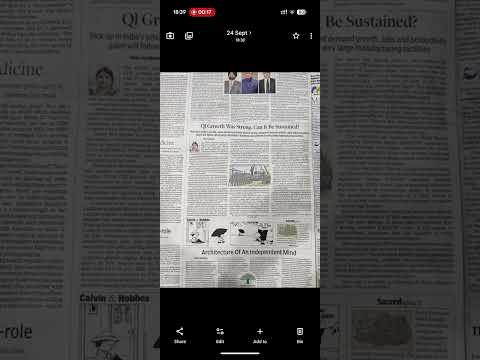
A large number of reports (1, 2) are coming in about a bizarre issue that happens specifically after editing a photo. According to the reports, the buttons for Share, Edit, Add to, and Trash become unresponsive after cropping or rotating the image. You can see an example of the glitch in the video above. If you don’t edit the photo, all the options will work as expected.
The issue seems to be affecting multiple generations of Pixel phones. We’re seeing reports from owners of the Pixel 8, 9, 10, and 11 series. It’s unclear if owners of other Android phone brands are also experiencing this bug with the Google Photos app.
Android Authority has contacted Google for comment on the situation. This article will be updated once new information becomes available. Until then, feel free to let us know in the comments section below if you are also experiencing this problem.
Thank you for being part of our community. Read our Comment Policy before posting.