Affiliate links on Android Authority may earn us a commission. Learn more.
Got a Fitbit? You might lose years of data if you don't act soon
Apr 30, 2026 — 4:32 AM ET



- The deadline to move your existing Fitbit data to a Google account is fast approaching.
- You will lose your data if you don’t migrate it by May 19.
- The process is simple and takes a few steps, so there’s no reason for you not to.
If you’re a long-time Fitbit user, you are required to switch to a Google account if you haven’t already done so. The deadline Google set for the transition is May 19, 2026, after which all your previous fitness activity stored in your Fitbit account will be lost forever.
The writing has been on the wall since Google completed its acquisition of Fitbit in 2021. Two years later, i.e., in 2023, Google started offering users the option to associate their existing Fitbit devices with a Google account instead and gave them the option to migrate any data.
Don’t want to miss the best from Android Authority?
- Set us as a favorite source in Google Discover to never miss our latest exclusive reports, expert analysis, and much more.
- You can also set us as a preferred source in Google Search by clicking the button below.


Google previously set February 2026 as the deadline for this transition, but later pushed it forward to May. It remains unclear if we can get another extension, though we wouldn’t recommend waiting for it, especially if you have a big dossier of fitness and health data from several past years.
To clarify, Google does not plan to shutter the standalone Fitbit app soon and is even working on a massive design overhaul for the Android app. This should include redesigned Today, Fitness, Sleep, and Health tabs.
How to move Fitbit data to Google account?
While moving your stuff from one app to another may seem daunting, the process is, in fact, really simple. All you must do is ensure that the Fitbit app on your Android device or iPhone is up to date. Then open the app, tap your profile photo for the device and account menu, where you will see the option to Move Fitbit to your Google account.
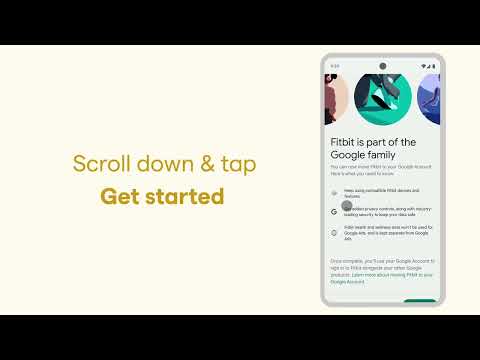
Here, tap the Move Account button, post which you’ll be guided through a few different screens where you choose the Google account and agree to any terms. You must then review the data, consent to moving it to Google, and tap Agree & move. If this is still a lot to take in, you can just follow the steps in this video.
Thank you for being part of our community. Read our Comment Policy before posting.