Affiliate links on Android Authority may earn us a commission. Learn more.
I test all the best Android phones every year, and these are the ones you should buy in 2026
May 28, 2026 — 5:00 PM ET
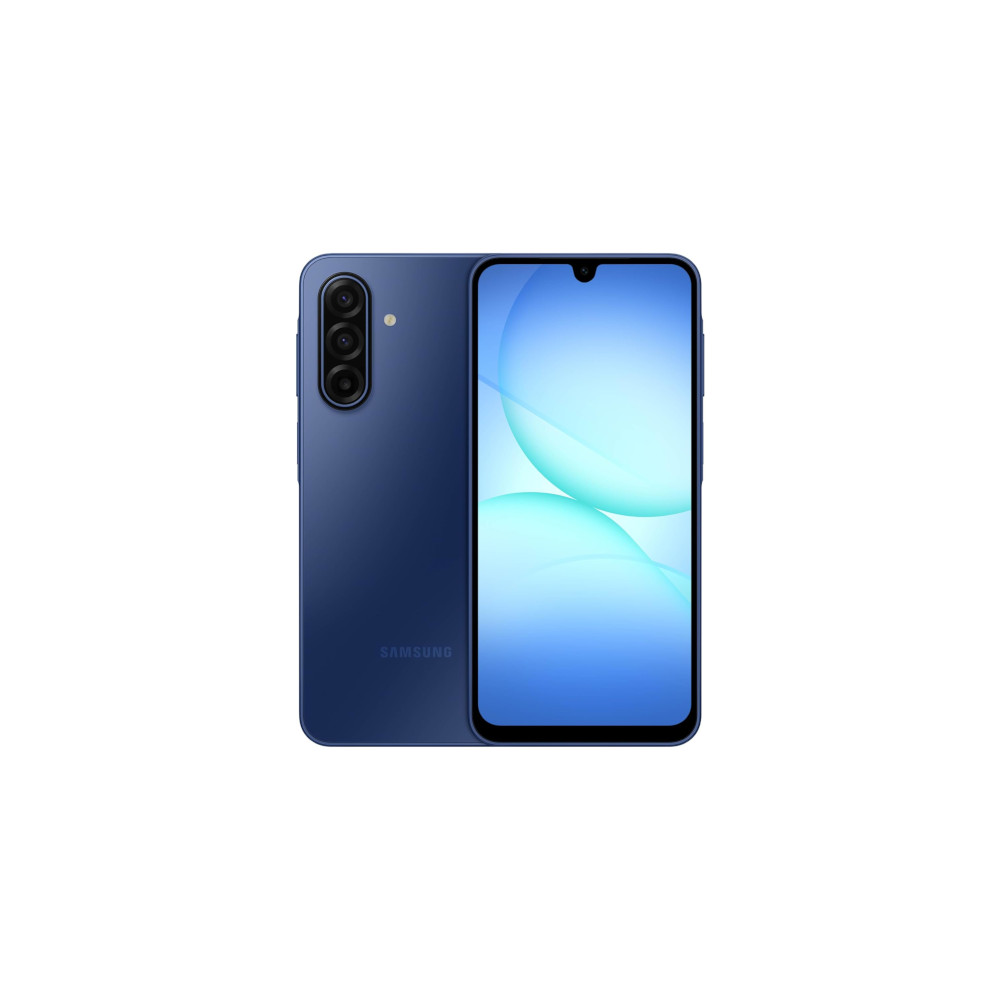
It’s a funny thing, this idea of calling something the best. After all, everyone wants to think that their favorite of anything is the best — the best album, book, or cup of coffee — but that can’t always be true. And, when you apply the idea of being the best to a category as wide open as Android phones, which can come in different shapes, sizes, and prices, the task becomes even greater.
However, I think I have a pretty good idea of what makes an Android phone great. I test and review dozens of them every year, and I’ve spent time with just about every phone you can get your hands on in the US (and even some that you can only buy elsewhere). And, across my many Android-fueled adventures, I’ve learned to pick the qualities that make a phone worth buying. So, with that in mind, here’s what I think are the best Android phones you can buy in 2026.
Google Pixel 10 Pro XL: The best Android phone overall

- Excellent build quality
- Improved camera flexibility
- Upgraded battery capacity
- Smooth-as-ever software
- Slightly better charging
- So many exclusive features
- No SIM slot in the US
- Tensor G5 is better, but still not 'elite'
- Some new AI features still need work
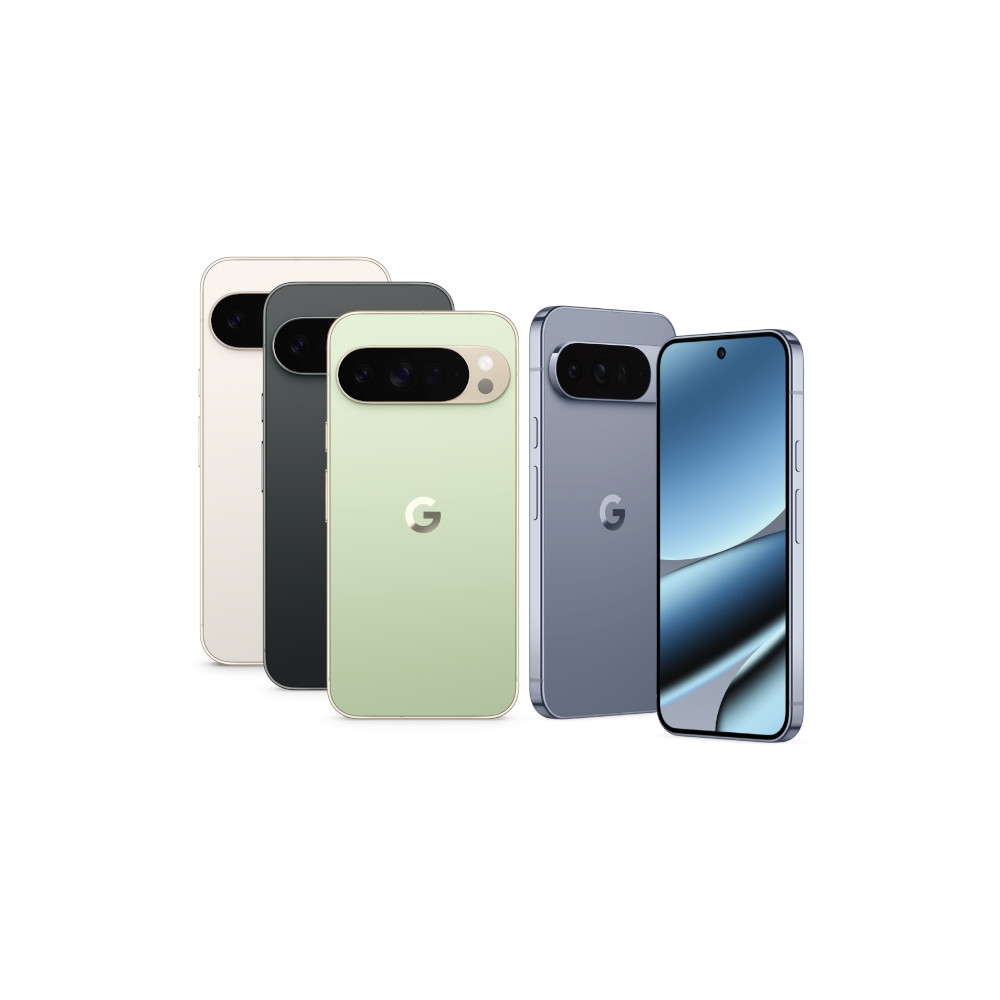
Google’s flagships have come such a long way since the first days of the Tensor project. The Pixel series used to be for those in the know — those who wanted the cleanest Android experience with features straight from Google. Now, they’re for everyone, pairing some of the most advanced AI-powered features with some of the most flexible Android cameras, making it much easier to recommend a Pixel 10 to anyone looking for an upgrade. Among them, the Pixel 10 Pro XL stands as the biggest… and the brightest… and simply the best.
I’ve spent as much time as possible with the excellent Pixel 10 Pro XL during a hectic season of smartphone launches, and it continues to find new ways to impress. Its design hasn’t changed much since the previous Pixel 9 Pro XL, which is just as well because I adored what Google did with its top-tier smartphones just a year ago. It still looks and feels a bit like an iPhone in terms of reliability, though I’d love to point out that now even Apple is copying Google’s camera bar to give its sensors a bit more space — the design student has truly become the master.
And, since we’re already on the topic of the camera bar, let’s dig into Google’s impressive hardware a little further. The Pixel 10 Pro XL packs a 50MP primary sensor that’s simply excellent, capturing plenty of detail and processing images with an improved color profile thanks to the Tensor G5 chipset. The updated chipset also enables the 48MP 5x optical telephoto sensor to capture images with greater detail than ever before, achieving 100x Pro Res Zoom — a significant leap over the previous maximum of 30x.
With a durable design, improved Tensor G5 chipset, and more new AI tricks, the Pixel 10 Pro XL is Google's most complete phone to date.
Of course, in true Google fashion, most of the Pixel 10 Pro XL’s main upgrades come from its software. Google has been hard at work cooking up AI-powered features to make life easier, implementing a Daily Hub to remind you of things on your calendar and give a quick preview of the weather, and adding Magic Cue to make it easier to send things like reservations and ETAs back and forth with your friends. They’re not quite perfect — another true Google trait — but they do offer a better glimpse into Google’s cross-app AI dreams.
The Pixel 10 Pro XL’s battery and charging setup have taken a step forward, too, thanks in no small part to an even bigger 5,200mAh battery and 45W wired charging. The addition of official Qi2.2 support in the form of Pixelsnap magnets is a boost, too, not least because I love seeing my Pixel 10 Pro XL float in mid-air on Google’s new magnetic charging stand. Better yet, the 45W maximum means you don’t really need a new charger to keep your phone rolling at top speeds.

Samsung Galaxy S26 Ultra: The best ultra-tier Android phone
- Refined, improved, durable design
- Top-tier performance
- Innovative privacy display
- Upgraded charging
- Excellent camera versatility
- Leading update coverage
- Very large and hard to use one-handed
- Battery performance not class-leading
- AI zoom image degradation
- No built-in magnets for Qi2.2
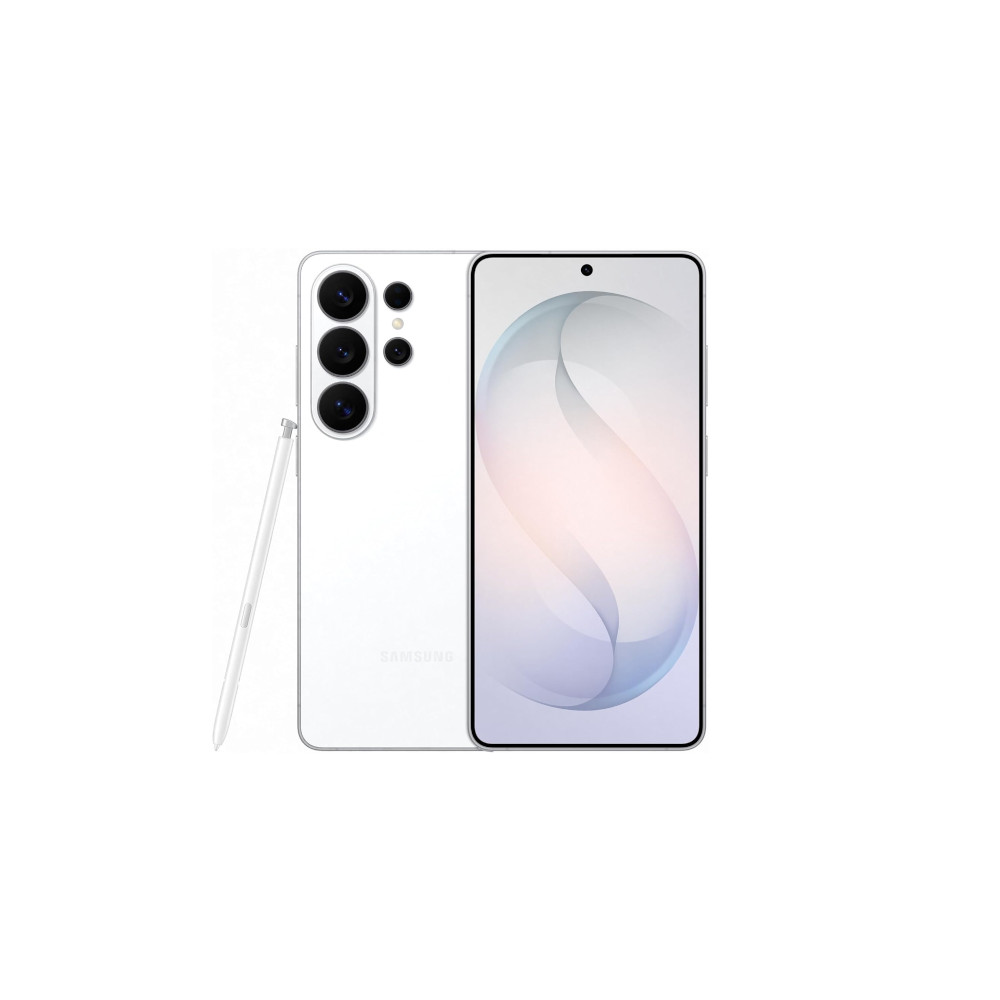
Samsung’s Ultra series has spent a couple of years coasting — powerful and reliable, sure, but distinctly unexciting. The Galaxy S26 Ultra doesn’t completely change that, but it does something the Galaxy S25 Ultra conspicuously failed to do: give you a reason to actually care about it. That starts with something as simple as a camera bump. Breaking up that slab of rear glass sounds trivial, but it’s genuinely all it took to make Samsung’s flagship feel like it belongs in the same conversation as the Galaxy Z TriFold rather than being mistaken for a generic iPhone alternative. Pair that with a Snapdragon 8 Elite Gen 5 for Galaxy chipset that dominates in both peak and sustained performance tests, outpacing the Pixel 10 Pro and iPhone 17 Pro in several benchmark categories, and you have a phone that earns its place at the top of the Android pile without having to shout about it.
The camera system is where most buyers will spend their attention, and it’s a strong showing even if the hardware looks familiar on paper. Samsung kept the same sensor lineup as last year: 200MP primary, 50MP 5x periscope telephoto, 10MP 3x telephoto, and 50MP ultrawide. But it widened the maximum apertures on both the primary (now f/1.4, up from f/1.7) and the 5x telephoto (f/2.9, up from f/3.4), letting in noticeably more light across both lenses. In practice, results are excellent up to around 10x, where colors stay natural and detail holds up without looking processed. The ultrawide is a particular highlight, wide enough to swallow a tall landmark whole with minimal distortion and surprisingly good low-light results. Beyond 30x, things get artificial-looking in a way that’s hard to ignore, but most people have no business shooting at those distances anyway.
The Galaxy S26 Ultra is the most compelling Ultra in years, and the easiest one to recommend.
The 5,000mAh battery handles a full day of heavy use without drama, and the Galaxy S26 Ultra is the first Samsung flagship to push past the 45W charging ceiling it sat at for years, now supporting 60W wired and 25W wireless Qi2.2. You will need a compatible magnetic case for wireless charging though, since Samsung has once again skipped the embedded ring.
The new Privacy Display is a neat hardware trick for keeping sensitive content away from prying eyes, though how much you actually use it will depend entirely on how often you’re logging into banking apps on the bus. Seven years of software updates, Gorilla Armor 2, IP68 protection, and a Galaxy AI suite that’s mercifully less pushy than recent generations round out a package that’s more complete than its predecessor. It’s a big phone at 163.6mm tall and 78.1mm wide, and the Armor Aluminum 2 frame has sharper edges than the titanium build it replaced. But as a flagship for Samsung loyalists who want the best of everything the ecosystem offers, the Galaxy S26 Ultra finally feels worth getting excited about again.

Google Pixel 10a: The best Android phone under $500
- Completely flush rear camera
- Smooth day-to-day performance
- Very reliable cameras
- Great battery life
- Google's Pixel software
- $500 price is sweeter than ever
- No built-in magnets
- Missing some more advanced Pixel features
- Almost identical to the Pixel 9a
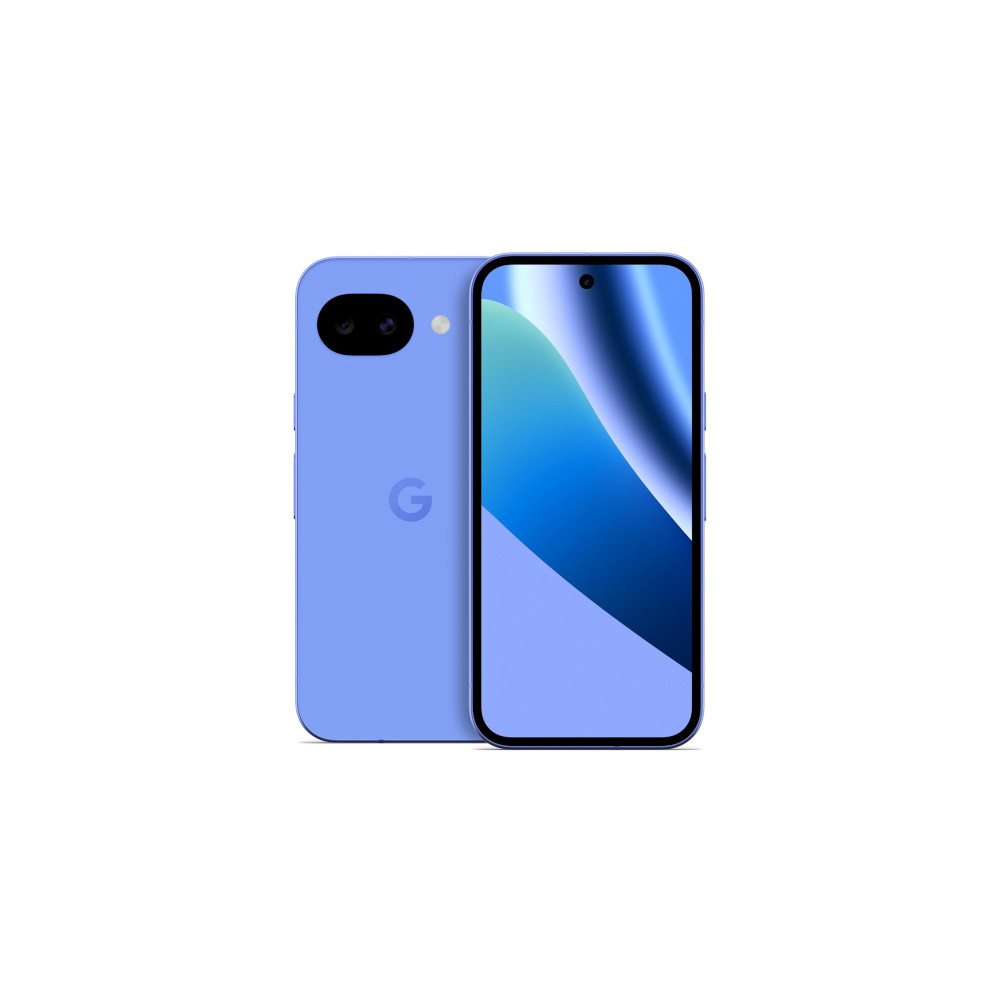
Google nearly perfected the $500 smartphone with the Pixel 9a, so rather than reinvent it, the Pixel 10a refines it. The result is the easiest recommendation on this list. The specs that matter most are carried over intact: a capable 48MP primary camera that punches well above its price point, a 5,100mAh battery that handles genuinely grueling days without complaint, and the cleanest Android software experience you can get at any price. What’s new is subtle but meaningful. A completely flush rear camera, symmetrical bezels, Gorilla Glass 7i, a brighter 3,000-nit display, faster 30W wired charging, and Satellite SOS support. None of it is flashy, but all of it makes a good phone better, and Google managed to do it without touching the $499 price tag.
The camera system won’t win any spec sheet arguments. There’s no telephoto lens, and the 8x maximum zoom is purely digital. But in practice, it’s one of the best dual-camera setups at this price. Low-light performance is genuinely impressive, Night Sight does heavy lifting in dimly lit environments, and Google’s computational photography keeps colors and details looking natural across the board. The Pixel 10a also handles tricky subjects well, picking out fine details and fast-moving subjects with the kind of consistency you’d normally expect from a phone that costs significantly more.
The best thing Google did with the Pixel 10a was keep the price at $499.
The Tensor G4 chipset is a year old at this point, and 8GB of RAM means a handful of Google’s more advanced features are off the table. No Pixel Screenshots, no Magic Cue. But for everyday use the Pixel 10a runs smoothly and without frustration, and what you do get is a genuinely full Pixel experience: Now Playing, Google’s calling tools, Material 3 Expressive UI, and seven years of OS and security updates. At $500, no other Android phone comes close to bundling this much software quality, this much camera capability, and this much long-term reliability into one package.

Motorola Moto G Power (2026): The best Android phone under $300
- Decent ultrawide camera
- Excellent IP rating and durability
- Clean Pantone colors
- Solid battery life
- Limited software support
- Outdated chipset
- Odd camera bump design
- Removed wireless charging
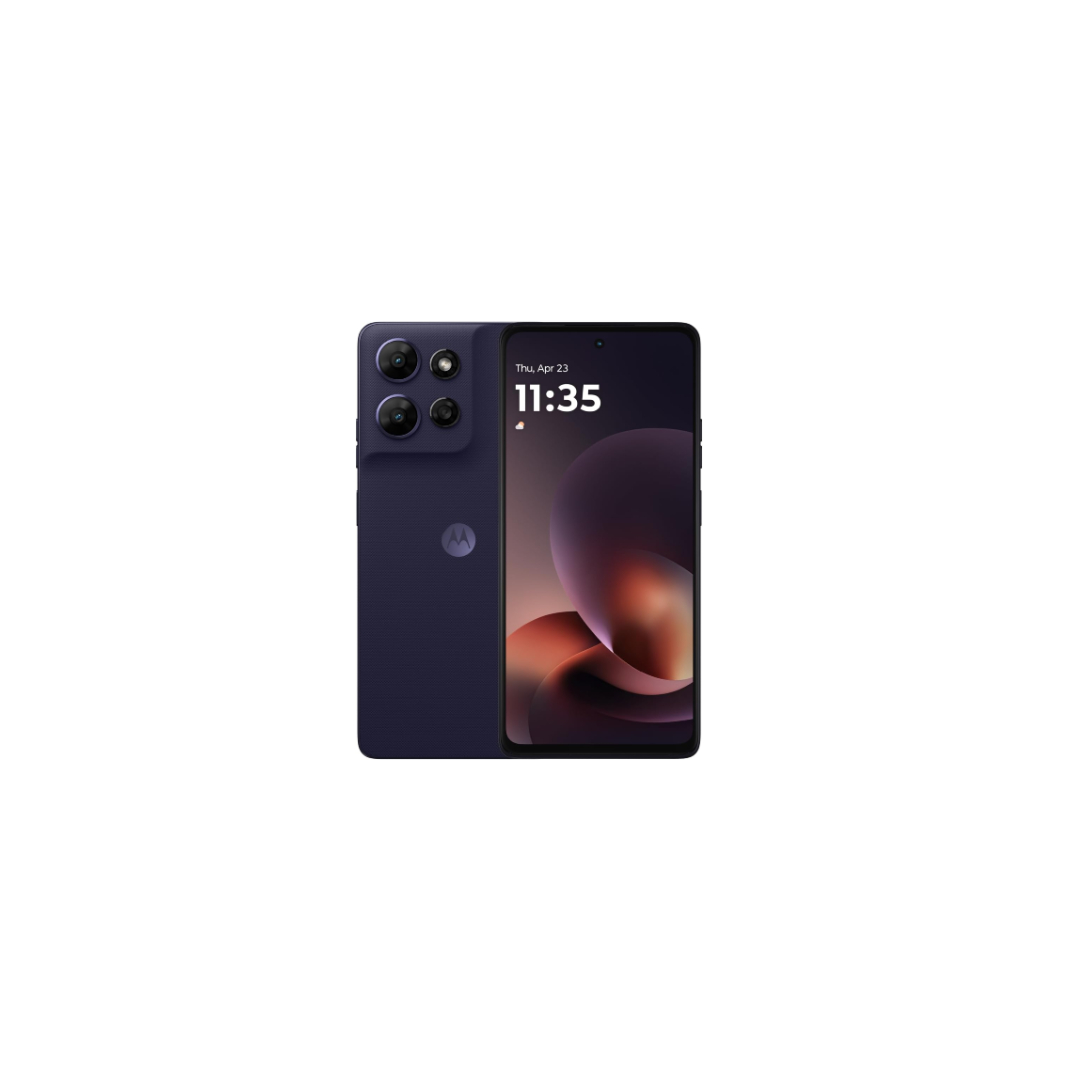
Motorola’s budget lineup has a bit of an identity problem right now with too many phones that look and feel alike, spread across too narrow a price range. The Moto G Power (2026) sits at the top of that pile at $299.99, and while it doesn’t dramatically distance itself from its cheaper siblings, it does enough of the right things to justify its place as Motorola’s best affordable Android phone. Dual IP68 and IP69 water resistance, a Gorilla Glass 7i display, a genuine ultrawide camera, and a 5,200mAh battery that pushes comfortably into a second day — that’s a more complete package than most phones at this price bother to offer.
The design is familiar to the point of frustration if you’ve spent any time with the rest of the 2026 Moto G family, but there are details worth appreciating once you look past the shared DNA. Motorola’s Pantone partnership continues to pay off — the Evening Blue finish is a deep, near-black navy that looks genuinely premium, and the textured rubber back panel is grippy and fingerprint-free in a way that makes you question why more phones don’t do this. The 6.8-inch Full HD LCD with 120Hz refresh and 1,000 nits of peak brightness is also the clearest differentiator within the Moto G range, stepping up from the lower-resolution panels on cheaper siblings. Motorola still inexplicably dressed the camera bump with three rings for two actual sensors, but that’s a cosmetic gripe rather than a functional one.
The Moto G Power (2026) isn't the most exciting phone at $300, but it might be the most practical.
Under the hood, the MediaTek Dimensity 6300 chipset and 8GB of RAM won’t win any benchmark contests. It trails the Nothing Phone 3a and Samsung Galaxy A26 5G in both CPU and GPU tests, and matches its cheaper Moto G siblings more closely than you’d hope. Real-world performance is serviceable rather than smooth, handling everyday tasks well enough but showing its limits if you push it. The two-year Android update commitment is the other soft spot, and it’s hard to overlook when Samsung offers four years on phones that cost less. Where Motorola does stand out is the camera setup. The 50MP primary sensor with its f/1.8 aperture handles daylight shots with solid color accuracy, and the 8MP ultrawide is a meaningful step up over the macro-only lens on cheaper Moto G models. Low-light results are modest but honest, and the software macro mode consistently surprises. For $299.99, it’s not a perfect phone, but it covers the bases that matter most.

Samsung Galaxy A17 5G: The best Android phone under $200


- Stellar software update promise
- Solid primary camera
- Decent battery life
- Great price
- Good charging
- Just-okay build quality
- Aging performance
- Weak peripheral cameras
- Bland design
At $200, the Samsung Galaxy A17 5G has one job: be the most sensible cheap Android phone you can buy. It mostly succeeds, and it does so on the back of a genuinely sharp 6.7-inch Super AMOLED display with Gorilla Glass Victus protection, a clean One UI experience, and six years of OS and security updates. No other brand at this price comes close to that kind of long-term commitment. The pill-shaped camera cluster and Key Island fingerprint sensor give it more visual personality than you’d expect for $200, and Samsung’s AMOLED panel still punches harder than the LCD alternatives in this tier when it comes to contrast and color depth.
The performance picture is less flattering. The Exynos 1330 chipset and 4GB of RAM handle light everyday tasks well enough — streaming, social media, basic navigation — but push it harder and it shows its limits quickly. Heavier apps struggle to settle in, and anything demanding enough to test the GPU is a lesson in patience. The 90Hz refresh rate and 800-nit peak brightness are both modest relative to the competition, and outdoor visibility in bright sunlight is a genuine frustration. The 25W wired charging is also unchanged from the previous generation, which feels like a missed opportunity when Motorola’s cheaper options already offer 30W.
Six years of updates and a stunning AMOLED display make the Galaxy A17 5G the easiest long-term bet at $200.
The 50MP primary sensor with OIS is the clear camera highlight, reliable in good light and decent enough when things get darker. The 5MP ultrawide and 2MP macro sensors are functional at best, and you’ll know it when you use them. The 5,000mAh battery is the other genuine bright spot, outlasting most of its competition in testing and hanging on well through light-to-moderate days. For anyone who needs a dependable, well-supported daily driver on a tight budget and isn’t planning to push the phone hard, the Galaxy A17 5G makes a reasonable case for itself. Just go in with realistic expectations about what $200 actually buys you.

Google Pixel 10 Pro: The best Android camera phone
- Compact, comfortable design
- Built-in magnetic charging
- Tensor G5 runs cool
- Super versatile cameras
- Pro Res Zoom is scary impressive
- Pixel-exclusive features are still fantastic
- Seven years of updates
- No physical SIM slot in the US
- Not a huge performance upgrade
- Magic Cue needs some work
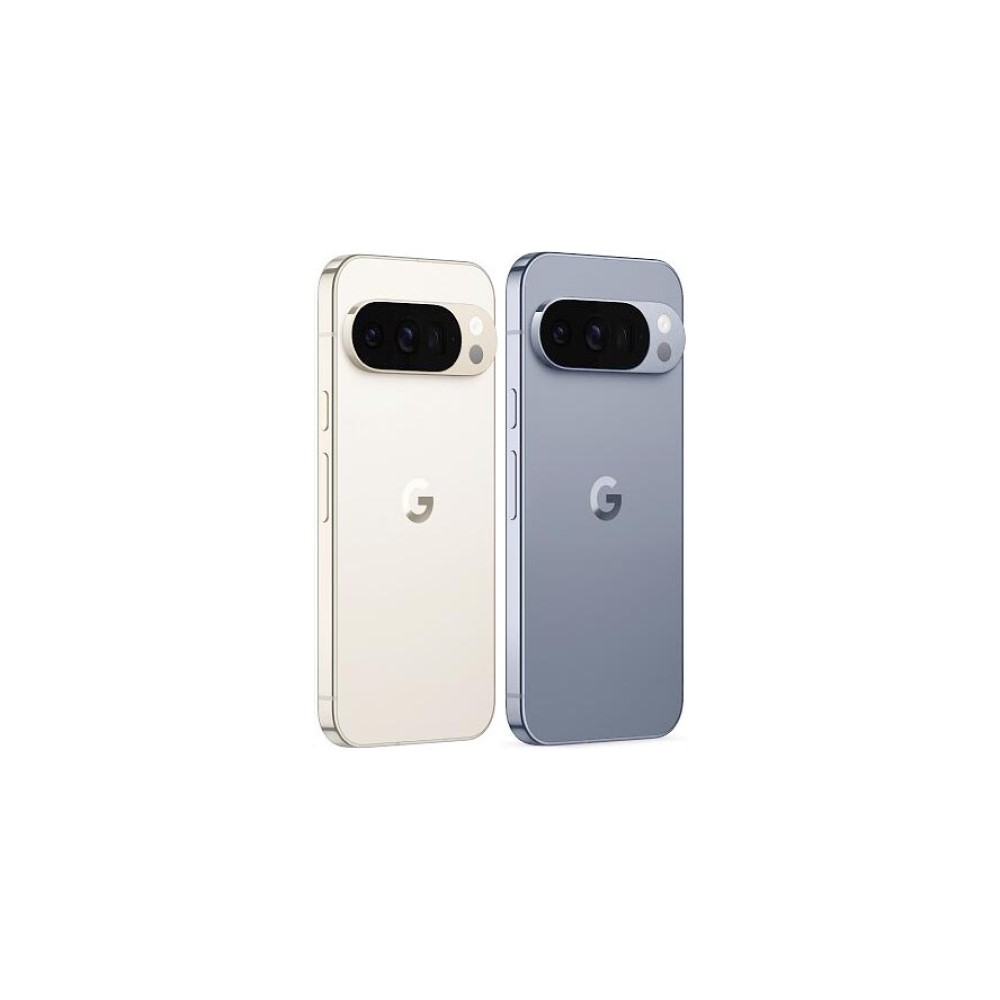
A lazier guide would tell you to scroll back up to the Pixel 10 Pro XL — our pick for the best overall Android phone — skim that entry, and then come back here to understand why the Pixel 10 Pro also makes this list, as the two phones are almost identical, save for a few size-based differences. That would, however, feel like a disservice to one of the best (and only) truly small flagship phones you can get your hands on. After all, Samsung seems convinced that small phones only deserve to ride the baseline of specs, while the Pixel 10 Pro gets you the same long-range zoom updates and automatic processing features as Google’s biggest phone, but for less.
Google’s 6.3-inch flagship packs the same hardware — 50MP primary, 48MP periscope telephoto, and 48MP ultrawide sensors — as the Pixel 10 Pro XL, but the smaller body makes it much easier to pull out of your pocket and grab a photo before you miss the moment. On top of that, the Pixel 10 Pro still supports all of the same AI-powered shooting modes like Auto Best Take and the Camera Coach with bonuses like Help Me Edit for when you want Google to add some spice to your favorite photos.
Want to see the proof for yourself? You can check out a whole bunch of our camera test samples in this Google Drive.
The Pixel 10 Pro takes everything we loved about the XL and, well, shrinks it.
Of course, to make its compact Pro model run smoothly, Google had to make a cut or two. Thankfully, it didn’t follow the path of Apple’s previous Pros, putting different telephoto sensors on each size, but instead opted for a smaller battery. The Pixel 10 Pro packs a still-solid 4,870mAh battery with 30W wired charging from the same USB-C Pixel charger I’ve mentioned once or twice, and 15W Qi2 wireless charging. Otherwise, though, everything from the combination of aluminum and Gorilla Glass Victus 2 to the top-notch build quality and the still-questionable Temperature Sensor is a perfect match for the full-sized flagship.

Motorola Razr Ultra: The best flip-style Android foldable

- Blisteringly fast charging and excellent battery life
- Ultra-flagship-tier performance
- Solid dual camera setup
- Top-notch materials and eye-catching Pantone colors
- Two very vibrant displays
- Clean, simple software
- Moto AI feels half baked
- Limited software commitment
- Long-range zoom kinda stinks
- Expensive
It’s tough to pick a flip phone as my favorite overall Android phone, but I think the Motorola Razr Ultra is about as close as any has come. After all, it’s the first of its form factor to truly take the training wheels off, packing its spec sheet with Ultra-grade decisions while carefully dancing within its limits. It takes almost everything I loved about the previous flagship Razr foldable, fixes the odd camera decision I thought I’d like, and then adds an extra dose of power in the form of additional RAM and Qualcomm’s top-tier chipset.
More specifically, the Razr Ultra packs an impressive 16GB of RAM in its base configuration with 512GB of storage by default, both of which are more than any of Samsung’s foldables can match. It then pairs them up with the Snapdragon 8 Elite chipset and a 4,700mAh battery that towers over that of most flip phones I’ve reviewed. Not only that, but Motorola’s top-tier flip phone also packs a charging setup worth writing home about. The Razr Ultra ships ready to handle up to 68W wired TurboPower speeds with 30W wireless charging as a backup, at least as long as you have a capable charger. That’s fast enough to run circles around everyone but OnePlus in the US, and makes an already great phone feel even better.
The Razr Ultra is by far the best-looking, most powerful flip phone I've ever used.
Perhaps what wins the Razr Ultra the most points over Samsung’s Galaxy Z Flip lineup is that I still prefer its cover screen experience. There are no hoops to jump through, no extra software to install, and no weird layouts to avoid. Yes, your apps use the entire display by default, meaning they might get cut off by the camera cutouts, but you can quickly fix that with a press of the gesture pill to compact the interface into a smaller square. On top of that, AI companions like Perplexity, Gemini, and Moto AI come optimized for the cover screen, making it easy to ask for help when needed.
While I don’t usually like to put too much stock into the way a phone looks — especially if I’m going to put it into a case — there’s no way around it on the Razr Ultra. Every colorful finish that Motorola offers comes from its close partnership with Pantone, and the different back panels offer more personality than the usual mix of Gorilla Glass can match. I reviewed the Mountain Trail version, which comes with a wooden back and a bronzed aluminum frame, but Motorola’s Scarab finish is an eye-catcher with its deep green color and slightly fuzzy Alcantara back panel. I might be concerned about how it’ll age in the coming years, but I can’t say I’ve seen anyone use materials quite like Motorola.

Motorola Razr Fold: The best tablet-style Android foldable
- Comfortable, stylish design
- Fantastic displays
- Two-day battery life
- Surprisingly excellent cameras
- Great multitasking features
- Seven years of Android updates
- The AI Key is bad
- Frustrating charging setup
- Moto AI is useless
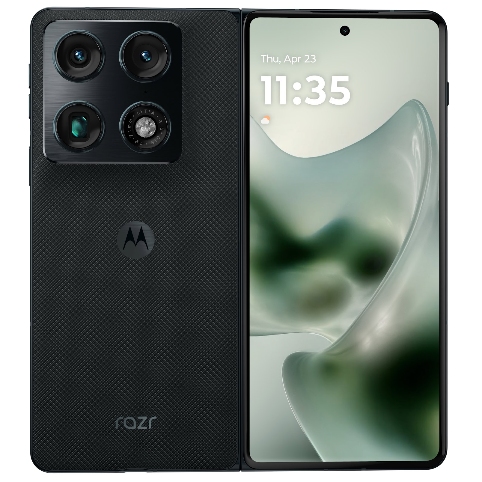
Nobody expected Motorola’s first crack at a book-style foldable to be this good, but it really is. The Razr Fold arrives late to a category Samsung has owned for years, but it doesn’t feel like a catch-up device — it feels like a statement. At $1,899 it slots in just under the Galaxy Z Fold 7, and for your money you get a triple 50MP camera system that comfortably outclasses the competition, a monstrous 6,000mAh battery that makes two-day battery life a realistic expectation, and a form factor that slides in and out of pockets far more naturally than you’d expect from a book-style foldable. For a first-generation device, the Razr Fold is a genuine shock.
The camera system is the crown jewel, and it’s not particularly close. The large-sensor primary camera delivers wonderfully sharp images with natural bokeh, and Motorola’s color science is shockingly good — deep, saturated, and full of character in a way that makes you excited to press the shutter button every time. The 3x optical telephoto holds up impressively at 6x and even 10x, and the ultrawide is more detailed and consistent than you’d expect from a foldable. There’s a real sense of personality to every shot that most phones at this price simply don’t have. AI processing gets heavy-handed past 30x, but that’s a caveat that applies to pretty much every phone on this list.
The Razr Fold is the best book-style foldable you can buy in the US, and it isn’t particularly close.
The Snapdragon 8 Gen 5 runs cooler and more consistently than the Snapdragon 8 Elite Gen 5 in many rival flagships, matching the Z Fold 7 in multi-core performance while staying more thermally composed. The 8.1-inch inner display hits a staggering 6,200 nits of peak brightness, and the 6.6-inch cover screen is genuinely comfortable for one-handed use — you could easily spend most of your day on the outside display alone. The hinge is smooth and sturdy, and the crease is less noticeable than on the Pixel 10 Pro Fold. Seven years of software updates round out a package with very few meaningful weaknesses. It’s heavier than the Z Fold 7 at 243g, and the advertised 80W wired and 50W wireless charging speeds require proprietary Motorola hardware that isn’t in the box. Even so, charging is still considerably faster than the competition. For the best foldable experience available in the US right now, this is it.

ASUS ROG Phone 9 Pro: Best Android phone for gaming

- Overkill performance
- Outstanding battery life
- Fast, universal charging
- Super-stable video
- Handy AI tools
- Expensive Pro model
- Poor software commitment
- Inconsistent cameras
- No 4K recording on all lenses
The last of our main selections for this list of the best Android phones is one for the gamers, literally. ASUS’s ROG Phone 9 Pro is about as close to a gaming laptop as you can get, at least if you can ignore that it doesn’t fold in half. It has a frankly ridiculous spec sheet, offering up to 24GB of RAM with a Snapdragon 8 Elite chip under the hood and 65W wired charging that’s much faster than the MacBook Air I’m using to assemble this list.
Of course, those features aren’t completely unheard of in the flagship Android segment — well, 24GB of RAM is a lot — but its clever gaming tweaks set the ROG Phone 9 Pro apart. It pulls the programmable matrix from the back of the ROG Zephyrus and pairs it with pressure-sensitive triggers dotted around the frame to help you draw some of the controls off the 6.78-inch AMOLED itself. Those features, combined with the improved efficiency of the Snapdragon 8 Elite chip, had my colleague Rob Triggs gaming with a smile, pushing the ROG Phone 9 Pro as hard as he wanted to find out where its throttling point lay.

For what might be the first time, though, Rob also declared this to be a gaming phone he might not mind using every day. See, a lot of gaming-specific devices fall into the common trap of being too big, too edgy, and too expensive for casual usage, not to mention the fact that camera hardware almost always comes last. On the ROG Phone 9 Pro, however, you get an updated 50MP LYTIA 700 sensor for the bulk of your photography, and ASUS has reimagined its stabilization for better video shooting. The display is also brighter and smoother than before, topping out at a 185Hz refresh rate and 2,500 nits of brightness, which is more than enough for a bright, sunny day.
The ROG Phone 9 Pro is an elite gaming phone that's flexible enough for everyday usage.
Also, if you’re serious about pushing the ROG Phone 9 Pro to its gaming limits (and why wouldn’t you be?), ASUS has several accessories worth checking out. Rob got plenty of mileage out of the detachable controller below, though he also mentioned the external cooling setup as a helpful option when trying to game and charge simultaneously. And, if you’re not set on the customizable LED matrix on the back, you can also check out the ROG Phone 9 to save a couple of bucks.

Honorable mentions
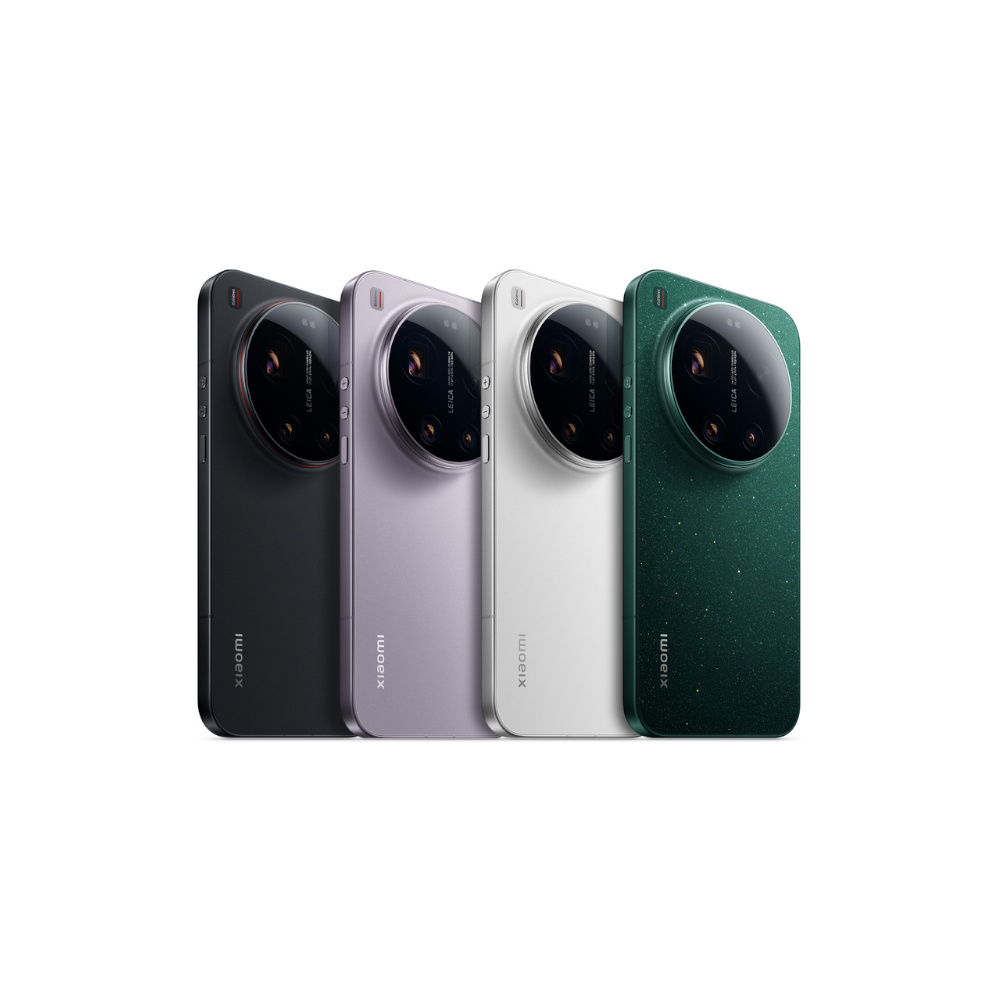
If the Xiaomi 17 Ultra were just a little bit easier to access in the US, it might have earned a full spot on our list rather than simply an honorable mention, and I think it still has a legitimate claim to being the best Android camera phone. Like the last few Ultras, it’s practically a mirrorless camera with a phone on the back, pairing a trio of 50MP sensors with a 200MP telephoto camera and sporting an overall design that’s reminiscent of a Leica mirrorless camera to go along with Xiaomi’s Leica-tuned color science.

Nothing is officially back in the flagship race. Its third-generation Nothing Phone 3 is unlike anything we’ve ever seen before, trading a traditional camera bump for three separate sensors and swapping the Glyph Interface for a more advanced (and trickier to use) Glyph Matrix. It bubbles under the best in terms of performance, but makes up for it with a one-off look, clean Nothing OS software, and an approachable suite of accessories.
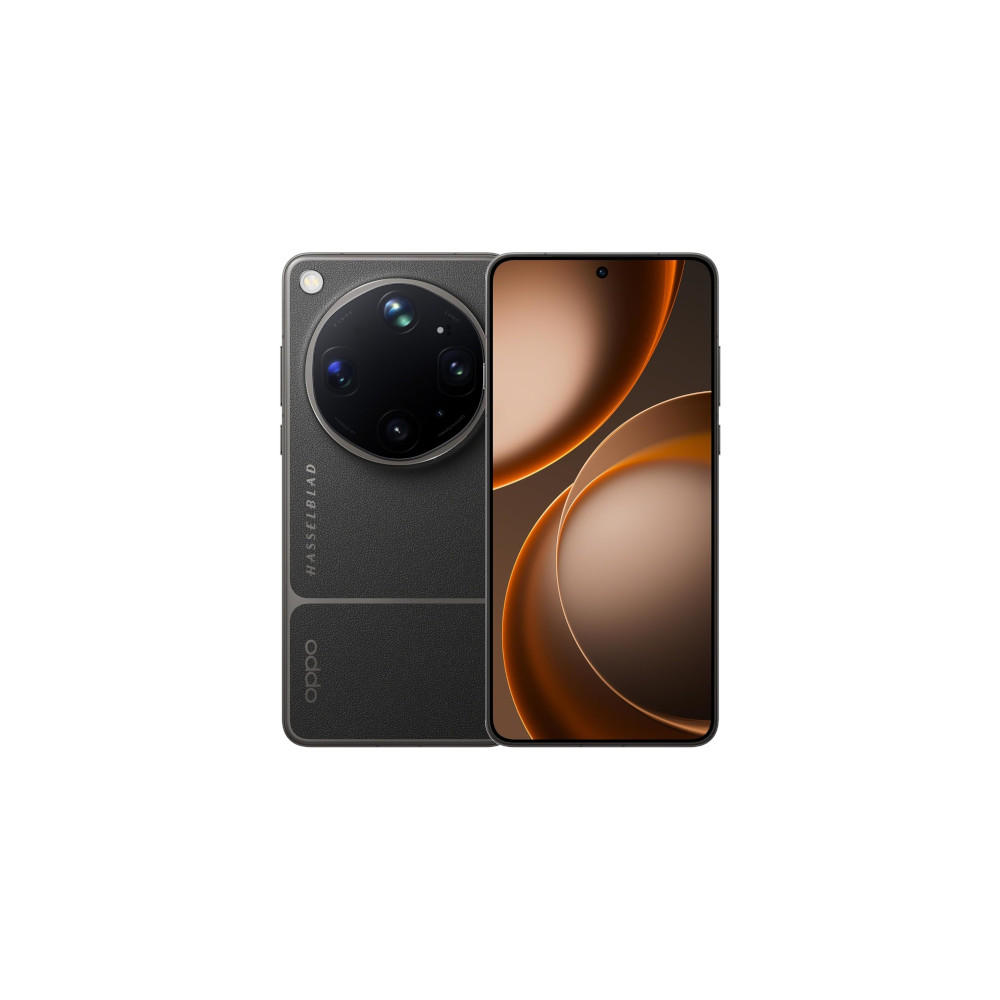
Like the Xiaomi flagship mentioned above, the OPPO Find X9 Ultra is a powerful phone that’s just a little too tough to get your hands on in the US. It pairs a massive battery with blistering fast charging and a truly phenomenal set of cameras. Yes, there’s a little bit of operating system fluff onboard, but we’d say the cleanup time is worth it for the otherwise excellent power, unbeatable cameras, and all-around flexibility.

Although I’m happy to call Motorola’s latest Razr Ultra the best flip phone, it’s also the most expensive. Samsung’s Galaxy Z Flip 7, on the other hand, finally fixes its folder-shaped Flex Window and makes a chipset swap to an in-house Exynos setup. You’ll have to get used to having two app drawers if you want more than Maps, YouTube, and Google Messages at your disposal, but Samsung’s full-screen widgets are simply excellent.
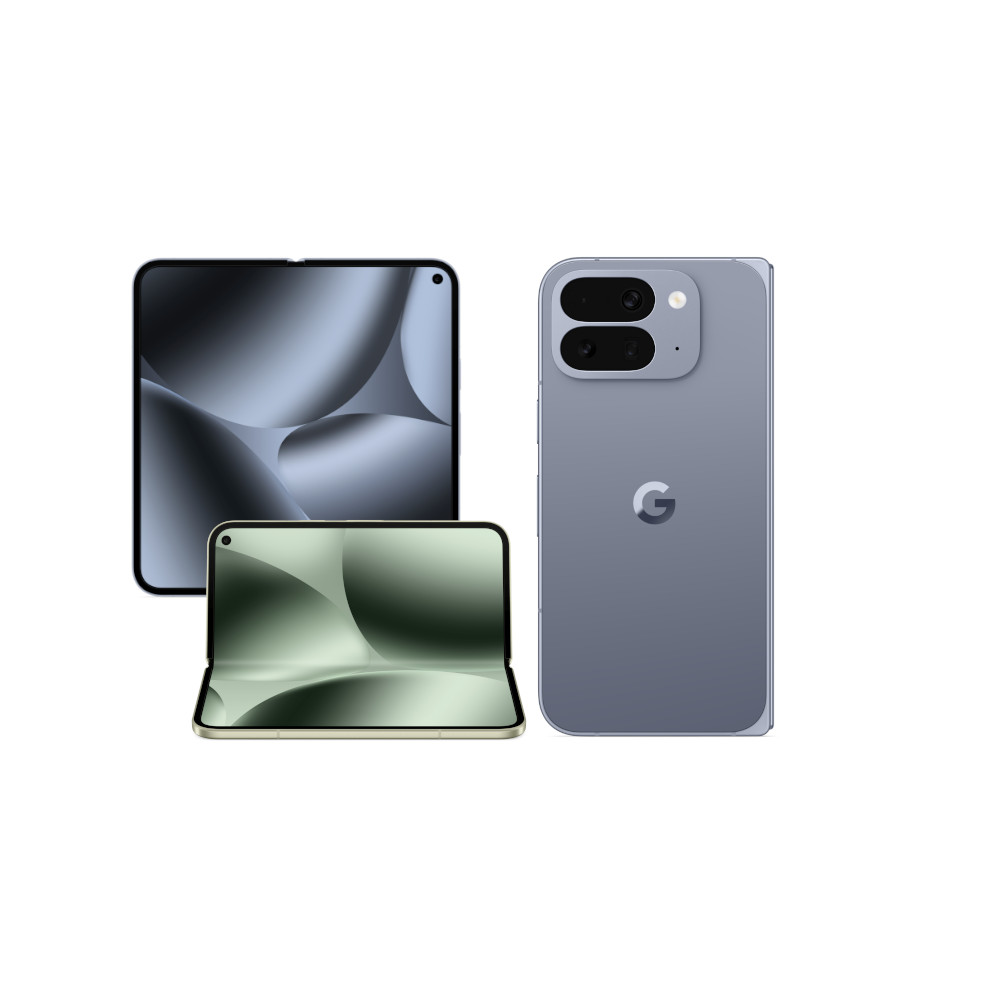
The Pixel 10 Pro Fold is certainly deserving of this honorable mention slot. It’s as durable as they come, pairing a new, gearless hinge with an IP68 rating and backing it with the same long-term support that the other Pixel 10 models get. You’ll have to adjust to lower-resolution cameras, with just 10.5MP on the ultrawide and 10.8MP for the telephoto, but advanced modes like Auto Best Take and the Camera Coach should help you around that limitation.
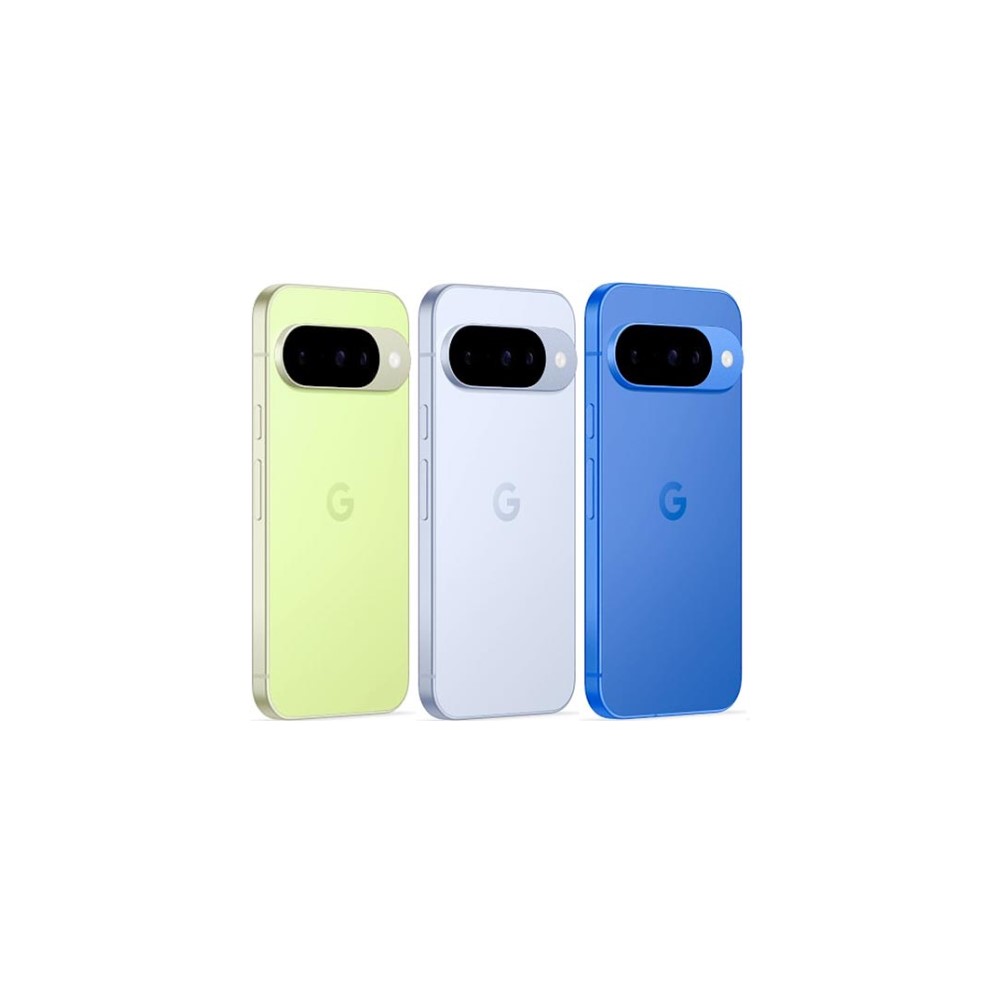
If you’ve spent any time looking for a great Android phone, you’ll know there aren’t many small ones left. Somehow, 6.5-inch or larger displays have become the standard, leaving those of us with smaller hands relegated to a precious few picks. Thankfully, the Pixel 10 is one of those, offering even more of the Pro-level experience than ever now that it has three rear cameras. Its 6.3-inch display is easy to reach across yet doesn’t feel so tiny that you’re missing out on real estate. If we hadn’t already put every other Pixel 10 device on this list, this one might have earned more than an honorable mention.
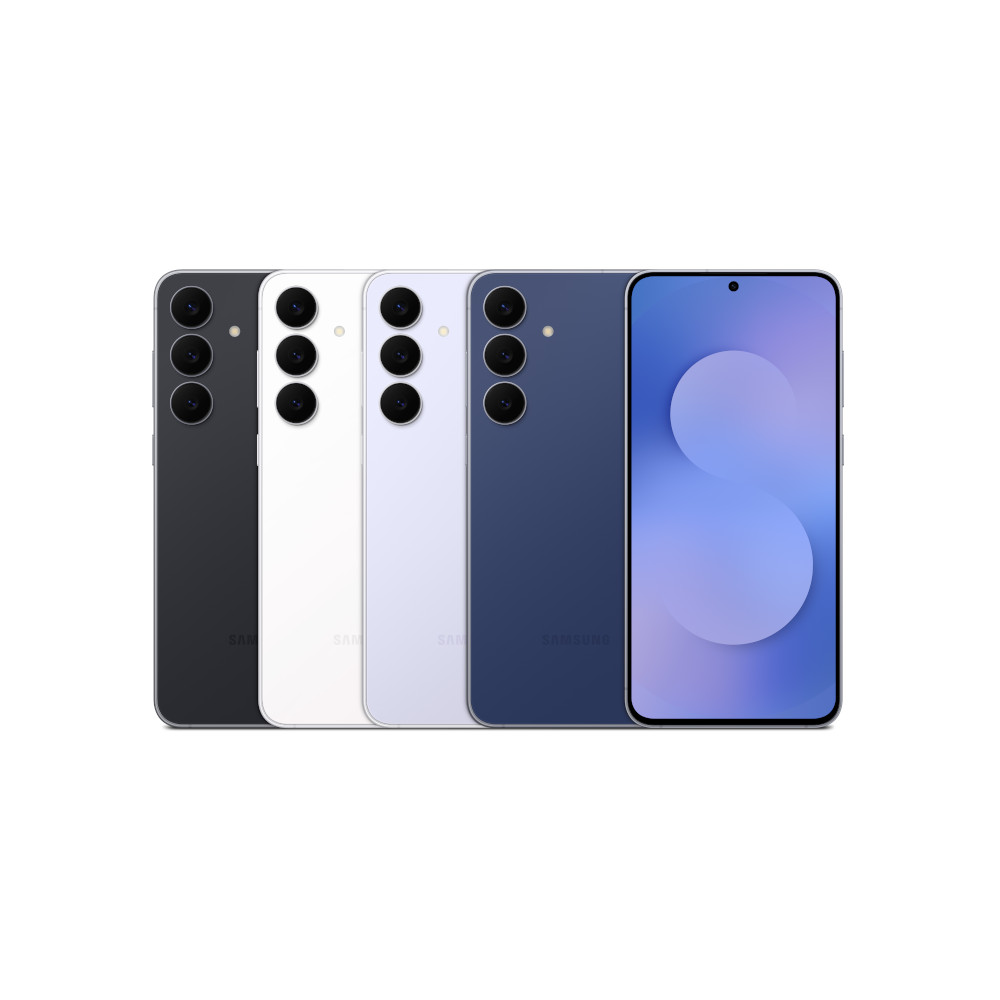
Many of Samsung’s best offerings lay it on pretty heavy with the focus on power users, and there’s nothing wrong with that. However, it also has the unintended benefit of making Samsung’s budget-conscious picks stand out slightly more. The Galaxy S25 FE is one such option, landing just below the flagship tier with a display that nearly matches the Galaxy S25 Plus, materials like aluminum and Gorilla Glass Victus Plus that I’d trust without a case, and just enough of a dip into Galaxy AI to give more users a taste of Chat Assist, Note Assist, and better photo editing tools.
What to look for in a good Android phone

We could sit here and list the best Android phones all day — we’re phone nerds, it’s our job. We’ll sit here and reminisce on some of the best phones from yesteryear, too, looking for any excuse to pull something fun out of the closet. However, just because we like one or two or ten things about a phone doesn’t mean it’s right for you. There’s much more to consider before you splash the cash, especially if you plan to have this phone for several years.
We have our favorite Android phones, but the best way for you to pick one is to break it down into the features you really want.
For example, if you want a small, super-portable phone, something like the Galaxy S26 Ultra simply won’t work, no matter how you try to wrangle it. That 6.9-inch display will always feel too big for your pocket. At the same time, it’s a great phone that packs flexible cameras, a powerful chipset, and a convenient S Pen, so it’s all about deciding what features you absolutely must have in a device.
So, with that in mind, here are a few things I always tell people to look for when buying a new phone:
- Software updates: A phone is only as good as the number of software updates it will receive. You won’t be able to change your battery, display, or camera hardware over time, so most of the value you’ll pull from a phone comes from keeping it for years and years after you’ve paid it off. The best way to guarantee some of that value is with a Pixel or Galaxy device set for seven years of patches, though Motorola and OnePlus are catching up with four and five years of support at their flagship levels.
- Camera flexibility: If you’re after one of the best Android phones on the market, you probably have high camera expectations. It’s perfectly understandable — you’ll probably capture your life with this device for several years. And, as you might have noticed, single-camera Android phones aren’t a thing anymore. So, if you prioritize a great camera phone, you’ll want to keep an eye on things like sensor size, telephoto focal length, and how your phone processes images after the fact.
- Display size: As mentioned above, finding a small Android phone is easier said than done these days. There aren’t many 6.1-inch or 6.2-inch options left, with premium picks like the Pixel 10 Pro XL and Galaxy S26 Ultra measuring close to 7 inches, and many budget to mid-range options measuring 6.5 inches or larger. Also, if display size is no issue (or you want a phone that can check two boxes at once), you might consider a foldable that can take over for a tablet, too.
- RAM and storage options: Depending on your needs, you might also want to monitor the RAM and storage that your chosen Android phone comes with. At one point, 8GB of RAM was enough to tackle everything from web browsing to gaming to streaming a full season on Netflix, but no longer. With the explosion of AI-powered features, 12GB is closer to the bare minimum for flagships, while the Pixel 10 Pro series feels even more capable with 16GB across the board.
- To fold or not to fold: Foldable Android phones remain one of the most exciting categories in tech, at least to me. They’ve improved by leaps and bounds in recent years, picking up better cameras, thinner hinges, and better protection against water and dust. However, you’ll still have to weigh out whether or not you have the budget to try something new and if you can live with a spec sheet that hasn’t caught up just yet.
- Durability: These days, phones feature more premium materials than ever, sometimes pairing aluminum and titanium frames with advanced glasses like Panda Glass and Gorilla Glass or interesting textures like vegan leather and, in the case of the Razr Ultra, Alcantara. My advice would be to think about what materials you want and whether or not you plan to put your phone in a case. Also, keep in mind that IP68 ratings against water and dust have become the standard for many flagships, so think twice before settling for a lower rating, even if it saves money.
- Charging speed: It’s no longer a surprise to see phones ship with 5,000mAh batteries — in fact, it’s expected on phones of a certain size. However, with great power capacity comes great responsibility, so you’ll want to keep an eye on the charging speeds that your new phone supports. Some, like OnePlus, offer up to 80W speeds with the correct charger, while others, like the Galaxy S25, won’t go above 25W no matter how hard you try. Also, if you opt for something like the Pixel 10 Pro XL, you’ll need Google’s in-house USB-C charger to guarantee the best speeds, so you might need to budget for some extra charging accessories.
- AI features: One last thing worth watching — and probably the least essential of my picks — is the list of AI features your new phone will support. If you opt for a flagship Pixel or a Galaxy S25, you’ll get a pretty solid set of Gemini and Galaxy AI picks, while the OnePlus 13 and Motorola Razr lineup might lag behind just a bit. Then again, you might find that the available features don’t quite mesh with your usage or don’t feel quite polished enough, so you may also be able to get by with Circle to Search and some of the other features that have made their way to lower price points.
Why you should trust me

I’m a phone guy — always have been. I can still rattle off every device I’ve ever purchased with my own money, and I continue to hold the LG G3 as one of my favorite phones of all time. I stayed almost perfectly true to Android ever since my parents got me my first smartphone after I made it to high school, at least as long as you’re willing to forgive the few years I spent with an iPhone 7 when I let green bubble bullying get the best of me.
Since then, I’ve made my love of phones into my day job, shifting my personal SIM more times than I can count and spending time with everything from the Motorola Moto G Play (2021) to the OnePlus Open to the Galaxy S26 Ultra in my pocket. I won’t pretend to have loved every phone I’ve reviewed — you have to break a few eggs to make an omelet — but I’ve taken highlights away from each one and come to appreciate Android options both high and low.
I review dozens of Android phones every single year, and my personal SIM moves around enough to qualify for frequent flyer status.
Further, my opinions come from more than simply running around with a new phone in my pocket. Part of my role as a reviewer is to work closely with my colleague, and our resident testing expert, Rob Triggs, to come up with objective metrics by which we can compare devices. We’ve worked closely to cook up tests for battery life and charging, along with a nicely standardized set of ways to put CPUs and GPUs through their paces long before I ever sit down to write a review. Do I still count my hands-on experience? Of course I do, but I also like to ensure that data backs them up. If you want more information on our testing procedures, you can read our full methodology at the link.
What do you look for in an Android phone?
Sometimes, my need to be thorough means that I’m not the first reviewer to press the publish button, and I’m rarely the shortest and sweetest among my peers, but I don’t mind. I’ll happily cause a little bit of a headache for my editor (shout out to you, Ollie) if it means I know I’m being as thorough as possible. Besides, with how far phones have come in just the last few years, I’m not sure how anyone could put together a review without stopping and taking a few stretch breaks.
Thank you for being part of our community. Read our Comment Policy before posting.