Affiliate links on Android Authority may earn us a commission. Learn more.

The Motorola Razr Fold shouldn't matter, but I can't put it down
May 28, 2026 — 6:30 AM ET
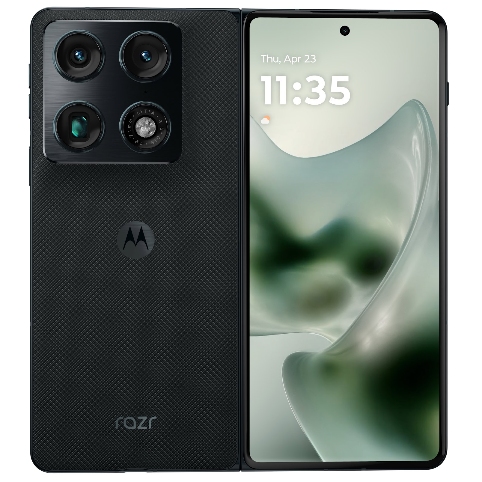
Motorola Razr Fold (2026)
MSRP: $1,899.00
What we like
What we don't like
Motorola Razr Fold (2026)


The Motorola Razr Fold shouldn’t matter. Samsung has a stranglehold on book-style foldables in the US, while companies like OPPO, HONOR, and vivo have been pushing the form factor forward in other markets around the globe. In just a few months, we expect Apple to turn the entire industry on its head with the long-awaited iPhone Fold.
The Razr Fold is multiple years late to the foldable party. It’s thicker and heavier than the latest Galaxy Fold, lacks the Pixel Fold’s clever AI features, and will surely be overshadowed by Apple’s foldable later this year.
But despite all of that, the Motorola Razr Fold still stands out as something special. Using it over the last couple of weeks has been an absolute treat, and for my money, it’s the best folding phone available in the US right now.
The Razr Fold’s hardware is (mostly) a home run

Although Motorola has ample experience with flip-phone foldables, the Razr Fold is still the company’s first-ever attempt at a book-style one. Because of that, I expected some hardware pain points for what’s essentially a first-gen device. However, Motorola absolutely nailed it here.
Measuring 9.9mm when closed and 4.6mm open, the Razr Fold isn’t as impressively thin as the Galaxy Z Fold 7’s 8.9mm closed and 4.2mm open measurements. The same is true of its weight; at 243 grams, the Razr Fold is noticeably heavier than Samsung’s 215-gram foldable.
On paper, that’s not a great look for Motorola. But in practice, I’ve found the Razr Fold to be supremely comfortable. Holding the Razr Fold, it feels much closer to a “normal” slab phone than, say, the Google Pixel 10 Pro Fold (which continues to feel like a brick by comparison). The Razr Fold easily slides in and out of pockets, fits nicely in one hand while closed, and the rear camera housing serves as a nice resting point for your index finger — helping alleviate some of the extra grams.
Beyond the thickness and weight, Motorola gets a lot of smaller details right, too. The two ends of the phone are curved slightly inward, making it extremely easy to open (much better than the Z Fold and Pixel Fold). The textured back on my “PANTONE Blackened Blue” unit feels wonderful, and the side-mounted fingerprint sensor is not only fast and reliable, but you can also swipe down on it to view your notifications/quick settings. It’s such a nice touch.

I’m less enthused about the “AI Key” that sits next to the volume buttons when the Fold is shut. In addition to the awkward placement (I’ve repeatedly pressed the AI Key when I meant to adjust the volume), Motorola greatly restricts what you can do with it. The button supports double-tap and press-and-hold gestures, but only Moto AI actions can be assigned to these. I’m down with an extra button if I can do with it as I please, but this implementation is bad.
Slightly more important than buttons on a folding phone is the hinge, and here, Motorola has done a really good job. The Razr Fold opens smoothly without feeling loose or wobbly. Simultaneously, the hinge is sturdy enough to keep the phone open halfway if you want to prop it up on a desk or table. The only issue is that, because the rear camera housing is so heavy, the Razr Fold is more top-heavy than other foldables I’ve used when in this “laptop mode.” However, as we’ll get to in a minute, that’s a fair trade-off considering what these cameras bring to the table.
Motorola’s hinge on the Razr Fold doesn’t fully eliminate the crease (like we’ve seen from the OPPO Find N6 this year), but it is less noticeable than the one on the Pixel 10 Pro Fold. It also helps that the Razr Fold’s 8.1-inch inner display is outstanding — offering lovely colors, good viewing angles, and a ridiculous 6,200 nits of peak brightness. I also really like the Razr Fold’s aspect ratio, which is notably taller than the Pixel and has a really great widescreen layout when turned sideways.
But as much as I love the inner screen, I have to admit that most of my time with the Razr Fold has been spent on the 6.6-inch cover screen. It has the same 21:9 aspect ratio as the Galaxy Z Fold 7, and, just like on that phone, it makes the Razr Fold’s cover screen extremely comfortable to use for almost everything. Apps scale nicely, the screen is comfortable to type on, and it’s surprisingly easy to manage with one hand. It also has an equally absurd 6,000 nits of peak brightness and shares the same LTPO P-OLED panel technology as the inner screen. Simply put, Motorola killed it with the displays.

Finally, I should mention the Moto Pen Ultra. This is Motorola’s stylus accessory for the Razr Fold, and it’s about as good as a stylus gets. It works with both the cover and inner displays, has pressure sensitivity and tilt detection, and offers plenty of clever software integrations — such as a pop-up toolbar and customizable shortcuts when you single-press and long-press its physical button. Just like the S Pens of old, you can also use that button as a remote shutter for the camera.
All of this is great, but over the two weeks I’ve been using the Razr Fold, I’ve barely used the Moto Pen Ultra. You can’t store the stylus inside the Razr Fold for easy portability. Hell, Motorola doesn’t even sell a case for the Razr Fold with a spot for the stylus. Instead, the Moto Pen Ultra has to live inside its included charging case. The case is well-constructed, but it’s also another thing to carry, and it’s not easy to use with the Razr Fold while out and about.

That design choice makes the Moto Pen Ultra a non-starter for me, especially when Motorola is charging $100 for it on top of the $1,900 you’re already paying for the Razr Fold. I’d love to see this pen fully integrated into a future version of the Razr Fold, but in its current form, it just doesn’t make practical sense.
An unbelievably great camera system

Going into the Razr Fold, my camera expectations were limited, to say the least. Motorola has never been known for its impressive camera systems, and foldables as a whole almost always deliver good but not great cameras. Even for a phone as expensive as the Razr Fold, I wasn’t expecting much.
So, you can imagine my surprise when, after just a few days of using the Razr Fold, I had completely fallen in love with its camera experience.
There are three cameras on the back of the Razr Fold, all of which are 50MP sensors. The primary camera is physically larger and has a wider aperture than those on the Z Fold 7 and Pixel 10 Pro Fold. The telephoto camera supports 3x optical zoom, while the ultrawide camera has a 122-degree field of view.
The primary camera is simply outstanding. The photos it captures are wonderfully sharp, autofocus works well, and the large camera sensor means pictures with a clear subject have a really gorgeous natural bokeh. The camera also handles motion quite well and does an admirable job with the black cat fur test.
Additionally, I’ve been legitimately impressed by the telephoto camera. Even when using it indoors with limited lighting, the results still look incredible. I’ve also regularly pushed beyond the 3x optical quality range, often capturing images at 6x and 10x. The photo of the squirrel really blew me away, as did the shot of the two pigeons out on my deck (which was captured through a dirty window). You can technically go all the way up to 100x, and while I appreciate the flexibility, the AI processing starts looking heavy-handed around the 30x mark. That said, it’s leaps and bounds better than the 20x maximum zoom on the Pixel 10 Pro Fold.
The ultrawide camera is solid, too. It’s perhaps the least impressive of the trio, but it’s still great. There’s more sharpness and detail than I’d expect from an ultrawide camera on a foldable, and the colors/image processing are very consistent with the primary and telephoto sensors.
There's a real sense of character with practically every photo I've taken with the Razr Fold.
That’s actually the throughline of the Razr Fold’s camera system and what makes it so special. Beyond the sensors’ technical prowess, Motorola’s color science is shockingly good. The Razr Fold regularly cranks up the contrast and shadows in a way I’d kill for any modern Pixel to do. Colors are deep and saturated. There’s a real sense of character with practically every photo I’ve taken with the Razr Fold. It’s a phone that makes me excited to press the shutter button every time, and that’s perhaps the highest compliment I can give it.
A couple of other camera things to mention before moving on. The 20MP selfie camera on the cover screen is the worst of the bunch. The 32MP camera on the inner display is notably sharper and a great choice for video calls. Of course, given the Razr Fold’s foldable design, you can easily use the 50MP primary camera for selfies that handily beat both the 20MP and 32MP sensors.
Video recording capabilities are solid, too. The Razr Fold supports Dolby Vision recording at 8K at 30 FPS, as well as 4K at 30 and 60 FPS. You even get a Horizon Lock recording mode, just like the Galaxy S26 Ultra has.
You can view original, high-resolution camera samples in this Google Drive folder.
Battery life that would make Samsung and Google blush

One-upping the rest of the US foldable competition with its camera system would be one thing, and more than impressive enough on its own. But seemingly not content with that, Motorola also used the Razr Fold to show Samsung and Google just how much work they have to do with foldable battery life. With 4,400 and 5,015mAh batteries, respectively, neither the Z Fold 7 nor the Pixel 10 Pro Fold is a battery life champion. Both phones can get through a full day of use, but not much more. And if you’re really pushing them, you’ll be looking for a charger before bedtime.
I have never gotten close to killing the Razr Fold in a single day (even when running performance benchmarks), and it also easily lasts two days on a single charge. You’d expect that, given the monstrous 6,000mAh battery inside, and I’m happy to report it’s just as impressive in practice.
Don’t want to miss the best from Android Authority?
- Set us as a favorite source in Google Discover to never miss our latest exclusive reports, expert analysis, and much more.
- You can also set us as a preferred source in Google Search by clicking the button below.


Even with almost four hours of screen-on time — using apps like X, TikTok, Messages, Chrome, and Telegram — the Razr Fold easily lasts from 7:00 a.m. to 11:00 p.m. with nearly 50% battery still remaining. On a particularly heavy day starting at 6:00 a.m., where I racked up nearly five and a half hours of screen time (including a couple of hours on 5G, lots of camera use, and GPU benchmark testing), the Razr Fold still had 27% left in the tank at midnight.
While a large part of the Razr Fold’s long endurance is due to that giant 6,000mAh battery, chipset efficiency is another factor to consider — and that’s where the Qualcomm Snapdragon 8 Gen 5 comes into play. I understand wanting to give Motorola a hard time for charging $1,900 for the Razr Fold and not including Qualcomm’s latest Elite chip, but my time with the Razr Fold proves that the Snapdragon 8 Gen 5 isn’t a chip to scoff at. Not only does it sip power in the Razr Fold, but it’s also tremendously performant.
The Snapdragon 8 Gen 5 is tremendously performant.
Using GeekBench 6 to analyze CPU horsepower, the Razr Fold’s single-core performance sits right in the middle between the Tensor G5-powered Pixel 10 Pro Fold and the Galaxy Z Fold 7 with its Snapdragon 8 Elite. However, multi-core performance shows that the Razr Fold can really crank things up when it needs to — going neck-and-neck with the Z Fold 7 and blowing the Pixel 10 Pro Fold out of the water.
That performance carries over to the GPU, where the Razr Fold not only outperforms both the Pixel 10 Pro Fold and the Z Fold 7, but also stays cooler than both phones. I’ve noticed this myself in real-world use. Call of Duty: Mobile runs flawlessly with Very High graphics and Max frame rate settings, and even after playing four rounds back-to-back, the Razr Fold doesn’t even feel slightly warm. It’s seriously impressive.
Could Motorola have eked out even more horsepower with the Snapdragon 8 Elite Gen 5? Sure. But as we’ve seen time and again, that chip has serious heating issues across multiple phones — heating issues that would almost certainly be exacerbated in a foldable. Considering how powerful the Snapdragon 8 Gen 5 is, and how incredibly cool it runs in the Razr Fold, I think Motorola made the right chipset call.
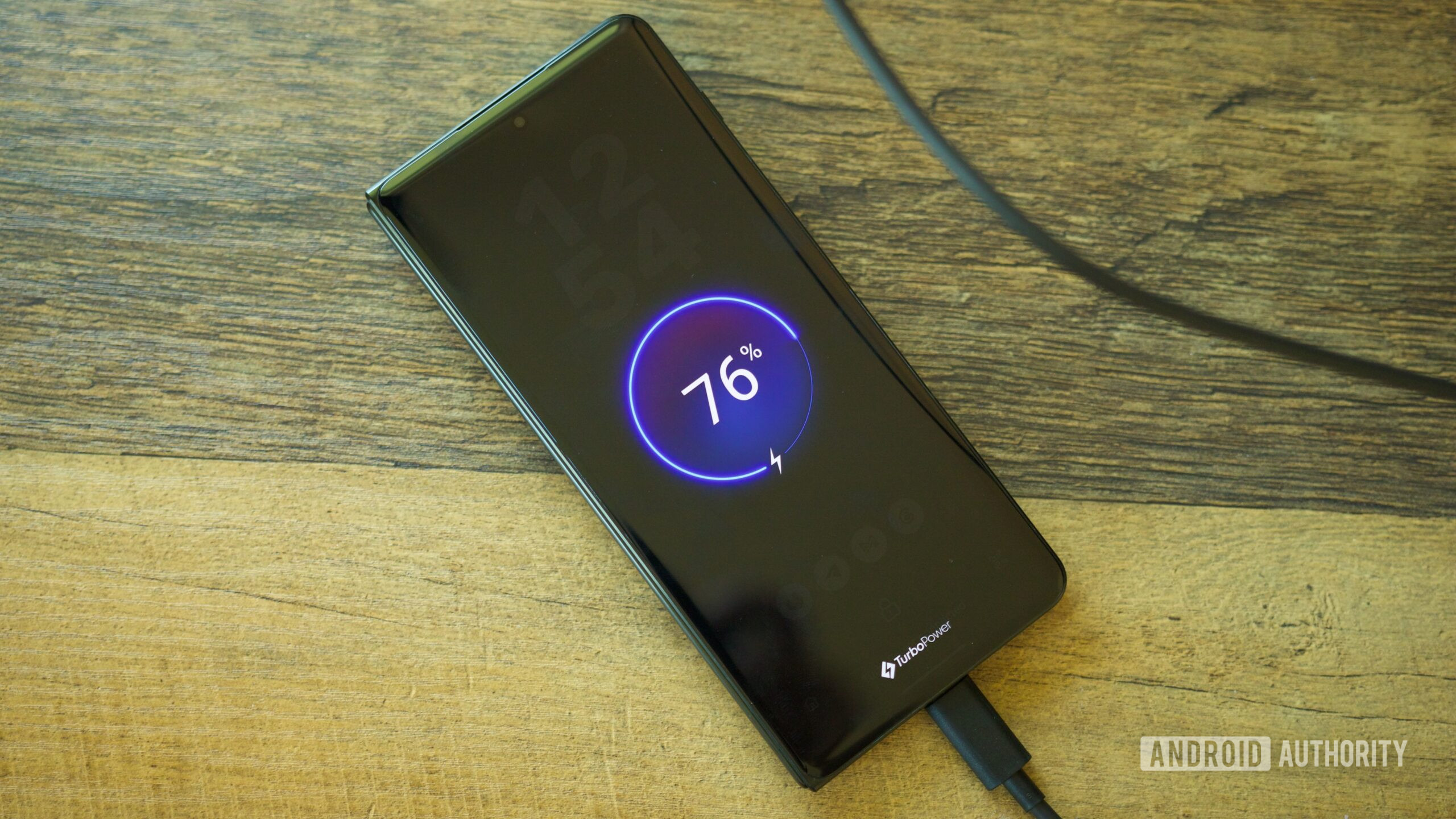
What wasn’t the right call is the Razr Fold’s charging setup. On paper, it looks fantastic — supporting 80W wired charging plus 50W wireless speeds (and 5W reverse charging) that demolish the advertised charging rates of Samsung and Google’s foldables. But as it turns out, there are two big caveats to that marketing.
The only way to fully achieve 80W wired charging is with Motorola’s proprietary TurboPower charger. Unfortunately, it’s not included in the box and will cost you an extra $100. Supporting 80W speeds is great, but if it requires a proprietary charger, that charger needs to be included — especially for a phone this expensive.

Charging the Razr Fold without that proprietary charger (specifically, the Anker 757 GaNPrime 150W charger), the phone peaked very briefly at 82W before quickly dropping to around 45W with an average speed of 32W. It takes 20 minutes for the Razr Fold to go from dead to 50% and 52 minutes to reach 100%. To be clear, that’s still considerably better than both the Z Fold 7 and Pixel 10 Pro Fold, but it’s frustrating knowing the Razr Fold is capable of even faster speeds yet can’t achieve them without spending more.
What’s even more frustrating is the 50W wireless charging number. How does it perform? I couldn’t tell you because, as of now, it’s impossible to use.
Motorola has confirmed that the Razr Fold needs another proprietary charger to reach those 50W wireless speeds, but there’s just one tiny problem: the company doesn’t currently sell that charger. I’d imagine this will change in the future, but for now, the Razr Fold is capped at a much more typical 15W wireless rate. And until that proprietary charger exists, advertising this phone with 50W wireless speeds is about as good as lying.
Good foldable software, solid support, forgettable AI

Motorola has basically perfected the software on its Razr flip phones, finding clever and functional ways to fully utilize the cover and inner displays. That set high expectations for how Motorola’s software would adapt to a book-style foldable, and for the most part, Motorola nailed it.
Something that immediately struck me about the Razr Fold is how excellent its multitasking features are. You can run up to three apps side-by-side, utilizing a multitasking UI not unlike Open Canvas from the OnePlus Open. You can easily prompt the split-screen mode with a three-finger swipe gesture, save app multitasking pairs, and run apps in floating windows, too. I also love the 90:10 split-screen option when running two apps simultaneously, as well as the customizable UI for the recent apps page.
I also appreciate the “Laptop mode” and “Desk display” features. The former kicks in when the Razr Fold is folded like a laptop. The app you’re running is displayed at the top of the screen, while the bottom half becomes a giant touchpad with shortcuts for quick settings, screenshot capture, etc. I’ve not found it particularly useful for how I use my phone, but it’s well-designed and a nice inclusion regardless.
Desk display has proven more interesting to me. When the Razr Fold is in tent mode, it displays information such as the time, weather, remaining battery, and more. It essentially turns the Razr Fold into a portable smart display, and with the “Look & wake” setting enabled, the screen automatically lights up whenever you look at it. The whole thing works very well, and I’ve found it a handy way to keep up with phone notifications while working at my desk.
Other parts of Motorola’s software are equally great. I love how the whole UI incorporates so many elements of Material 3 Expressive from Pixel phones. Time-tested Moto gestures like chopping for the flashlight or twisting for the camera are never not great. Throw in widget stacks, tons of lock screen customization options, and plenty of home screen personalization, too, and you end up with a pretty killer software experience.

That is, so long as you ignore the Moto AI bits.
The Moto AI toolkit is about as generic as you’d expect. Moto AI can summarize notifications, remember things for later, record/transcribe audio, and you can use it for general AI chatbot searches/questions, too. However, all of it ranges from fine at best to useless at worst. For general AI chatbot interactions, Moto AI is considerably worse than Gemini in basically every way imaginable. The notification summaries are impressively bad, making notifications vague, inaccurate, and entirely unhelpful. Thankfully, Motorola doesn’t shove Moto AI in your face (aside from the aforementioned AI Key), so ignoring it is easy enough.
Finally, we’ve come to the part of the review that’s usually one of the worst for a Motorola phone: software updates. Motorola is still generally really bad at software support, but at least with the Razr Fold, the company did a good job. The phone is promised seven years of major Android upgrades and bi-monthly security patches, making it the only Moto phone other than the Motorola Signature with this level of support. It remains to be seen how quickly the Razr Fold receives updates over time (something Motorola has long struggled with), but I still really appreciate that the commitment is there.
Should you buy the Motorola Razr Fold?

The Motorola Razr Fold is on sale now with a retail price of $1,900. That puts it right in between the Samsung Galaxy Z Fold 7 ($1599.99 at Amazon) and the Google Pixel 10 Pro Fold ($1919 at Amazon). However, despite its middle-child pricing, I’d argue that the Razr Fold is the best of the trio — and by a pretty considerable margin.
Compared to your foldable options from Samsung and Google, the Razr Fold is the only one you can easily rely on for two-day battery life (and has the fastest charging by a significant margin, too). The Razr Fold’s camera system is the one I’d choose every single time over its competitors. The Razr’s performance is on par with the Z Fold 7 while simultaneously running cooler; its software is excellent, and it doesn’t come with the usual Motorola caveat regarding update support.
I can't recommend the Motorola Razr Fold enough.
Samsung still has the upper hand if an ultra-thin design is your top priority, while Google remains the only foldable in the US with an IP68 rating and Qi2 magnetic charging. Those aren’t insignificant advantages, but they pale in comparison to everything else Motorola’s phone does better.
The Razr Fold isn’t perfect, but for a book-style foldable you can buy in the US, it’s the closest I’ve ever seen. It’s one of those phones I don’t want to put down, and if you’re in the market for a folding phone like this, I can’t recommend the Razr Fold enough.
Thank you for being part of our community. Read our Comment Policy before posting.