Affiliate links on Android Authority may earn us a commission. Learn more.
15 best root apps for Android
Jan 25, 2022 — 3:13 AM ET



It’s true that rooting your device is far less popular than the good old days. Stock Android grew up quite a bit and root is simply less appealing than it once was. Also, apps like Netflix, Pokemon Go, and Google Pay don’t work on rooted devices without some fun hacks for some dumb reason. However, there are still those who prefer the root experience and there are still plenty of excellent root apps that improve functionality and do stuff that unrooted devices can’t do.
Here are the best root apps for Android! We also left Chainfire’s apps off of the list because, well, he’s throwing in the towel. We wish him all of the best in his future endeavors. In addition, some of these apps are not available in the Google Play Store. Use those at your own risk.
The best root apps for Android
Adblock Plus
Price: Free

AdBlock Plus is a free, open-source app. As you may have guessed, it removes ads from the device. Root users swear by this one We bloggers don’t like it, but we’ve accepted that people really do find this app useful. This one is configurable so that some unobtrusive ads get through. The app is also lightly configurable. It’s not available on the Google Play Store but there is an official link from ABP that you can use by clicking the button above. It’s definitely one of the most popular root apps.
Bouncer
Price: $0.99

Bouncer isn’t technically a root app. However, it’s the kind of app we think root users would like. It lets you manage your permissions with a bit more granularity than stock Android without being overly complicated. Each time an app asks for permissions, you can enable it and then enable Bouncer to disable the permission after a few minutes. Thus, you can use every app on your phone with its maximum permissions but ensure that none of the permissions are permanently enabled. Permission Ruler does much the same thing but in a different way so we thought you’d appreciate having multiple options here.
FK Kernel Manager
Price: $3.49 with optional in-app purchases

Kernel Manager is a root app for devices with Franco Kernel installed. The lets users tweak a variety of things, including CPU frequencies, the governor, GPU frequencies, color temperature presets, and a lot more. It also supports a bunch of devices, specifically in the Google and OnePlus lineup of devices. This isn’t the only app for a specific aftermarket ROM or kernel. However, this is definitely the best one if it’s compatible with your device. It’s also one of the few currently in active development on the Play Store. It runs for $3.49 and it’s highly recommended for those who want more control.
GSam Battery Monitor
Price: Free / $2.49

GSam Battery Monitor is a decent app for root users. The base version is kind of like an advanced view of your battery stats. It shows things like the screen on time, which apps use the most battery, and stuff like that. Root users can extend that functionality a little more easily than non-root people can to show more stats. The instructions on how to do that are in the app. Additionally, you can set various alerts, see your historical stats, and more. This is about as good as it gets in this space, even if it’s not strictly a root app.
Magisk Manager
Price: Free

Magisk is one of the most popular and powerful root apps. It’s also relatively new. Its big function is allowing you to hide root very effectively. That lets you do things like watch Netflix or play Pokemon Go while rooted. It has a variety of other functions, including modules that add even more functionality. It’s a real must-have root app. It’s not longer available on Google Play. Thus, you’ll have to pick up the APK from XDA-Developers. The app is also in active development. That means it gets new features, designs, and fixes fairly frequently.
Read more:
Migrate
Price: Free

Migrate is one of the newer root apps on the list. It’s a ROM migration tool. You basically back-up a bunch of data, including apps, app data, call logs, SMS, and other bits of information. The app creates a flashable zip file. You flash a new ROM and then the flashable zip afterward. You boot up and it’s like you never left after a final installation period. This one is still very new. In fact, it’s still in beta. However, this takes a lot of the setup process out of installing a new ROM. It also works with Magisk (in fact, the developer recommends it). The app is currently free with no in-app purchases or ads for now.
Naptime
Price: Free / Up to $12.99

Naptime is a decent tool for root users and non-root users alike. It basically uses some coding magic to induce Android’s native Doze Mode more quickly, resulting in better battery life. The app can also disable various connections such as WiFi, mobile data, location, and GPS when Doze Mode goes into effect and that should help squeeze a little more juice out of your battery as well. The app is relatively easy to use once you get it to work. Root users have an easier time of it than non-root users, but you can enable the same permissions over ADB. The instructions for that are in the Google Play description. In any case, this is a neat little tool that you set and forget.
Permission Ruler
Price: Free

Permission Ruler is a bit of a diamond in the rough for root apps. It does require root to do anything other than manually manage your permissions. However, with root, this app does something kind of unique. It turns off permissions for all of your apps while the screen is off. That way they can’t do naughty things in the background while your phone sits in your pocket. That is its main function and it’s quite simple. Make sure to pause the app before uninstalling or all of your apps will have their permissions revoked and you have to manually re-enable them. Otherwise, the app is free to use.
Servicely
Price: Free / Up to $13.99

Servicely is an app that helps control background services. This will allow you to do something like preventing Facebook from running in the background while your device screen is off. It’s a stop-gap for stopping rogue apps and unwarranted wake-ups of your device. It may even improve performance and battery life depending on the services you stop. It’s a little less relevant now thanks to improvements in Android’s Doze Mode. It’s still good for those who want to manage their running services a little more. Greenify also works pretty well, but not quite as well as this.
Solid Explorer
Price: Free / $1.99
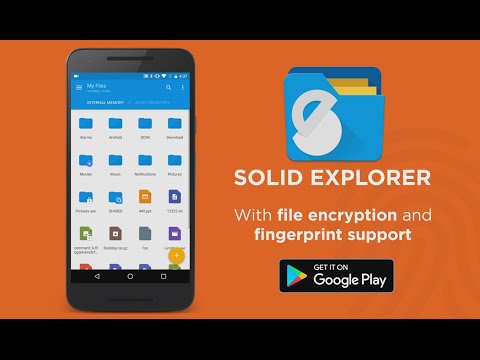
Solid Explorer is a really good file manager. It works without root for most tasks. The app can do the usual stuff like copy and paste, unzip files, etc. It also has support for cloud storage and network storage devices. The design is good, too. There is the option to enable root within the app. That allows you to do all kinds of stuff that you couldn’t previously. There are a lot of good file managers with root access. However, this one is clean, it works well, and it’s cheap with no advertising.
See more lists here:
- 10 best Android themes, theming apps, and customizations
- 10 best icon packs for Android (by developer)
Substratum and Synergy
Price: Free / Varies
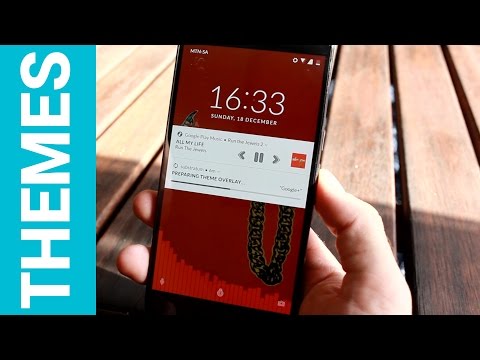
Substratum is a theming engine for Android. It’s not available on every rooted Android smartphone. However, it works really well on the ones that it supports. It should work best on stock Nougat, stock Oreo, Samsung devices with Nougat, and a few other devices and Android versions. You download and install the app. Then you seek out Substratum themes online or the Google Play Store. Apply the theme and that’s all she wrote, so to speak. Some themes cost money, but there is a healthy selection of free options as well. You can also find support for this on XDA-Developers, Reddit, GitHub, Google+, and even Telegram. Synergy is another excellent theming app like this one that works a little better for newer Samsung phones.
Tasker
Price: $2.99

Next on our list is a very useful root app called Tasker. This powerful application can make your phone do pretty much anything you want. It’s a vague description but an accurate one because the only limit is your imagination. Many of the functions don’t need root permissions. It does add some functionality if you have it, though. It’s a great application, especially for tinkerers and those who have unusual needs for their smartphones. Do beware, though, because the learning curve is rather steep. It’s useful with or without root. You can also use this one for free if you use Google Play Pass.
Titanium Backup
Price: Free / $5.99
Titanium Backup is a long-time mainstay at the top of many root lists and it feels almost blasphemous to not include it here. With this application you can uninstall bloatware (a must-have for many people), freeze apps (leaves them installed but prevents them from ever running), and backup your applications and application data. ROM flashers have sworn by this app for years. Everyone recommends it to new root users. If you have root, go get it immediately. It’s probably in the top three most useful root apps ever.
Viper4Android
Price: Free

Viper4Android is an audio modification tool that gives you untold amounts of control over how your audio sounds coming out of the speakers, out of Bluetooth devices, and out of your headphones. It comes with its own audio driver, an equalizer, tons of effects that allow you to control how your audio sounds, and a lot more. It’s a complicated install process and you’ll need to go to the official XDA thread for downloads and instructions, but this is as good as it gets when it comes to audio modifications on Android.
Xposed Framework
Price: Free

Xposed Framework has replaced installing ROMs for many as the default root experience. Modules are created inside of the framework by many developers that do various things like theming, UI and performance tweaks, visual modification, button remapping, and much, much more. Modules can be a tad difficult to find sometimes depending on your device but there are plenty of universal ones that you can use and enjoy. Magisk Manager kind of usurped Xposed as the must-have root app for mobile. However, you can install Xposed as a Magisk module so it doesn’t really matter either way. Additionally, Xposed works better for older versions of Android rather than newer ones.
If we missed any of the best root apps for Android, tell us about them in the comments. You can also click here to check out the latest Android app and game lists.
Thank you for reading. Check these out too:
Thank you for being part of our community. Read our Comment Policy before posting.