Affiliate links on Android Authority may earn us a commission. Learn more.
I spent an hour with the Galaxy S26 Ultra, and these 3 changes blew me away
When I got hands-on time with the Samsung Galaxy S26 Ultra last week, I was excited. The last Ultra phone I owned was the Galaxy S24 Ultra, and I was eager to see what two years of upgrades would feel like.
It was a cautious optimism, though. Samsung’s phones have been iterative of late, and I was prepared for disappointment. On the surface, you’d think I would be disappointed. A quick glance at the spec sheet paints the story of a fifth year of stagnation.
In practice, however, the Galaxy S26 Ultra has a lot going for it. The design has changed in some meaningful ways. One UI 8.5 feels better than ever, and there are even AI features I want to try out. After my time with the S26 Ultra in London, these are the three things that impressed me the most.
Are you upgrading to a Galaxy S26 Ultra?
The screen feels like magic

I hate privacy screen protectors. I understand why people use them, but every one I’ve tried has given me a migraine because they make displays look so grainy. Samsung has addressed that problem by building the feature into the Galaxy S26 Ultra’s display. Privacy Display enables the S26 Ultra to limit off-axis viewing without compromising screen quality.
When you pick up the Galaxy S26 Ultra, it looks and feels like a normal phone with a normal screen. That changes the moment you turn on the Privacy Display. If you’re looking at it head-on, the only thing you’ll notice is that the screen won’t be as bright. Anyone to the side of you, though, won’t be able to see anything. Privacy Display can be automatically turned on under certain conditions, such as Samsung Routines, or you can toggle it on or off in the phone’s Quick Settings.

The only Privacy Display feature I couldn’t see was the ability to alter specific parts of the screen. The settings menu and Samsung’s marketing say you can have the phone block notifications or the password and PIN fields while leaving the rest of the screen visible to everyone, but that didn’t work during my time with the device. Even so, pressing a button and watching your screen turn black from other angles feels like magic, and I want more phones to adopt this technology.
One UI 8.5 is ready to shine

The One UI 8.5 betas that have been available on the Galaxy S25 series mean the software doesn’t feel new anymore, but even so, it’s a highlight on the Galaxy S26 Ultra. Last year’s One UI 7 launch was a disaster, with the Galaxy S25 Ultra shipping with software that clearly wasn’t finished and took several months to improve.
One UI 8.5 is a different story. It’s been stable since the first beta, and during my time with the Galaxy S26 Ultra, I was amazed by how fast and fluid the phone felt. One UI 8.5 is smooth, polished, and looks good, too. While the ongoing beta has shown us most of what One UI 8.5 has in store, the Galaxy S26 Ultra still has some software surprises.

Finder, the app that powers the search bar in One UI’s home screen launcher, is getting a big AI upgrade that actually sounds useful. You can still use it to search for apps, contacts, and files stored on your device, but Galaxy AI allows you to search for forgotten information, too.
I couldn’t see this in action at the event, but Samsung gave us a good idea of how this will work. Finder will remember key information from your messages and notifications. If you get a text to say your Amazon delivery will be on March 13th at 3 PM, for example, Finder will remember that information. Then, if you’ve forgotten what that message said, instead of combing through your chat apps, you can simply search “Amazon delivery” in Finder, and it will surface the information you need.
Now Brief is getting upgrades that may finally make it worth using.
Samsung is also introducing Now Nudge, a concept similar to Google’s Magic Cue on the Pixel 10. If someone asks if you’re free on a certain date, etc., Now Nudge will look through your calendar and emails to suggest automatic replies. Not to be left out, Now Brief is getting infused with capabilities similar to Finder and Now Nudge, which may finally make it something worth using. If you agree to meet a friend at a specific time and place, Now Brief will remind you and recommend the best time to leave based on traffic, even if you don’t add anything to your calendar. That sounds a lot more useful than what Now Brief can do right now.
The Galaxy S26 Ultra looks and feels great
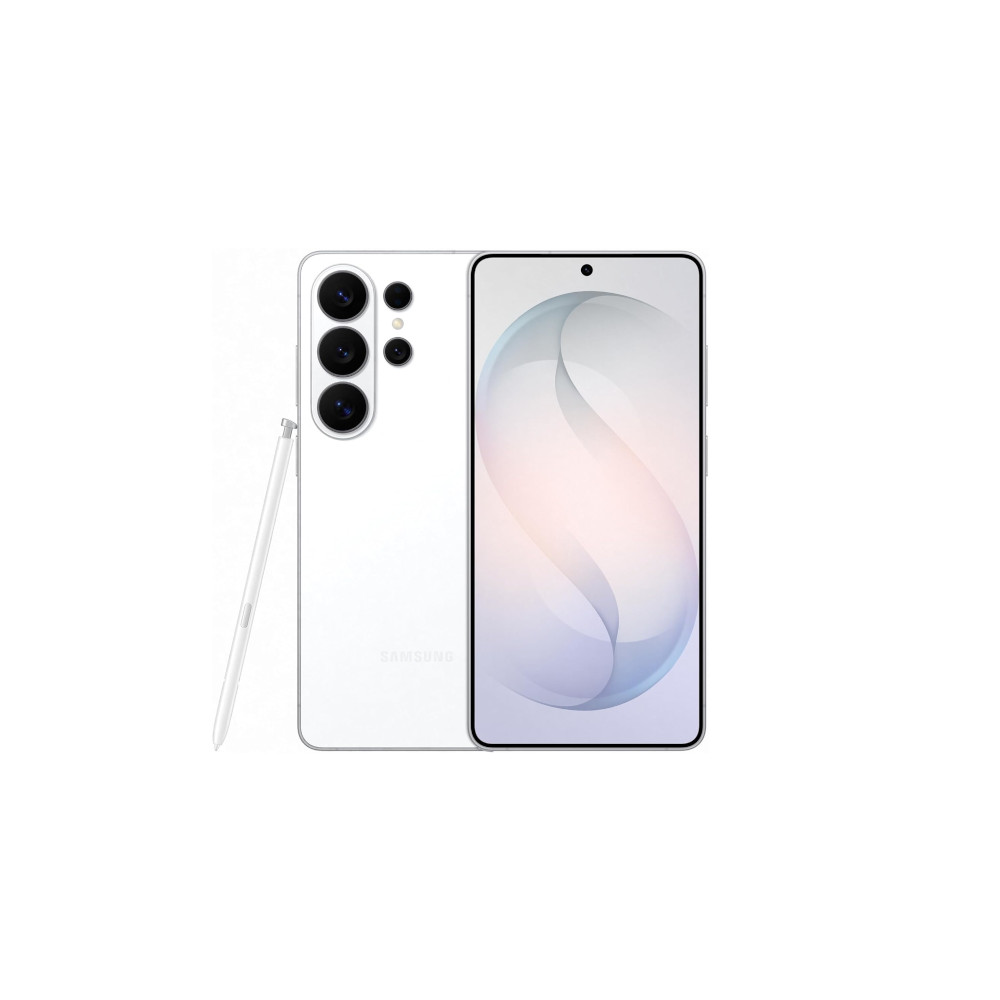
Samsung’s Ultra phones have looked practically the same since the Galaxy S22 Ultra, but I’m pleased to say the Galaxy S26 Ultra has made enough changes to stand out. On the surface, it’s still a 6.9-inch behemoth with its four rear cameras and laser focus module in the same layout. Look closer, though, and Samsung has made the right changes.
The primary, 5x telephoto, and ultrawide-angle cameras now live on a floating camera island, just like the Galaxy Z Fold 7. It’s not identical, though. Take a closer look, and you can see that the camera island is made up of two parts — a metal piece that’s body-colored and a glass upper piece that’s clearer. It’s difficult to capture on camera, but in person, this design cue looks great — especially when light catches it from the side, making it look like the camera housing is glowing.
While I loved the way the old Galaxy Note phones looked and adored the sharp corners on my Galaxy S24 Ultra, I can’t deny that Samsung has made the right decision in rounding off the newer models. The Galaxy S25 Ultra was a middle ground, being rounder than its predecessors while still having sharper edges than its siblings. Not so with the Galaxy S26 Ultra, which has the same corner radius as the Galaxy S26 and S26 Plus. Those rounded corners are more comfortable to hold and shouldn’t make holes in your clothes.
The corners of the Galaxy S26 Ultra are so round that they encroach on the space where the S Pen lives. As a result, the clicker that you use to eject the S Pen is no longer symmetrical, so there’s a right and wrong way to insert it. You can put it in the “wrong” way without it getting stuck, but you’ll definitely notice the clicker digging into your palm. Maybe this was done on purpose so those of us who loved the sharp corners of the Galaxy Note series could feel at home?

My favorite part of this phone, though, is how it feels when you pick it up. At 214g, this is the lightest Ultra model Samsung has made, and you can tell immediately. That’s a whopping 18g lighter than the Galaxy S24 Ultra, 4g lighter than the already-impressive S25 Ultra, and only 7g heavier than the Pixel 10 Pro, a phone that is significantly smaller.
It’s thinner, too. The Galaxy S25 Ultra was 8.2 mm thick, while the Galaxy S26 Ultra brings that down to just 7.9 mm. I’m not exaggerating when I say that I thought I’d picked up a dummy unit until the screen turned on. Plenty of people, my wife included, have always wanted a phone with the screen size of the Ultra and the utility of the S Pen, but have been put off by the weight. My wife tried to use my S24 Ultra once, and she had RSI problems in less than two weeks. The lighter and slimmer Galaxy S26 Ultra makes its big screen and big features more accessible, and that’s a good thing.
The Galaxy S26 Ultra is a more meaningful change than I expected

The Galaxy S26 Ultra isn’t the big overhaul or redesign many people hoped for. But it shouldn’t be written off as lazy or incomplete. There are some genuinely cool features here, like Privacy Display and some additions to Galaxy AI. The design might not be exciting and new, but it isn’t bad, either. It’s instantly recognizable as a Samsung phone and is easier and more comfortable to use than ever before.
I enjoyed my limited time with the Galaxy S26 Ultra, and while I don’t think S25 or even S24 Ultra owners should be running out to get one, I do think this is one of Samsung’s best phones yet, and it will be a dependable workhorse of a phone for many people over the coming years.
Don’t want to miss the best from Android Authority?
- Set us as a favorite source in Google Discover to never miss our latest exclusive reports, expert analysis, and much more.
- You can also set us as a preferred source in Google Search by clicking the button below.


Thank you for being part of our community. Read our Comment Policy before posting.