Affiliate links on Android Authority may earn us a commission. Learn more.
I bought the cheaper Pixel Buds, and I regret nothing

A few months ago, I faced something that had never happened to me before: A trusty pair of Bluetooth earbuds died on me. No, it’s not that they ran out of juice or that I lost my charging cable; they just flat-out stopped working. And, as someone with several weekends of fall travel coming up, that was going to be a problem. I knew I’d have to replace my trusty ‘buds, and I’d have to do it reasonably quickly.
So, I did what any well-informed shopper would do: I sought out the advice of experts. I pinged a few members of the SoundGuys crew and checked in with our own Rita El Khoury, whose gadget tastes often match my own. I gave them my budget, which wasn’t much considering I was coming from the CMF Buds Pro 2, and asked what they thought I should get next.
Across the board, they recommended the Google Pixel Buds 2a, so I picked up a pair while in New York City for the marathon, and here’s why I think it might have been my best tech-buying decision of the year.
Everything I want in a pair of earbuds

I’m not an audiophile — far from it, honestly. I spend most of my days with Shokz OpenRun Pro wrapped around my ears, mainly because I’d like to hear traffic (and anything else) coming while I’m out for a run. As such, I tend not to miss the fancier features that come with a premium set of wireless earbuds, simply because I’m not used to them in the first place. Give me a decent sound profile, a comfortable fit, and basic controls, and I’m happy.
And so far, I’d say I’m pretty happy with the Pixel Buds 2a. The sound profile is good enough for me to pop them in while on a plane, train, or in an automobile and switch back and forth between podcasts and playlists without issue. Is it perfect for either one? No, not really. Google tends to keep its profile somewhere in the flexible middle, but it certainly beats the default Shokz profile, which loses softer instruments like acoustic guitars as soon as there’s any background noise.
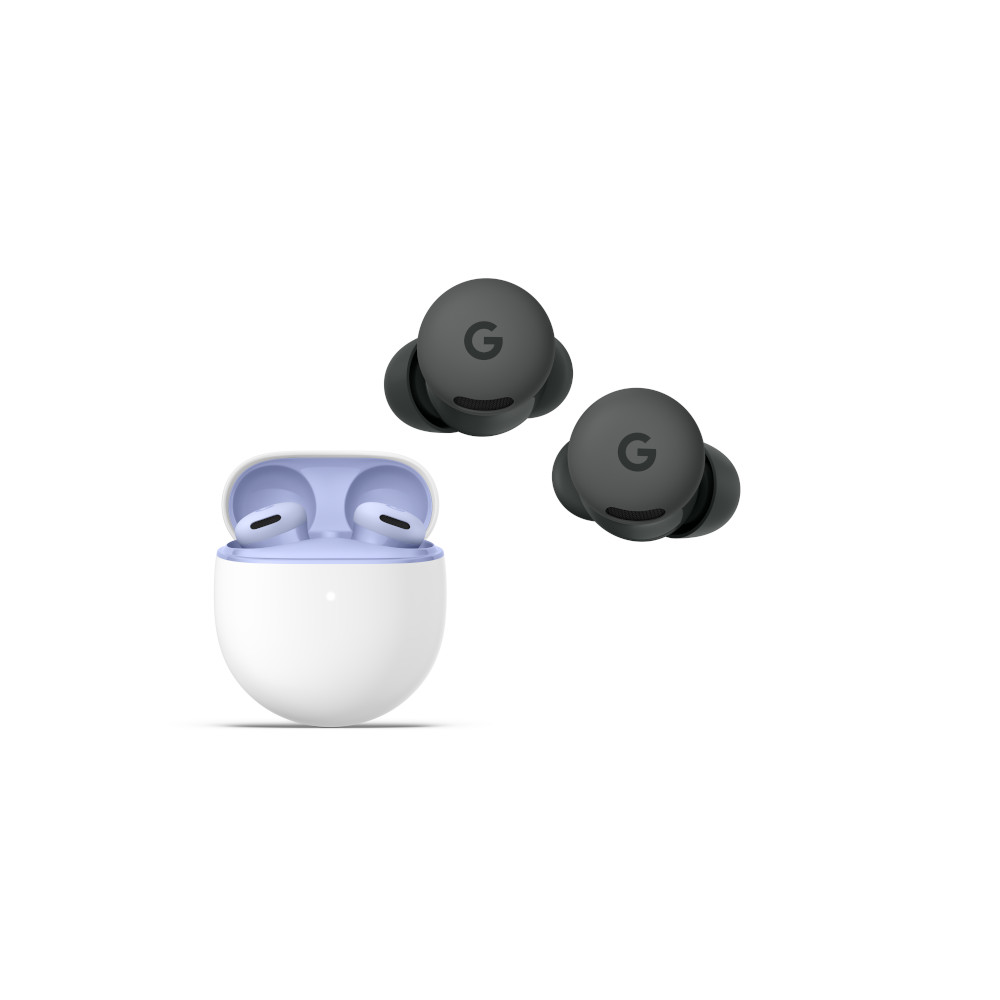
Google's tiny, stemless design is fidget-free and more comfortable than AirPods.
In fact, I’d probably take the overall sound of the Pixel Buds 2a over the CMF Buds Pro 2 that they’re replacing, too. Although generally good, I thought the CMF Buds Pro 2 suffered from a bit too much bass in their default state, which has never been my cup of tea, as I mostly listen to sad indie tunes. And, given how often I switch phones, and thus have to set up my earbuds anew, I’m mostly going to compare default profiles.
Anyway, where the Pixel Buds 2a really make up ground on the CMF Buds Pro 2 is in terms of fit. The Nothing spinoff’s budget-friendly buds fit well enough — they’re basically an Android version of cheap AirPods with soft ear tips — but there was nothing remarkable about them. Once they were in, they tended to stay there, at least unless you snagged the ear stems on a hat, long hair, or, well, anything else.
Google’s Pixel Buds 2a, though, fit like a charm. They don’t have ear stems, which means there’s nothing to get caught on, and they use a little twisty fin to lock into your ears. It’s the same setup that Google used on the Pixel Buds Pro 2, and I think it’s comfortable enough to keep the Pixel Buds 2a in for hours on end. If you need slightly larger (or smaller) ear tips, Google includes sizes from small to extra large, and the fit test is easy enough to make sure you find the right pair — something basic AirPods users can only dream of.
And then, there’s the controls, or rather, the general lack thereof. I’m a bit of a fidgeter, which means if there’s something in my hands (or in my ears), I’ll probably play with it or try to keep adjusting it. On some earbuds, that spells chaos, raising the volume or lowering it, toggling the active noise cancelation, and often skipping from one song to the next.
But, much to the joy of my simple, straightforward heart, the Pixel Buds 2a skip some of those extras. I know, I know, it sounds backwards — I get it. Honestly, though, all I want to do with my earbuds is start songs, stop songs, and sometimes skip to the next one. As soon as I start swiping for controls, I find that I wind up making the wrong adjustments and wishing I’d never messed around with them in the first place. So, keep your fancy controls while I stick to simple, straightforward taps.
Great for Android, good enough for iOS

Perhaps the trickiest part about buying the Pixel Buds 2a when I did is that I was in the middle of finishing my iPhone 17 Pro review at the time. And, as any proud Pixel fan can (and will) tell you, these ‘buds aren’t built to work on both sides of the aisle. Yes, just like the Pixel Watch, it’s clear that Google prefers you keep its Pixel Buds paired with its own phone. You don’t have to, but the experience is much, much better.
See, when I took my Pixel Buds 2a out of their case for the first time and paired them with my iPhone 17 Pro, I didn’t notice any hiccups. They linked up just fine, sounded pretty good, and the controls worked just like I needed them to. I was already pretty busy on my adventure to spectate the New York City Marathon, so I didn’t bother trying to mess with sound profiles or tweak the touch controls.
There's no loss in quality between Android and iOS, but I sure would like an app.
As it turns out, I wouldn’t have been able to if I’d tried. There is simply no iOS-compatible Pixel Buds app, which means no native updates, no EQ modifications, no nothing. You can, however, go to mypixelbuds.google.com to download necessary updates and adjust your settings, but you have to do it on macOS, and you have to use Google’s Chrome browser. It’s inconvenient to say the least.
And yet, I said I regret nothing about buying the Pixel Buds 2a. It’s true, I don’t. I only spend part of my year on an iPhone, so it was easy enough to swap my earbuds over to my trusty Pixel 10 Pro XL shortly after I submitted my write-up. Even if I planned to keep the iPhone in my pocket, it’s really not that hard to dip into Chrome now and then to check for an update or tweak a setting. Is it as convenient as the all-in-one Nothing X app that works on iOS? No, but I suppose it’s the price I have to pay to keep my tech setup just the way I like it.
But, before you think I’m about to let Google off easy, know that’s not the case. Just because I don’t regret buying these comfortable, capable earbuds doesn’t mean I think what Google is doing is right. In fact, I think it’s unbelievable that it doesn’t offer an iOS-friendly app, no matter how much it dislikes Apple. The easiest way into Apple’s walled garden isn’t by pinching people to the Pixel 10 series, it’s by bringing them over one accessory at a time — especially when the Pixel Buds 2a beat the base AirPods on pretty much every front.

Thank you for being part of our community. Read our Comment Policy before posting.