Affiliate links on Android Authority may earn us a commission. Learn more.
I spent two hours with the Pixel 11 series. Here's what blew me away — and what went wrong
Aug 12, 2026 — 10:00 AM ET



Google fans, gather around. After enduring months of leaks, the wait for the Pixel 11 series is finally over. The Pixel 11, Pixel 11 Pro, Pixel 11 Pro XL, and Pixel 11 Pro Fold are all official, and you can pre-order them all right now.
It’s one thing to look at the new phones on the Google Store website or read news articles about them, but actually using them for yourself is completely different. Thankfully, I had a chance to spend a couple of hours with all of the new Pixel 11 models, and I came away with a few important takeaways I think you should know about.
After using the Pixel 11 series (plus the new Pixel Watch 5 and Pixel Tag), here are a few things that blew me away — plus a couple of things I’m a bit worried about.
What new Pixel are you most excited about?
The Pixel 11’s smaller camera bar is fantastic

Google really impressed us last year when it added a telephoto camera to the base model Pixel 10. The good news is that the telephoto camera hasn’t disappeared on the Pixel 11 (despite one leak suggesting otherwise), and there’s a new 48MP primary camera with 56% better light sensitivity. However, what’s equally impressive to me is the redesigned camera bar.
Compared to the Pixel 10, you’ll notice right away that the Pixel 11’s camera bar has a new all-glass design, eliminating the aluminum portion on the right side, giving it a much cleaner look. What you may not notice in renders online but will absolutely appreciate in real life is that the Pixel 11’s camera bar is 40% thinner than the Pixel 10’s.

You can see just how thin the camera bar really is in the photo above, and it makes a significant difference when you’re actually holding the Pixel 11. The unique style and identity of the camera bar are still very much there, but the smaller protrusion is just wonderful.
Unfortunately, this drastically thinner bar doesn’t apply to any of the Pro models, but if you’re interested in the base Pixel 11, it’s a really nice change.
Google cooked with the matte Pixel 11 Pro

One of my longstanding annoyances with Google’s Pro phones is their insistence on shiny, reflective frames. They attract fingerprints like crazy, are easily scuffed, and just don’t look very pleasant to my eye. Thankfully, that’s (kind of) changing with the Pixel 11 Pro and Pixel 11 Pro XL.
If you buy the Obsidian version of either phone this year, you’ll get a completely matte paint job. Whether it’s the back glass, the accent color around the camera bar, or the entire frame surrounding the Pro phones, it’s all a glorious matte black.
Not only does it look incredible, but it feels great, too. I wish at least one of the other colors also had this all-matte approach, but it’s still cool to see Google testing the matte waters this year. I usually don’t care for Google’s Obsidian colorway, but it really is fantastic on the Pixel 11 Pro/11 Pro XL.
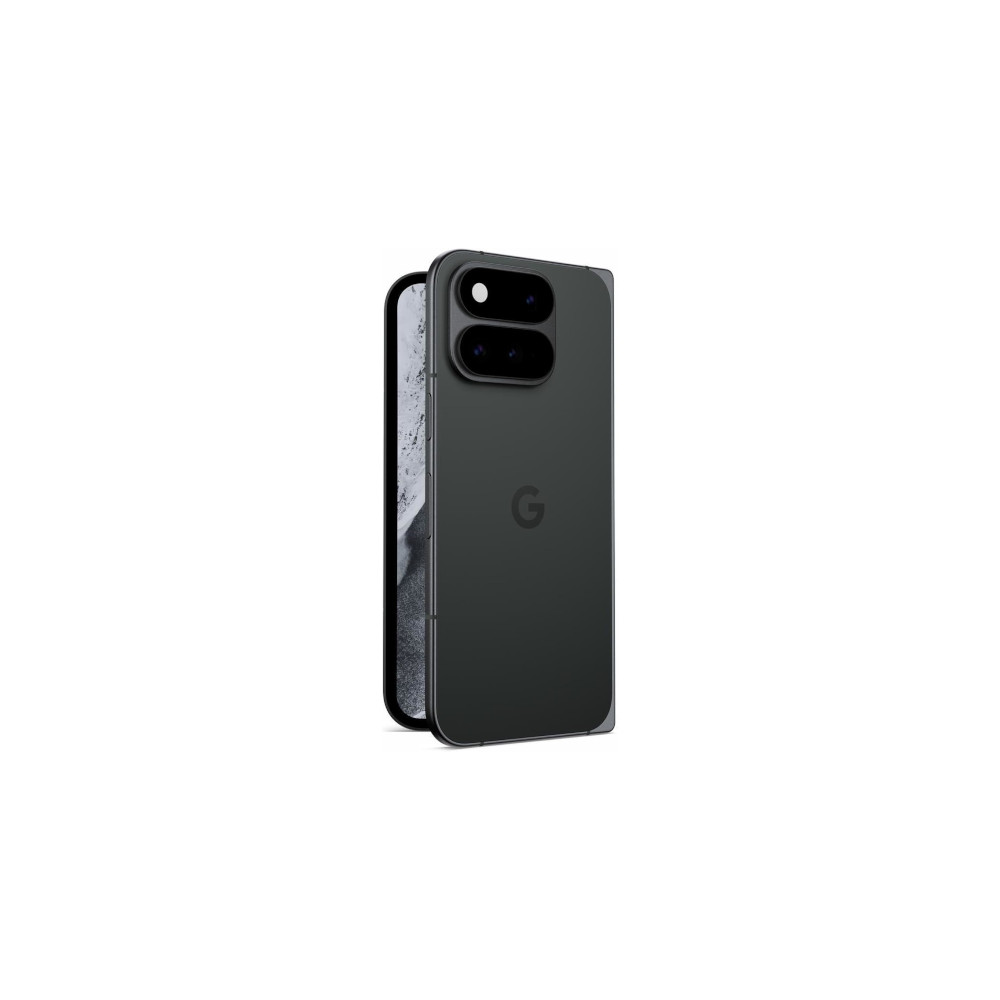
I’m quite surprised by the Pixel 11 Pro Fold

I wasn’t a particularly big fan of the Pixel 10 Pro Fold. I thought it was too big and bulky, had disappointing cameras, and offered lackluster performance given its $1,800 price tag. It remains to be seen how the Pixel 11 Pro Fold’s cameras and Tensor G6 chipset hold up during prolonged testing, but after my initial hands-on time with the phone, I have to admit that its updated design is a much bigger deal than I expected.
Google says the Pixel 11 Pro Fold is about 1mm thinner and just about 10% lighter than the Pixel 10 Pro Fold. That doesn’t sound like much on paper, but in practice, it makes a pretty significant difference. Holding both Folds side by side, the 11 Pro Fold felt noticeably more comfortable. No, it’s not as impressively thin or light as the Galaxy Z Fold 8 Ultra, but it’s still a big improvement.
I was also pleasantly surprised by the more subtle design changes. The smaller camera bump looks really good and is a lot more polished than the Pixel 10 Pro Fold’s design. I also quite like the new glass-fiber composite material on the back of the Pixel 11 Pro Fold. It has a really soft, pleasing feel in the hand, and according to Google, it’s virtually impossible to crack.
The Pixel 11 Pro Fold still has a lot to prove, but first impressions are everything, and it made a much better one than I anticipated.
HiLight is really disappointing

I suppose it’s about time we talk about HiLight. Previously known as “Pixel Glow” when it first leaked, this is the glowing notification light on the back of the Pixel 11 Pro, 11 Pro XL, and 11 Pro Fold. HiLight sounded like a feature with enormous potential, but after seeing it for myself, it’s really disappointing.
There are a couple of reasons for this, and the first concerns the light itself. Simply put, it doesn’t look very good to my eye. HiLight gets bright enough, but the colors it produces appear quite muted and not nearly as vibrant as I would have preferred. Adding to the frustration is that the LED powering HiLight is quite basic, offering only five color options to choose from.
Equally annoying is just how limited HiLight is. It pulses color whenever Gemini is answering a question/command, and you can set a specific color to incoming phone calls from your favorite contacts. But that’s it. You can’t assign HiLight to contacts in Google Messages, Gmail notifications, or any other app.
Google says more HiLight functionality is coming over time, but shipping the feature in this barebones state is really frustrating. You can see a future where HiLight is a genuinely cool and helpful addition to the Pixel 11 Pro, but right now, it just isn’t.
Camera Looks is cool … and confusing

For all the things Google’s Pixel cameras get right, their tendency to favor cooler, lifelike colors is one of my least favorite characteristics. With the Pixel 11 series, Google seems to finally have an answer to that in the form of Camera Looks.
You can access Camera Looks on any of the Pixel 11 phones by opening the Camera app, tapping the settings icon in the bottom-right corner, and then tapping the new Looks button. Original is the default Camera Look, but you can also switch to Natural, Shadows, or Vanilla.
Having only four main Looks to choose from feels pretty limiting, but what’s interesting is how much each of these can be customized. After selecting a Look, you can swipe through a few different presets for each one — including options like Editorial, Velvet, etc. — that further change the colors, contrast, and more. But if that’s not enough, you can also fine-tune individual settings such as the highlights, shadows, vibrance, and tint.
I’m interested in playing around with Camera Looks for more than a few minutes, because I do think there’s a lot of potential here. However, the whole setup feels weirdly disjointed and cluttered. Apple really nailed its UX for Photographic Styles on the iPhone, and what Google has built with Camera Looks doesn’t feel nearly as polished. I think the image results may speak for themselves, but the overall presentation is a bit disappointing.
The Pixel Watch 5 sure is another Pixel Watch
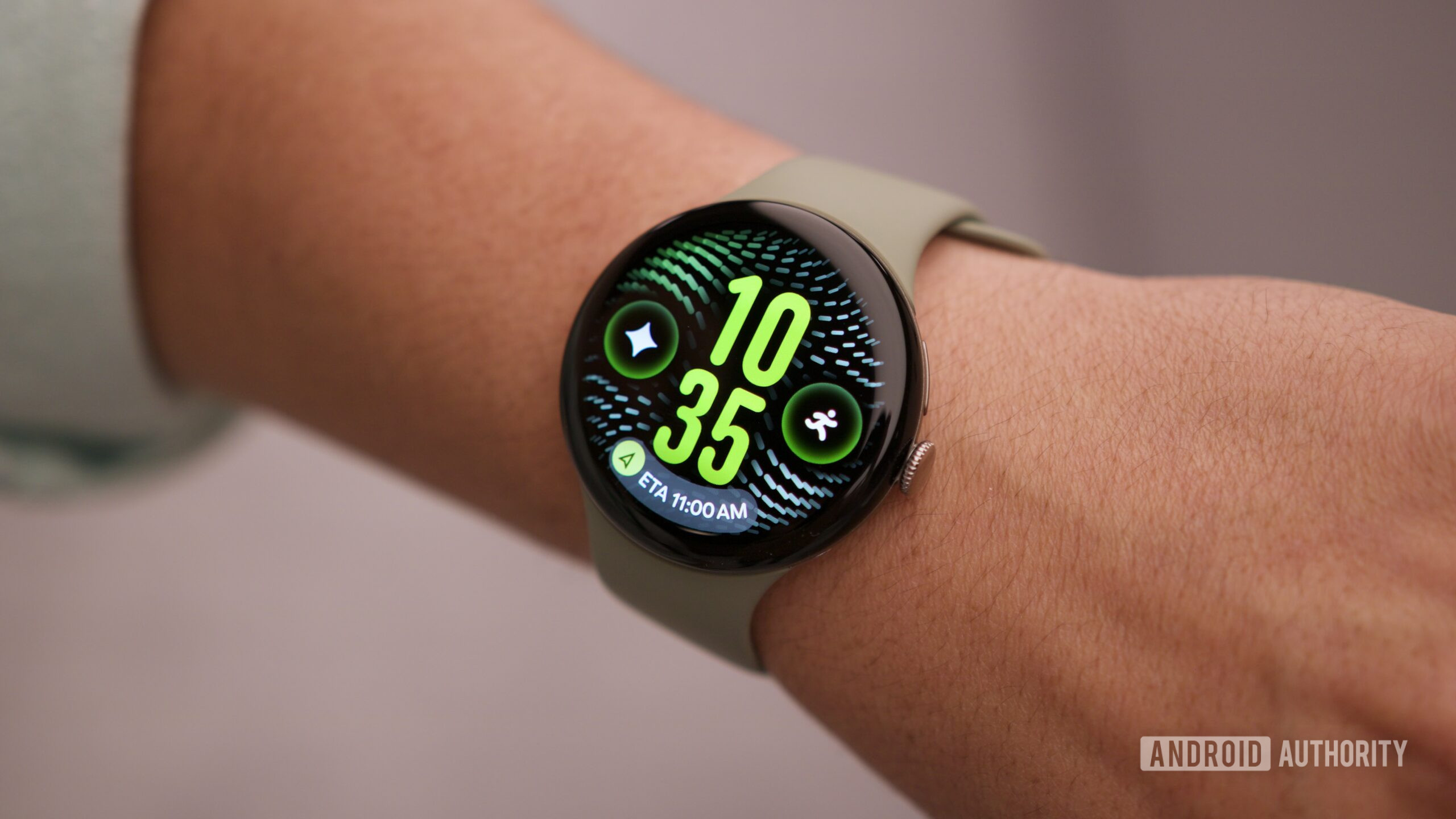
My hands-on session with the Pixel 11 series also included time to check out the other Pixel gadgets launching alongside the new phones — one of those being the Pixel Watch 5.
I dabbled with the Pixel Watch 5 here and there in between my time with the different Pixel 11 models, and as good as it seems, trying the watch in person really confirmed just how minor an upgrade it is compared to the Pixel Watch 4. There’s a new processor that should make the Pixel Watch 5 a bit snappier in daily use, and the new colors look good. But that’s really all that’s new.
Considering how excellent the Pixel Watch 4 is, that’s not inherently a bad thing. If you’re new to the Pixel Watch or upgrading from a first- or second-gen model, the Pixel Watch 5 should be an easy recommendation. But if you were hoping for a secretly big upgrade that’s not found in the spec sheet or press release, I’m sad to report it doesn’t exist this year.
The Pixel Tag is just adorable
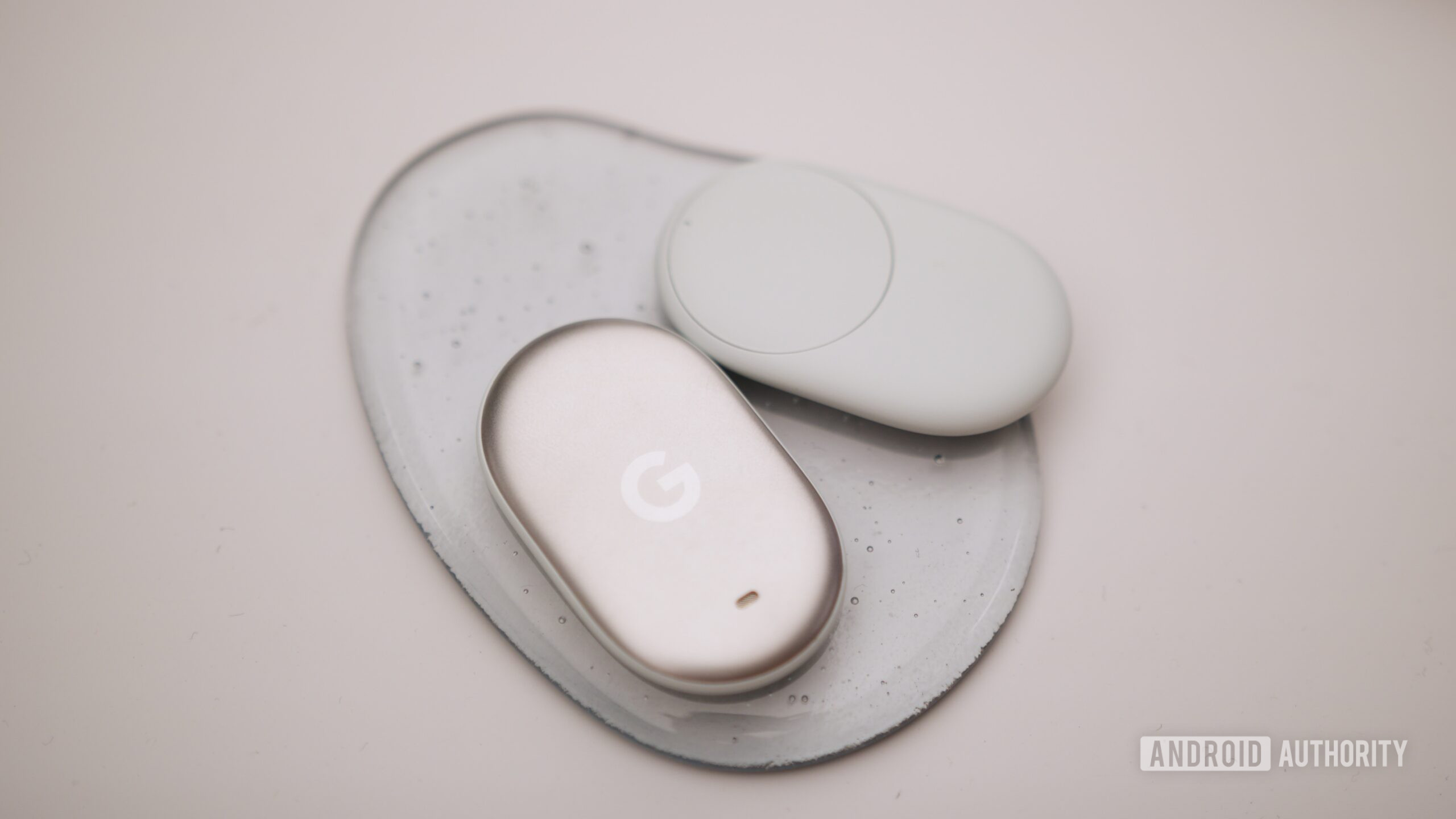
The final Pixel I got to play with is the Google Pixel Tag. This is the first Pixel-branded item tracker going up against the likes of the Apple AirTag and Moto Tag. I didn’t get to actually use the Pixel Tag, so my thoughts are limited to just the hardware. Thankfully, the hardware makes a great first impression.
Google nailed the construction of the Pixel Tag. The front aluminum cover adds a nice touch of elegance, while the plastic back makes it very easy to find the CR2032 coin cell battery cover when you eventually need to replace it. The whole thing is as well-made as you could ask for with a Bluetooth tracker like this.

What I particularly like about the Pixel Tag is how cute it is. There’s just something adorable about the oval shape with its soft curves and contours. It looks and feels like a smooth beach pebble, whereas something like the AirTag looks like … well, an AirTag. I’m not sure if that’ll be enough for people to choose the Pixel Tag over the myriad of alternatives that already exist, but I’m a big fan.
25W Pixelsnap magnetic charging
Larger 48MP main camera sensor
7 years of Android updates
Built-in magnets with Qi 2.2
Strong multitasking potential
Useful Gemini features
Thank you for being part of our community. Read our Comment Policy before posting.