Affiliate links on Android Authority may earn us a commission. Learn more.
I tested 2 of the best Android foldables of 2026. Here's how to avoid buying the wrong one
Sep 4, 2026 — 6:00 AM ET



I love the Galaxy Z Fold 8. It’s a fantastic experience, with a wider cover screen and landscape-dominant inner display that’s ideal for content and multitasking. However, I understand it’s not for everyone. It’s not an inexpensive phone, and people who are paying $1,900 are going to be more demanding. The cameras aren’t flagship-level, and the form factor isn’t for everyone.
Thankfully, Motorola has the ideal alternative. Unlike the Z Fold 8 Ultra, it won’t cost you more than the Galaxy Z Fold 8, and it has many of the features buyers love if you’re sold on a more traditional book-style form factor.
I’ve used the Galaxy Z Fold 8 and Motorola Razr Fold, and I know precisely which one you should buy.
What I love about the Galaxy Z Fold 8

Samsung nailed the Galaxy Z Fold 8, and it’s a device I’ve been waiting for a long time. I enjoy book-style foldables. It’s hard to argue with the benefits of a larger display, even if we pay quite the premium for the privilege. Still, the phones never clicked with me, and I constantly felt I was compromising. The cover screens have gotten a little wider over the years, but they can still feel a little cramped. The internal displays are expansive, but the aspect ratio isn’t quite right.
The Galaxy Z Fold 8 solves those problems. The 5.5-inch cover display is excellent. I have more than enough room to type comfortably, and I don’t feel hindered by the shorter display. Social media looks fantastic, and watching videos is enjoyable when I put the phone in tent mode, taking full advantage of the 16:10 aspect ratio.

When unfolded, the Galaxy Z Fold 8 gives me a fantastic 7.6-inch canvas to work with. Multitasking is smooth, and each app has enough room to not feel crowded. It’s not quite the peak dual-app experience I got with my Microsoft Surface Duo, but it’s enough that I can’t put the phone down. Samsung transcends the enthusiast market with the Z Fold 8 because you don’t have to use the phone for productivity to justify it. Social media and web browsing are excellent, and I love how I’m not limited. If an app doesn’t play nice with the landscape-dominant inner display, I can turn the device into a portrait orientation, essentially giving me just a large smartphone or small tablet. Apps look right at home, and the scrolling experience is unmatched.
The performance is precisely what you’d expect from the Snapdragon 8 Elite Gen 5 chipset paired with 12GB of RAM. I doubt I’ll feel limited for years, and you’ll have plenty of overhead for more demanding apps and games.
I mentioned multitasking earlier, and Samsung’s software plays a significant role in that. One UI 9 runs well on the Galaxy Z Fold 8, and the company’s done a solid job improving the multitasking experience over the last few years. I can easily set up app pairs, including resizing them to my needs. If I’m done with one app, I don’t need to close the entire pair to pull up another program, which is convenient.

Both phones offer seven years of software support, but I’m only confident in one company to deliver. I appreciate that Motorola is trying to up its game, but I have a reasonably solid track record from Samsung to look back on. If I had to put money on which phone would still be running well with the most features five years from now, I’d choose the Galaxy Z Fold 8.
I get surprisingly solid battery life from the Galaxy Z Fold 8’s 4,800mAh cell. On paper, it seemed like a weakness of the device, but it’s turned out to be a strength. The phone is still limited by 45W wired charging, but you won’t need to constantly top off.

The main criticisms I see of the Galaxy Z Fold 8 concern its cameras. I don’t care that it doesn’t have a telephoto lens, and I’m not upset about its 50MP primary sensor. For me, the phone’s overall benefits far outweigh its shortcomings. However, I can see that matters to plenty of buyers, especially when you’re paying that kind of money. I get decent images from my Galaxy Z Fold 8, but I’d be lying if I said they weren’t a noticeable step down from the Razr Fold.
What I love about the Motorola Razr Fold

I’m going to focus plenty on the cameras in comparison to the Galaxy Z Fold 8, but it’s worth noting that Motorola did a ton of things right with the Razr Fold. For the company’s first book-style folding phone, Motorola gets full marks, and if you’re in the market for a larger foldable, it’s the one I’d recommend.
I love that Motorola opted for the Snapdragon 8 Gen 5 chipset over the Snapdragon 8 Elite Gen 5 you’ll find in the Galaxy Z Fold 8. I don’t feel I’m sacrificing any power, and if it means my Razr Fold gets 16GB of RAM and 512GB for $1,900, I’m willing to make that compromise. The Snapdragon 8 Elite Gen 5 is an expensive chipset, and I don’t feel I’m recouping that value in any meaningful way.
The Motorola Razr Fold isn’t a light or sleek foldable, but I still appreciate its design. I enjoy that Motorola experiments with different textures and materials, and the textured back of the Razr Fold gives me confidence to carry it without a case. It’s pleasingly rounded, and I can admit that as someone who despises curved displays. Still, it’s heavy — tipping the scales at 243g. When you consider that the Galaxy Z Fold 8 weighs only 201g and has a compact form factor, it makes a difference.

The 6.6-inch cover screen experience is solid on the Razr Fold. I have enough room to type, and apps feel at home. When unfolded, the device’s ample 8.1-inch internal screen is fantastic to use. And, unlike Samsung’s foldables, the Razr Fold supports a stylus. I know Samsung has research to the contrary, but it seems silly to me to have such an expansive canvas without pen support.
I have a hard time believing Motorola’s software will never match Samsung’s. Samsung offers excellent, timely support, and One UI is undoubtedly more robust than Hello UI on the Razr Fold. However, Moto got some things right. Multitasking is solid on the Razr Fold. I can switch to split screen from any app with just a touch, and app pairs are easy to set up. I don’t get the resizing flexibility I get on One UI, but I’m pleased with Motorola’s efforts.

I’m satisfied with the Galaxy Z Fold 8’s battery life, but the Razr Fold’s battery is downright impressive. Unlike Samsung, which merely dabbled with a silicon-carbon battery in its foldable, the Razr Fold features a 6,000mAh silicon-carbon cell. The results are fantastic, and I easily get two days on a single charge while using the internal display heavily. When it’s time to recharge, the Razr Fold is also impressive, with 80W wired and 50W wireless charging.
If you’re unhappy with the cameras on the Galaxy Z Fold 8, the Razr Fold has you covered. Its triple 50MP camera setup is impressive, and easily rivals what you can get on a foldable. The images are crisp and saturated, and I enjoy the flexibility of its 3x telephoto lens. I believe the Razr Fold beats even what you can get on the Z Fold 8 Ultra while costing significantly less. Motorola made cameras a point of emphasis on the Razr Fold, and the results back that up.
Which should you buy?

It’s tough to decide between these two phones. I’m comforted by the fact that there really isn’t a wrong answer, and you’ll be pleased with your purchase either way.
However, if you’re looking for a different foldable experience and you’ve questioned whether book-style foldables are for you, the Galaxy Z Fold 8 absolutely delivers in ways we haven’t seen in the US before. It’s not a phone you buy for the specs or the cameras. It’s a phone you pick up because you want to enjoy foldables without being a hardcore enthusiast.
By comparison, the Razr Fold is an impressive package for $1,900. It features excellent battery life, a premium build, and fantastic cameras. If you enjoy traditional book-style foldables and prefer a taller aspect ratio, the Razr Fold is the phone you’ve been waiting for.
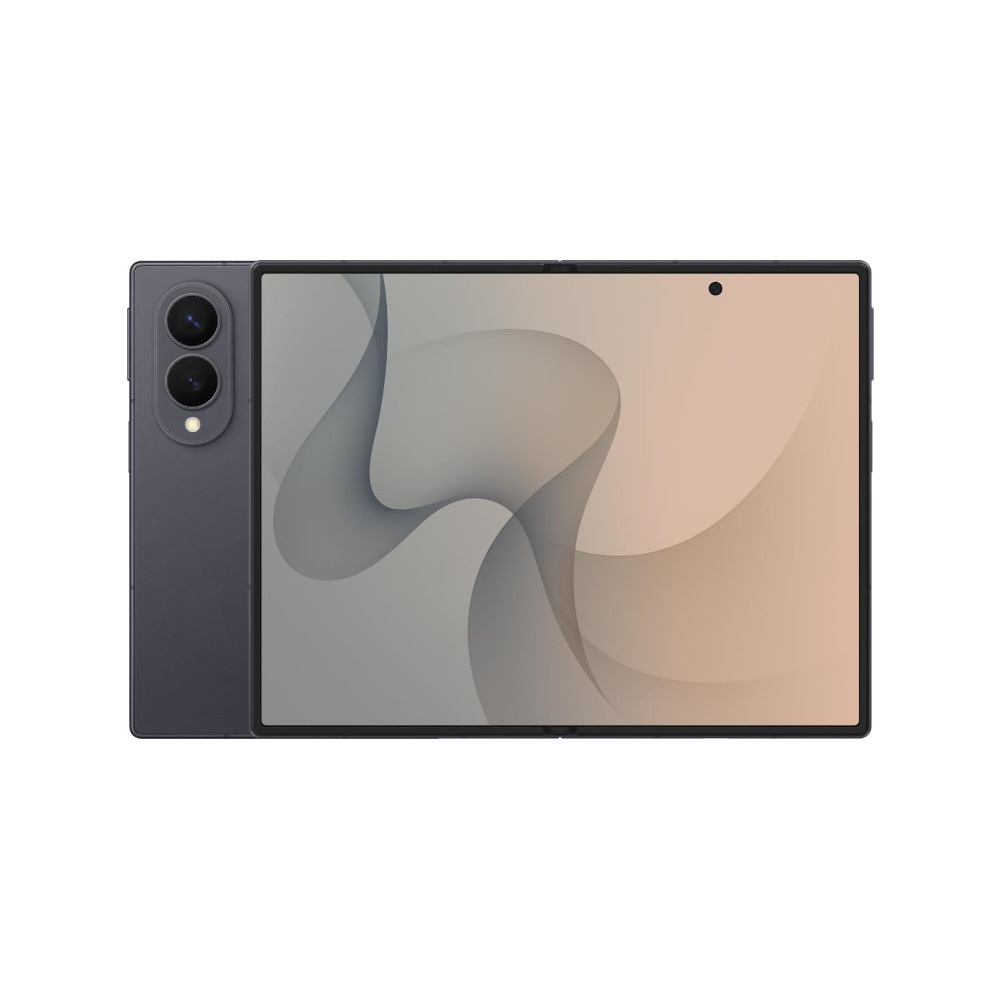
Inner screen is great for videos
Powerful
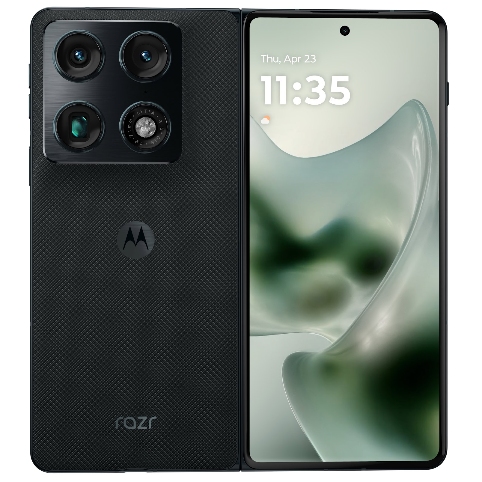
Periscope zoom
Stylus support
Multitasking
Thank you for being part of our community. Read our Comment Policy before posting.