Affiliate links on Android Authority may earn us a commission. Learn more.
Google Photos is finally getting an off switch for its annoying shimmer effect
Jun 26, 2026 — 2:41 PM ET



- Google Photos recently introduced a tool to easily transform your pics into stickers.
- The app highlights the outline of sticker content with a shimmering effect after viewing pics for a few seconds.
- Google is now working on an option that would let you turn this off.
Sometimes app changes are controversial, with as many proponents as there are users who really seem to resent them. But then there are also those changes that pretty much nobody seems to like — and that feels like how we’d have to characterize the “shimmering” effect Google Photos uses to let us know when we can create a sticker from an image. If you’ve been hating on this design element since it first debuted, we’ve got some rather excellent news for you, as Google’s finally working on a way to turn it off.
You’re reading an Authority Insights story. Authority Insights brings you all the latest exclusive reports, app teardowns, leaks, and in-depth tech coverage from the Android Authority team that you won’t find anywhere else.
Google Photos brought us our first taste of this feature last year on iOS, before Android finally caught up back in February. When you’re viewing a picture in your Photos gallery, after a few moments you’ll see an animated border that’s supposed to prompt you to press and hold if you want to create a sticker.
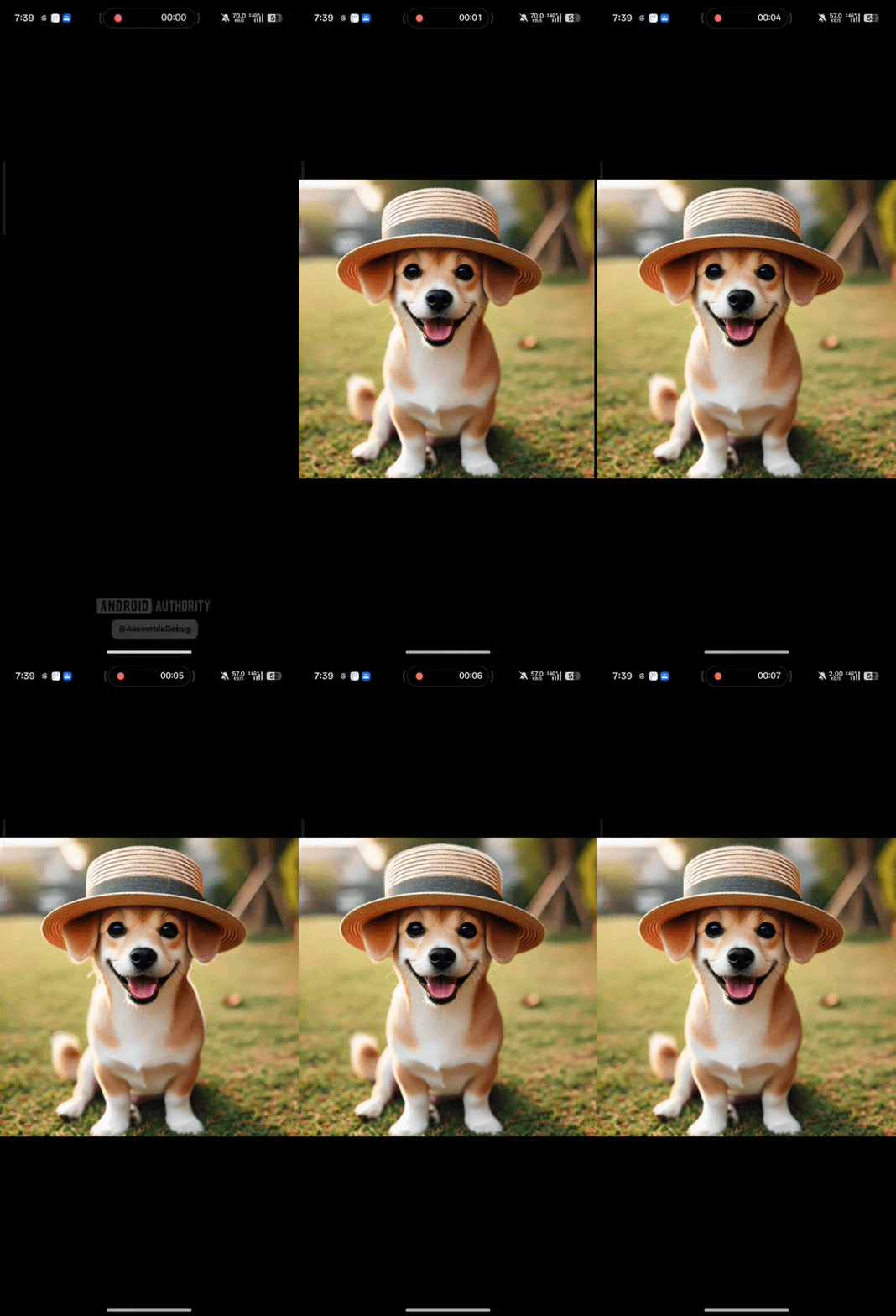
Indeed, you don’t have to look very far to find complaints about the shimmer across Google Photos support forums, with users reporting it gives them headaches and makes them feel nauseated. Maybe it’s one thing if you’re a big stickers user, but for the rest of us, this has just proven to be an unwanted distraction.
This isn’t yet live, but in Google Photos version 7.82, we can now see Google getting ready to deliver a toggle that will allow the disinterested among us to finally turn this effect off:

Once it’s ready to roll out, you’ll find the new option in app Settings > Preferences > Photos view.
How do you feel about the shimmer effect in Google Photos?
Toggling the option off won’t free you from the shimmer entirely, though; you’ll still see it if you long-press on a picture, and are actually trying to make a sticker. But this will stop the app from constantly flashing it at you when you just want to look at your photos in peace.
That sounds perfectly reasonable to our ears, and as far as we’re concerned, this is one feature that cannot arrive soon enough. Do you agree? Share your feelings in the poll above, or leave more detail down in the comments.
Thank you for being part of our community. Read our Comment Policy before posting.