Affiliate links on Android Authority may earn us a commission. Learn more.
Google's making its biggest push yet for putting Gemini to work as an actual assistant on Android
May 12, 2026 — 1:00 PM ET



- Google is getting Android users ready for the next wave of agentic interactions with Gemini Intelligence.
- Gemini Intelligence promises to automate even complicated tasks across apps and the web, while saving you from entering form after form.
- New tools like Gboard Rambler and Create My Widget help round-out Gemini Intelligence upgrades.
This week, Google’s bringing Android fans news of some of the next big steps their favorite mobile platform is taking. For the past few years now, this conversation has been dominated by all things AI, and while that’s not changing this year, it actually sounds like the impact could finally be large enough to really change the way Android users interact with their phones — get ready for the era of Gemini Intelligence.
Don’t want to miss the best from Android Authority?
- Set us as a favorite source in Google Discover to never miss our latest exclusive reports, expert analysis, and much more.
- You can also set us as a preferred source in Google Search by clicking the button below.


Gemini may have initially felt like another version of the Google Assistant, largely just answering your questions — even if it was sometimes less than great at getting the right answers. But it’s rapidly evolving into a system capable of a whole lot more, especially when it comes to agentic operations, with Gemini tackling complicated tasks on your behalf. And that’s absolutely a core component of the new Gemini Intelligence experience, as Google attempts to evolve Android from a platform we run apps on to a platform that’s aware of who we are, what we need to do, and is equipped to reach out and actually get stuff done.
Are you excited about Google's Gemini Intelligence features for Android?
What can Gemini Intelligence do for you?
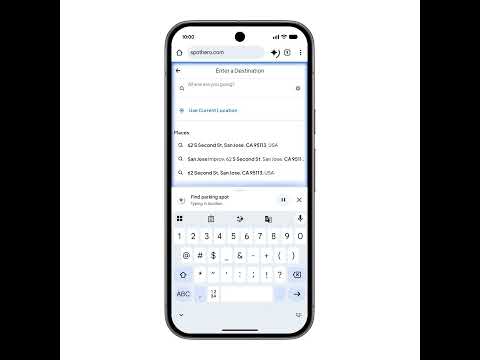
One big part of that is task automation. While Gemini already has some narrow use cases where it can do things like help you shop or find a hotel, Gemini Intelligence wants to be a much more powerful, general-purpose ally. That’s going to include not just tasks Gemini can perform through your apps, but also via control of your Chrome browser — if you can get it done on the web, Gemini wants to be able to automate that.
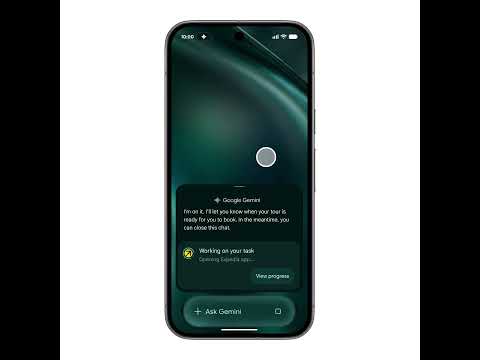
Hate forms? Chrome auto-fill has already been OK at helping out when you’re accessing the same ones over and over, but Gemini Intelligence promises to bump that up a level, completing even complicated forms on your behalf the first time it encounters them. And more than just in your browser, Gemini Intelligence will also streamline the signup forms you encounter in Android apps:

Google is clear that all this automation is going to be very intentional — only with apps you want it to work with, and tasks you directly assign — hopefully assuaging concerns that Gemini’s going to max out your credit card with some unhinged shopping sprees.

That’s just the start of Google’s latest AI-fueled upgrades
Another very cool-sounding component of Gemini Intelligence is the new Create My Widget tool, letting users simply describe the functionality they want from a home screen widget, and Gemini will code it up for you. And if that’s not enough to get you excited, how about Gboard’s new “Rambler” mode, which handles your messiest dictation full of repeats and revisions, smoothing it all out into nicely polished text?
Gemini Intelligence is designed to make — appropriately enough — intelligent choices about how it processes your requests. When a simpler on-device Gemini Nano model will suffice, it can just use that, while it knows to reach out to Gemini in the cloud when extra power is needed.
You’ll also see Gemini Intelligence in your car when connecting to Android Auto on a supported phone. Look for all these Gemini Intelligence interactions showing off a slick new Material Expressive look — Google is very proud of the role Gemini is growing into, and wants you to be very aware when it’s the one behind the wheel.
When’s all this actually happening?
Access to these myriad upgrades will proceed in waves, and not every feature will land simultaneously; Chrome auto-browse, for instance, gets started in June. Gemini Intelligence begins arriving for the brightest stars of Android’s lineup — Google Pixel and select Samsung Galaxy phones — starting this summer.
Thank you for being part of our community. Read our Comment Policy before posting.