Affiliate links on Android Authority may earn us a commission. Learn more.


This portable Google TV projector might be the perfect compromise for a secondary screen
Epson Lifestudio Flex Plus
MSRP: $999.99
What we like
What we don't like
Epson Lifestudio Flex Plus
I didn’t expect the Epson Lifestudio Flex Plus to reinvent my home theater experience, but I did hope for an accessible setup. Most importantly, I wanted a solid option in time for holiday movie marathons. By the end of my review, Epson’s flagship portable Lifestudio projector over-delivered and then some, earning a permanent spot in my living room.
On paper, it’s a device with a clean look, built-in Google TV, and 3LCD tech for avoiding the rainbow artifacts common in lifestyle models. In practice, it not only lived up to its specs but also naturally slipped into everyday use.
Mid-century looks, modern features

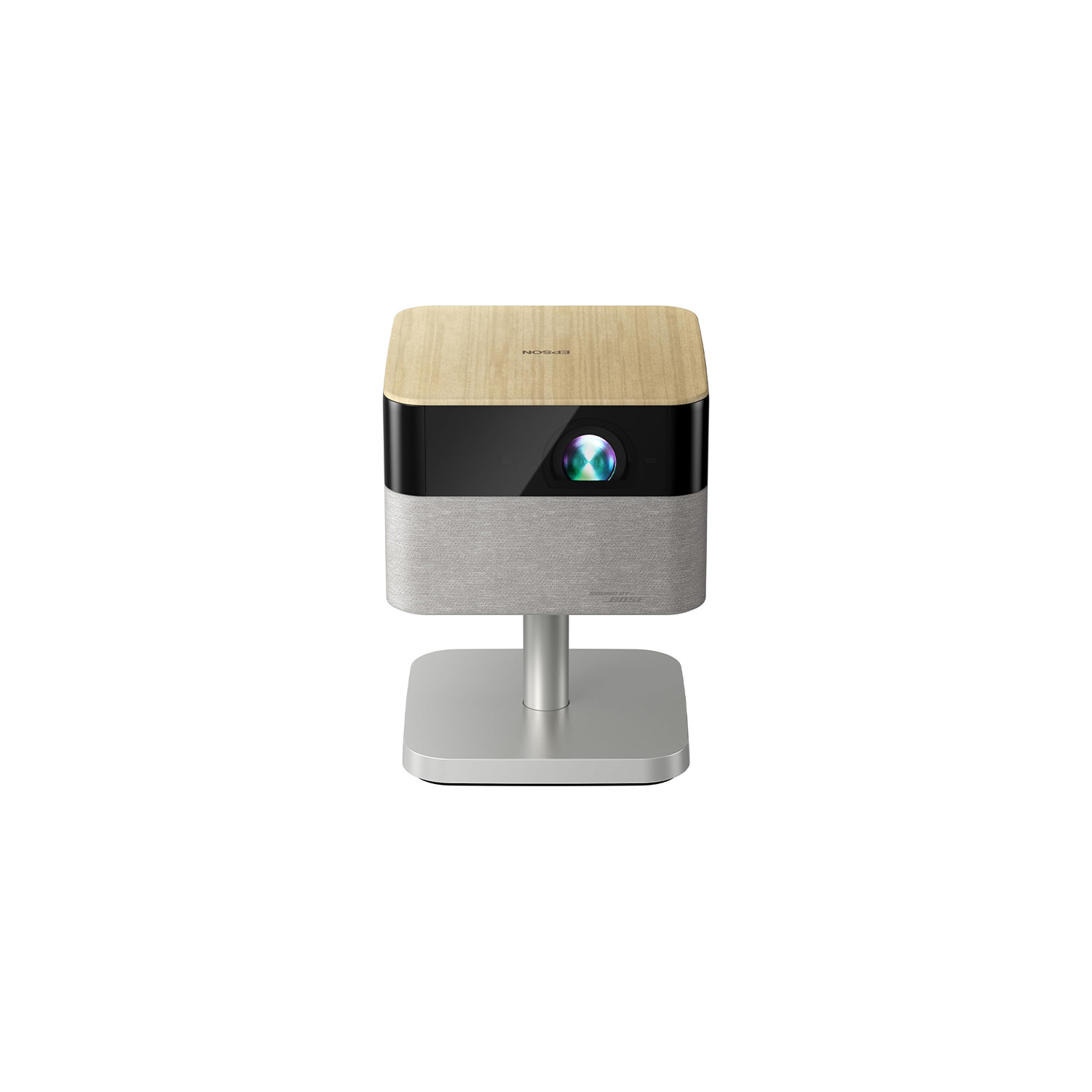
The Flex Plus has the kind of design that feels intentional without being showy. It’s a rare gadget, let alone a projector, that looks perfectly at home on a walnut credenza. I don’t actually own a credenza, but the Flex Plus makes me want one, and also makes me want to use words like credenza. The rounded silhouette, soft fabric wrap, and warm, furniture-friendly materials give it an easy, mid-century look that would fit right in with a retro lamp and a stack of vinyls.
With a rounded silhouette and soft fabric wrap, the Lifestudio Flex Plus offers a refined aesthetic that fits right into my living room.
At 7.5 by 7.5 inches at the base and just under 10 inches tall on its stand, it also has a surprisingly compact footprint for something that can throw a 100-inch image across the room. At nine pounds, it’s also light enough to move around without feeling like you’re relocating AV equipment. I carried it around the house for testing purposes, but surrounded by nostalgic Christmas decor in my living room, it works perfectly well as a permanent fixture in the space, too. In fact, that’s exactly where it has stayed since wrapping this review.
With college football playoffs looming, my partner has been increasingly dedicated to watching games I do not care about (pretty much every game my team isn’t playing in). The Flex Plus quickly became an enabler as a second screen he can deploy in seconds. Between its lightweight body, tilting stand, and rotating design, it’s ridiculously easy to set up for whatever mid-tier matchup he insists matters. Toss in the performance specs I’ll get to below, and it’s the perfect compromise between being responsible and purchasing a second TV just for football season.

My only real design complaint is that it relies on a sizable cable and power brick, which feels less refined than the rest of the hardware. It also unplugs obnoxiously easily from the brick if you jostle the cord, and it’s not particularly travel-friendly for a portable projector. I would have loved a built-in battery. Still, it’s a device I didn’t feel compelled to hide between viewings, and for ease of use, that’s a plus.
As Epson’s flagship lifestyle projector, the Flex Plus sits above the standard Flex and the smaller Lifestudio Pops models. The regular Flex keeps the same approachable design but swaps the Plus’s 4K (pixel-shifted) 3LCD system for a 1080p setup, making it a more budget-friendly choice for shoppers who don’t need the added sharpness or brightness. The Lifestudio Pop and Pop Plus are ultra-portable units meant for even quicker setup on the go, like impromptu movie nights or dorm-room duty. The slightly cheaper models are best for lighter, more occasional use cases and are easily stowed away.
Dangerously convenient setup and streaming

Setting up the Flex Plus is uneventful, which I mean in the best way possible. I plugged it in, powered it on, and it immediately got going. Autofocus kicks in quickly, auto-keystone straightens the frame, and built-in Google TV powers up my usual rotation of apps, including Netflix, Prime Video, and YouTube. There’s also Chromecast on board, which made it easy to fling content from my phone whenever I didn’t feel like digging through menus. The remote also includes a Google Assistant button, which I ended up using often because it was faster than scrolling. Around back, you get the basics: a single HDMI port, USB-A, and an audio-out jack. In short, it’s dangerously painless to queue up everything from sports to the baking shows to Christmas classics.
Autofocus, auto-keystone, and built-in Google TV take all the fuss out of setup so you can get right to streaming.
One of my favorite extras is the Epson Projection Studio app. The app lets you use your phone for most of the remote controls, but I loved it more for the surprisingly fun slideshow feature. It’s not something I used daily, but it’s great if you want to turn the projector into ambient decor or fire up photos of your kid for posterity.
As for tinkering, Epson includes deeper adjustments like Quick Corner and Screen Fit. I appreciated having them, but I never needed more than the automatic tools. There’s also an eye-safety feature that automatically dims when someone steps into the beam, which is helpful for kids, pets, and reviewers who still manage to blind themselves despite knowing better.
Crisp picture quality

Picture quality is where the Flex Plus stands out. Epson’s 3LCD system produces a naturally balanced image with none of the rainbow artifacts you get from single-chip DLP models. The projector uses pixel-shifted 4K (not native, but impressively sharp), and fine textures, text, and faces all came through cleanly. I almost regret testing with Tiny World on Apple TV because I didn’t necessarily need to see insects in that much detail, but lordy, is a harvest mouse adorable.

Brightness is rated at up to 1,000 ISO lumens, and in practice, that meant I could keep a lamp or two on for casual viewing without washing out the picture. Movies still looked their best in a dim room, but weeknight TV held up just fine with the house still awake and lit, and it was more than passable for sports before the sun went down. As I said, it genuinely works as a full-time secondary screen if the idea of two TVs in your house fills you with shame.
Picture quality is impressively sharp and artifact-free, making the Lifestudio Flex Plus a realistic alternative to a second TV in my living room.
HDR10 and HLG support add a bit more punch to highlights, though the dynamic range won’t match a dedicated home-theater setup. Motion handling is also smooth. Movies kept their natural cadence, live sports didn’t stutter their way across the wall, and focus uniformity stayed solid across the frame. This device isn’t aimed at gamers, but input lag should be low enough to handle casual sessions.
Respectable sound with helpful presets

Audio is an area where the Flex Plus does a respectable job, even if the Bose branding sets expectations a little higher than its dual 5W speakers met. Sound is warm and clear enough for everyday viewing, and dialogue has a nice crispness to it. It doesn’t deliver the fuller, more powerful presence you might associate with the Bose name, but for an all-in-one build, it does great.
Epson includes several sound modes: Standard, Music, Dialogue, and Cinema. They make a noticeable difference. I found myself using Dialogue mode for movies with more layered sound mixes because it brought voices forward in a way that made conversations easier to follow. Cinema mode adds a bit more atmosphere, which works well for most shows, but it occasionally feels muddy during talk-heavy films where clarity matters more than immersion. The device can also run as a standalone Bluetooth speaker, though, again, it’s best suited for casual use, not replacing a dedicated speaker.
Epson Lifestudio Flex Plus review: The verdict

The Epson Lifestudio Flex Plus succeeds by being simple and pleasant to use. It delivers clean 3LCD picture quality, a smooth Google TV experience, and audio that’s perfectly solid for everyday viewing, all wrapped in a design that actually fits a living room. I wish it had a built-in battery and a more elegant power setup, but those are small asks in the bigger picture. For anyone after big-screen impact from a portable device, the Epson nails it. Given the respectable specs it delivers, its ~$1,000 MSRP isn’t surprising.
Simple, sharp, and genuinely pleasant to use, the Flex Plus earns its spot in your space, but it will cost you.
On the other hand, the projector’s price tag is far from humble. As the flagship of Epson’s new Lifestudio lineup, the Flex Plus sits above the standard Flex and the smaller Pop and Pop Plus models. As mentioned, the regular Flex ($779.99 at Amazon) offers the same look but steps down to 1080p projection. The Pop ($629.99 at Amazon) and Pop Plus ($749.99 at Amazon) lean into portability with smaller footprints, though they remain pricey for their size. If you are a bit more budget-conscious, something like the XGIMI MoGo 4 ($499 at Amazon) comes in at a much lower starting price and offers top-tier portability with a built-in battery and sub-3lb build. But it only delivers 1080p resolution and very modest brightness (~450 ISO lumens).
For about $300 more, the MoGo 4 Laser ($799 at Amazon) upgrades to triple laser tech to boost brightness to 550 ISO lumens, offering improved color gamut and contrast. Elsewhere, the BenQ GV32 ($599 at Amazon) has a charming design and good sound for a lifestyle projector, though its lower resolution and mid-tier brightness keep it from matching the Flex Plus’s sharper viewing experience.
- Clean mid-century design with an integrated tilting/rotating stand
- Built-in Google TV, Chromecast, and Google Assistant
- Solid 3LCD picture quality with no rainbow artifacts
- Sharp pixel-shifted 4K and smooth motion handling
- Usable 1,000-lumen brightness for casual viewing
- Warm, clear everyday audio with helpful sound modes
- Power brick is bulky and finicky
- No built-in battery, limiting true portability
- Cinema sound mode can feel muddy during dialogue-heavy films
- Pricey for a lifestyle projector without battery power
Thank you for being part of our community. Read our Comment Policy before posting.