Affiliate links on Android Authority may earn us a commission. Learn more.
Android 17 deep dive reveals Google's most practical update in years
May 15, 2026 — 4:08 AM ET


- Google’s separate Android Show format continues to work in Android’s favor, giving Android 17 room to shine without getting buried under AI announcements at I/O.
- Android 17’s biggest additions include app bubbles for faster multitasking, native controller remapping for gamers, and improved one-time location permissions focused on privacy.
- After using the beta, Android 17 feels like a thoughtful polish update that fixes everyday frustrations Android users actually care about.
For the past few years, Android updates have often felt overshadowed by everything else happening at Google I/O. There’s always a new AI model, or some experimental project grabbing all the attention before Android even gets a proper moment on stage. That’s exactly why Google’s decision to separate the Android Show from the main I/O keynote continues to feel like the right decision.
Instead of cramming platform updates into an already overloaded presentation, Google once again gave Android its own dedicated space ahead of I/O. And honestly, that approach works far better. The company actually spent time walking through Android 17’s features, explaining why they matter and how they fit into everyday use.
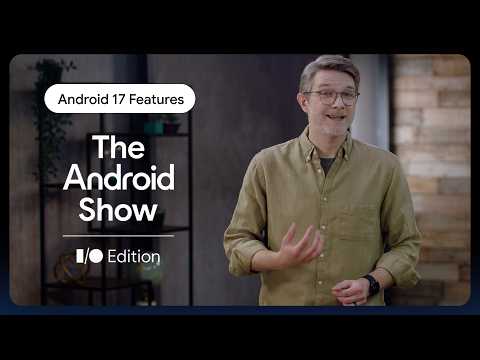
Right after the showcase, the Android YouTube channel uploaded a deep-dive video (see above) that breaks down Android 17’s biggest additions and explains why the team is excited about them. After watching it and spending some time on the beta myself, Android 17 definitely feels like Google sat down and fixed things people actually complain about while using their phones every day.
Don’t want to miss the best from Android Authority?
- Set us as a favorite source in Google Discover to never miss our latest exclusive reports, expert analysis, and much more.
- You can also set us as a preferred source in Google Search by clicking the button below.


The first feature they highlighted was app bubbles, and I completely understand why they opened with it. This is easily one of my favorite Android 17 additions so far. You can pin up to five apps in floating bubbles for quick access at any time. But in actual use, it changes how multitasking feels on Android, especially on smaller phones. It’s much faster than endlessly swiping through the recent apps menu, and unlike split-screen mode, it doesn’t make everything feel cramped and chaotic.

I’ve been using it on my Pixel 10a with Instagram, WhatsApp, Slack, Chrome, and YouTube Music pinned most of the time, and now I catch myself relying on it constantly without even thinking about it. Replying to messages while reading something, switching between work chats and Chrome, and quickly changing music, it all feels smoother. Compact phones usually force you to choose between comfort and productivity, but this feature somehow lets you have both.
Then there’s native controller remapping, which honestly feels overdue in the best possible way. If you game on Android regularly, you already know how annoying inconsistent controller layouts can be across different games. Some titles let you remap controls, others don’t, and sometimes the button layout just feels completely wrong. Android 17 finally fixes that at a system level. You can now customize buttons, triggers, and sticks directly from Android’s settings.
Google is also doubling down on privacy, especially around location access. Android 17 makes one-time location permissions more prominent, which means apps can access your location only when you explicitly allow it for that session. That may not sound revolutionary, but considering how many apps quietly sit in the background collecting location data forever, I’m glad Google is continuing to tighten things up here.
The video also briefly mentioned a bunch of smaller improvements we’ve gone over before, including per-app dark themes, cleaner split-screen, and separate Wi-Fi and mobile data toggles coming back to Quick Settings. Android users have complained about that toggle situation for ages, so seeing Google finally reverse course feels a little funny, but also very welcome.
After using the Android 17 beta for a while, my biggest takeaway is that this update feels unusually grounded. Google isn’t trying too hard to reinvent Android this time. Instead, it’s polishing the experience in ways you actually notice after a few days of use. And honestly, I think that’s exactly what Android needed.
Thank you for being part of our community. Read our Comment Policy before posting.