Affiliate links on Android Authority may earn us a commission. Learn more.
Pixel 10a vs Pixel 10: Google made this decision easy for me
For the first time in what feels like forever, we are getting a phone — the Pixel 10a — with an actual flat back and no camera plateaus protruding from it. The phone can finally rest on a table without wobbling or leaving a wedge-shaped gap underneath. Google must have undertaken some serious engineering efforts to keep the camera thickness in check on the new budget Pixel so that it lies flush with the phone’s back panel.
But all those design efforts aren’t convincing enough for me to pick up the Pixel 10a or second-guess my decision to get the Pixel 10. Here’s why I know I made the right choice skipping the Pixel 10a.
Is the Pixel 10 worth $200 more than the 10a?
The most important Pixel 10 feature is missing

The biggest rumored upgrade for the Pixel 10 phones was the new Tensor G5 processor. Even before the phones launched, the new processor was slated to be the next big thing on Pixels, but we all saw how it turned out. What actually stole the show was Qi2-based magnetic charging. And I have no qualms admitting that I’ve been a fan of the Pixel 10 series almost entirely because of magnetic charging, just like the iPhone’s MagSafe.
Considering the new Pixel 10a is a budget-oriented phone, Google had to keep costs in check, and one of the measures it took, unfortunately, was skipping magnetic attachment for wireless charging. For that price, this choice actually makes sense, especially since the iPhone 16e (the Pixel 10a’s direct competitor) also lacks MagSafe.
However, when put against the standard Pixel 10, it feels like a glaring omission that I wouldn’t want to live without. Especially now that I have so many Qi2-compatible accessories spread across my house.
Performance limitations
I can’t believe I am favoring a Tensor G series processor for performance, but here we are. It’s not like the Tensor G5 offers mind-blowingly superior performance over its predecessor, but Google has artificially widened the gulf between the Pixel 10a and the rest of the Pixel 10 lineup.
Until now, the Pixel A series shared the same processor as its flagship counterpart — one of the biggest draws of the A-series Pixel lineup ever since its inception. The Pixel 10a, however, has become an anomaly. Instead of the Tensor G5 processor found on the rest of the Pixel 10 phones, the Pixel 10a has settled for the Tensor G4 processor found on last year’s Pixel 9a.
While the Tensor G5 isn’t as big of a jump as we had expected from a TSMC-manufactured chip, it’s still a solid upgrade over the G4 in terms of multi-core performance, GPU headroom, clock speeds, and neural processing, which is essential for offline AI workloads. All those improvements sadly haven’t made it to the Pixel 10a this year.
The AI–RAM tussle

A big reason we’re seeing 12 to 16GB of minimum RAM across smartphones and laptops these days is local AI processing because AI is a literal RAM hog. And among those devices is the Pixel 10a with its meager (by today’s standards) 8GB of RAM.
It’s not like the Pixel 10a is light on AI tools compared to the Pixel 10 series — in fact, it’s got some new features like Auto Best Take and Camera Coach, which would go even harder on the already limited amount of memory.
Compare that to the Pixel 10’s 12GB of RAM, of which a sizeable chunk is already reserved for AI functions — the same would leave even less memory on the 10a. While Google promises seven years of OS updates for both phones, if I were to take a bet on which one will truly last longer — which one will make the most of those seven years — I’d bet on the Pixel 10. It simply has more RAM to stay fast for longer and is more future-proof when offline AI workloads are only going to increase down the line.
The camera trio

Google did something interesting with the base Pixel 10 this time — it added a basic telephoto lens, making triple cameras standard across the entire lineup, except for the budget Pixel 10a.
Even though the telephoto lens on the Pixel 10 isn’t as sophisticated as the one on the Pro model, I’d still take it over nothing. And the Pixel 10a has nothing to show for a third rear camera. That upgrade buys me versatility that I could use whenever I wanted to — instead of regretting not upgrading to the Pixel 10 while I’m trying to zoom in on the subject, and all I’ve got is the watercolor-y look of digital zoom.
In a world full of iPhones and Samsung’s trademark rear designs, Pixels' camera visor stands out from the crowd.
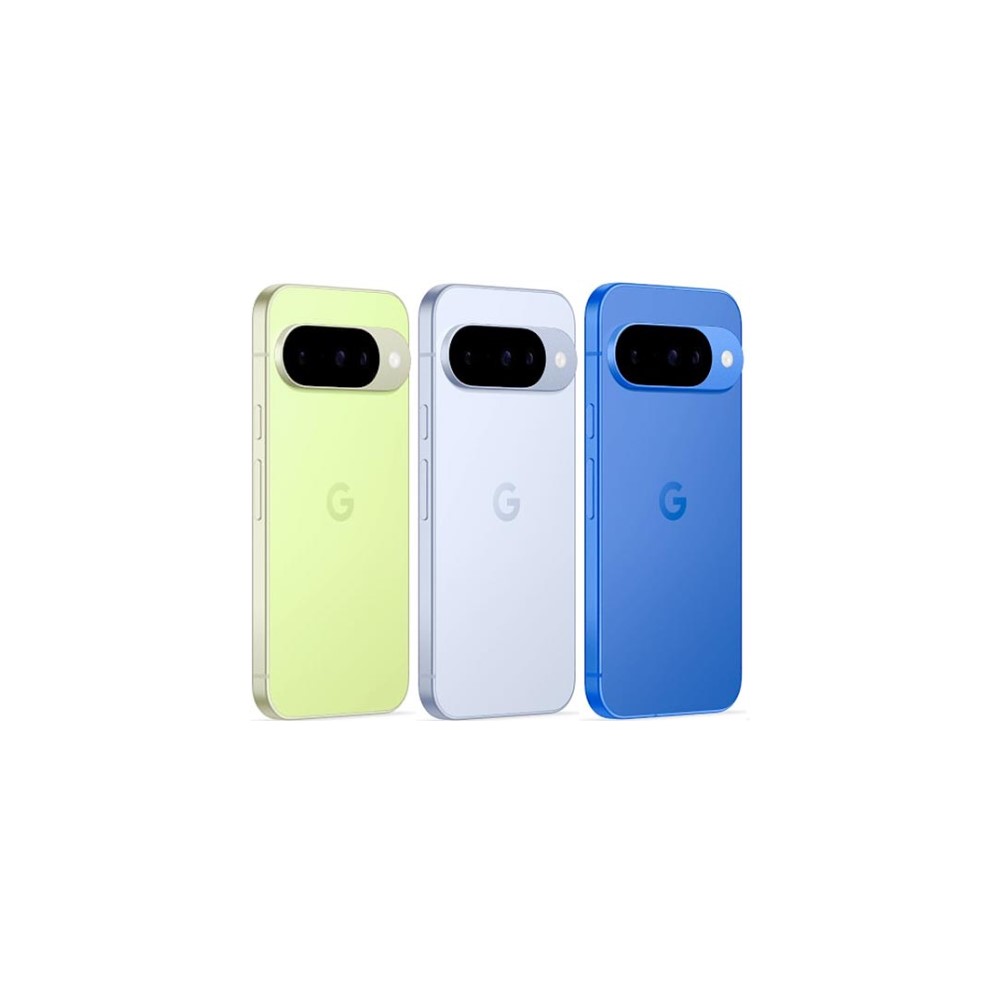
And it may sound counterproductive to what Google is trying to sell with the flat-back idea, but I actually want that trademark camera visor that Pixel phones are known for. While the camera bump allows for better hardware to be placed underneath, that visor is more of a statement piece at this point. In a world full of iPhones and Samsung’s trademark rear designs, Pixels stand out from the crowd, except for the Pixel 10a.
Don’t want to miss the best from Android Authority?
- Set us as a favorite source in Google Discover to never miss our latest exclusive reports, expert analysis, and much more.
- You can also set us as a preferred source in Google Search by clicking the button below.


Pixel 10a vs Pixel 10: One makes the other look like an excellent deal

The Pixel 10a appears to be a solid phone for its $500 price on paper. But the things it misses while being so closely priced to the Pixel 10 make the latter look like a much more tempting deal overall. The Pixel 10 launched at an MSRP of $800, but you can easily grab it for $700 on a typical day — or even $600 during special sales. Now, for a difference of $100–$200, you’re getting a lot more phone and a truly flagship experience.
Taking into account the nitty-gritty of the situation, the Pixel 10a looks dead on arrival to me. I’d rather suggest you spend an extra couple of hundred dollars for an actual flagship experience with the Pixel 10.
Long-term updates
Loaded with Google AI features

Solid mid-tier offering
Great software support promise
Thank you for being part of our community. Read our Comment Policy before posting.