Affiliate links on Android Authority may earn us a commission. Learn more.
The HUAWEI MatePad 11.5 S (2026) sacrifices battery for premium hardware

The entry-level tablet space is often the most exciting price tier to look at. It’s the place that attracts the most buyers and has the most competition. Apple, Samsung, and plenty of other brands have highly competitive affordable tablets, and you, the buyer, are faced with more choice than ever before. One of those choices in Europe is HUAWEI’s MatePad 11.5 S (2026). So, let’s take a look at HUAWEI’s new MatePad 11.5 S model to see if it’s the best hardware you can get for under £350.
Design, display, and durability

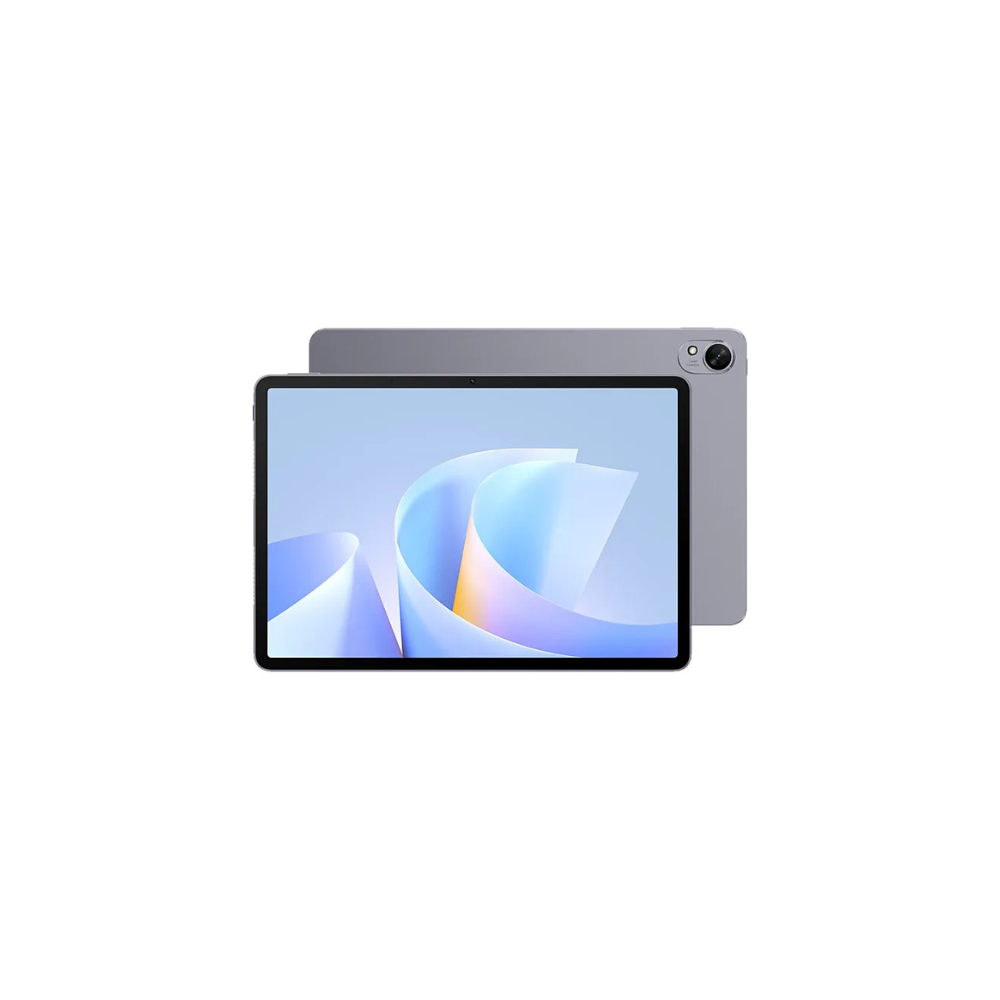
HUAWEI kept it simple this time around. It’s slightly thicker than its bigger brother, the MatePad 12 X (2025), at 6.1mm, and is enclosed with aluminum, which drops the weight slightly to 515g. It’s comfortable enough in the hand, though it doesn’t feel particularly luxurious. HUAWEI doesn’t advertise any water or dust resistance, nor does it mention anything about the durability of the glass. Overall, the design and build are satisfactory for its class.

One area where HUAWEI did not cut corners is the display. It’s easily the most impressive part of the tablet, and its matte finish is something I wish was featured more commonly on other tablets. It’s a 2,800 × 1,840, 144Hz IPS display that really punches way above its weight class.
The design is average, but the MatePad 11.5 S display punches way above its weight class.
The anti-reflection is incredible, making direct interior lighting a non-issue. And the added texture from the nano-level etching process makes for a very analog feel when using the M-Pencil Pro (available separately). It even makes using the tablet outside far more comfortable by diffusing any oncoming reflections. Finally, it also alleviates the sparkly effect that is prone to certain matte displays.
Battery and performance

An area where some cost was saved is the battery. The tablet has an 8,700mAh battery that can be charged at 40 watts. It’s certainly serviceable; it’s around the same capacity as the Galaxy Tab S11 at 8,400mAh. However, the MatePad boasts a 2.8K 144Hz display, which is a tall ask for a battery of this size. I find this translates to about five hours streaming 480p YouTube through the browser.
The MatePad 11.5 S can do it all. Just not all day long.
The Kirin 9000WE CPU powering the tablet has eight CPU cores and, along with its 8GB of RAM, it held up just fine with some 4K drawing in GoPaint. I was impressed by the speakers, too. There are four of them around the device, and they produce a shocking amount of bass and volume. I did notice the mids and highs are less pronounced, which made media content a little muddy, but it wasn’t distracting enough to pose an issue.
Are the MatePad 11.5 S’ keyboard and stylus worth it?

This is how you build a tablet keyboard. It adds £100 to the tablet, which is steep, but I like it a lot. For starters, it connects simply by magnetism to the back of the device. It then automatically charges and connects with Bluetooth, allowing it to be used wirelessly as well.
But my favourite part is that the backplate and the keyboard are held together by magnets, so when you take the keyboard off, you still have the kickstand for the tablet, or you can lay it flat on a desk for writing, alleviating the annoyance of the camera bump. It is still missing a trackpad, but other than that, it’s one of the best tablet keyboards I’ve tried.

The M-Pencil Pro has some incredible specs and makes the Galaxy S Pen look weak in comparison. The M-Pencil Pro has 16,384 levels of pressure sensitivity, and rotate, double-tap, button, and pinching functions. I could only get the pinch feature to work about 30% of the time, but the rest are all fairly reliable.
The glaring issue here is the price. The M-Pencil Pro can be purchased separately for £129, which is a significant addition to the price. For that reason, I don’t think anybody buying this tablet should be looking at the M-Pencil Pro. There are plenty of more budget-friendly stylus alternatives that certainly get the job done, while keeping the price down.
Does the software hold the tablet back?

As you probably already know, HUAWEI devices are incompatible with the Google and Microsoft suites, which makes it difficult for a North American like me to properly integrate the tablet into my workflow. If you need those apps, then you shouldn’t be considering the MatePad 11.5 S, but if you don’t, you’ll be satisfied with the available software. The included HUAWEI Notes app has an experience approaching the likes of Goodnotes on iPad, which costs £20, and GoPaint rivals Procreate, which is again a paid app on the iPad.
Don’t want to miss the best from Android Authority?
- Set us as a favorite source in Google Discover to never miss our latest exclusive reports, expert analysis, and much more.
- You can also set us as a preferred source in Google Search by clicking the button below.


Should you consider buying the MatePad 11.5 S 2025?
At £319, the MatePad 11.5 S is packing some impressive hardware, especially the display. Students, commuters, and office workers who don’t want to grab a Galaxy Tab S or iPad Air are going to be thrilled that you can get this quality of display and drawing experience on an alternative device. But a device is only as good as the software it runs. HUAWEI’s Android-based version of Harmony OS is designed (not by choice) for a market of people who don’t rely on commonly used apps in the West. And while there’s long been the promise of an Android-less platform in Harmony OS Next from HUAWEI, that rollout has yet to extend to all global markets.
Of course, even if Harmony OS Next does roll out globally, it’ll still mean that developers will have to individually commit to making their apps supported, leading to further app choice restrictions, which is already the biggest pain point of using the device. However, that doesn’t change the fact that the drawing experience on the MatePad 11.5 S is fantastic, and I love how impressive it was for outdoor usage thanks to the matte display.
I think it’s worth the reasonable asking price, even though when you factor in the keyboard and stylus, it starts to get a little pricey. But ultimately, you’ll need to decide whether you can stomach the cost of time spent making your favorite apps work or moving to entirely new ones. When I am using a tablet daily, the browser and the notes app are 95% of my screentime, and I suspect anybody else purchasing this tablet would be the same. If that’s you, this device delivers.
Thank you for being part of our community. Read our Comment Policy before posting.