Affiliate links on Android Authority may earn us a commission. Learn more.

The Pixel Watch 5 is Google's most complete smartwatch yet, and a must-buy

Nov 17, 2026 — 7:00 AM ET
Google Pixel Watch 5
MSRP: $399.00
What we like
What we don't like
Google Pixel Watch 5


On the surface, not much has changed with the Google Pixel Watch 5. It looks basically the same as the last models, and aside from RAM, storage, and battery spec bumps, there’s not much new on the hardware side either. Even the software isn’t all that different.
Yet, it is much more than the sum of its parts. It has taken a while, but Google has refined and perfected the Pixel Watch to make it the Android smartwatch to beat in 2026. It even manages to directly compete with the Apple Watch, arguably for the first time.
However, it’s not all good news and there are still a few things to consider before buying. Here’s what the Pixel Watch 5 is all about.
Same old plain design

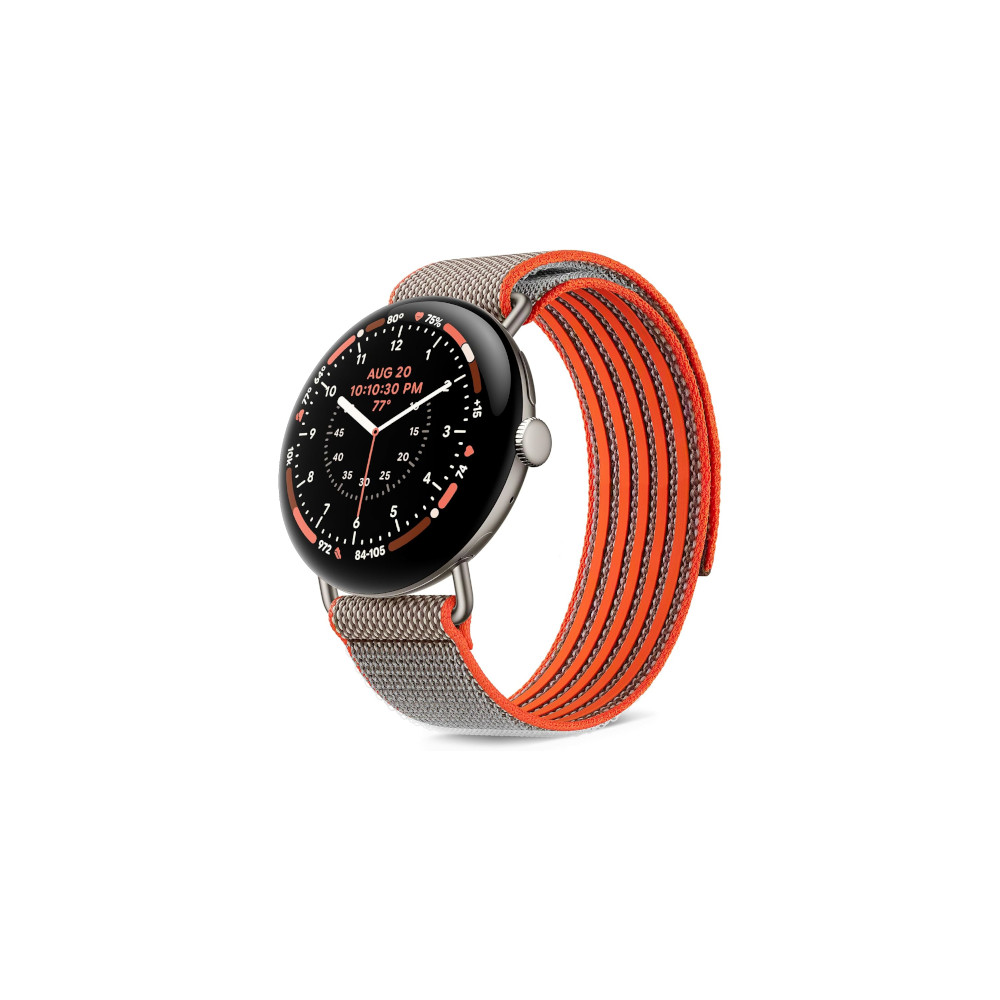
The Google Pixel Watch 5 comes in two case sizes: the $399 41mm model and the $429 45mm model, which I’ve been testing and you can see in our photos. It comes in four different aluminum case finishes, with the option of either a standard Wi-Fi connection or a 4G LTE version. The Active Band is standard, but other band types can be purchased separately. A nice touch is that you get a short and a long version of the strap included in the box.
It weighs 62 grams with the Active Band and is just over 12mm thick. The case back is comfortable, the Active Band’s material has plenty of grip so it doesn’t slip around, and for the most part, it stays centrally on top of your wrist. That’s a nice, clinical description of how the Pixel Watch 5 feels to wear, which I think is fitting because I feel absolutely nothing for it, and there are ergonomic issues that frustrate.
If the Pixel Watch 5 were food, it would be pasta with no sauce. Some will shout that it’s minimalist, but this isn’t correct. Minimalist design actively uses subtle yet complicated techniques to achieve its beauty. The Pixel Watch 5 is a circle with a crown and a hidden button. It’s the shape you’d draw to convey the concept of a “watch,” without understanding what makes one special. There’s no personality and I rarely find a reason to put it on.

When I do, it’s not the most ergonomic smartwatch I’ve worn. The Active Band (now made of a new material) isn’t as soft as I’d like, it gets hot far too quickly, and the way the extra length of strap tucks under itself adds bulk on the underside. I notice the Pixel Watch 5 on my wrist more than the Apple Watch Series 12, but not in a good way. This is a problem when wearing it to track sleep. It can get too hot, too noticeable, and I have to loosen the band which then affects sensor accuracy.
Google has improved the selection of watch faces compared to older versions, but the standard versions can’t compete with the wonderful options you get on the Apple Watch. Yes, you can pay for watch faces, but rarely do they meet expectations. I also find the concept of paying a subscription for a watch face app quite unpleasant.
If the Pixel Watch 5 were food, it would be pasta with no sauce.
Despite the price of the Pixel Watch 5, and likely because of the domed shape, Google hasn’t used sapphire crystal over the screen. Instead, it’s Corning Gorilla Glass 5 (again), which has an oddly plastic feel under your finger, and there are reports of poor durability over time. On the plus side, the Pixel Watch 5 is highly repairable, for a smartwatch, so if it does get damaged you may be able to fix it yourself. It also has an IP68 dust and water resistance rating and is water resistant to 50 meters.
The Pixel Watch 5 is not a smartwatch I’d buy with my heart, and this is a problem when it’s something I’d expect to wear all the time. The plain design, questionable ergonomics, and cheap-feeling glass are off-putting. However, if you use your head to decide on an Android smartwatch purchase, the Pixel Watch 5 suddenly starts to make a lot more sense.
A battery life and charging winner

If you’ve ever avoided a smartwatch because of poor battery life, the Pixel Watch 5 could be for you. The 45mm version has a 465mAh battery inside, and in my experience it lasts for two full days on a single charge, complete with two nights of sleep tracking and a 30-minute workout.
Some may look at this and still think it’s not good enough, and while the Pixel Watch 5 can’t match the long battery life of some non-Wear OS smartwatches from brands like HUAWEI, it has a secret weapon that, when used sensibly, turns battery life into a non-issue.
That weapon is the Pixel Watch 5’s fast charging. If you let the battery run right out, it takes just 45 minutes to zip back to 100%, which is already very fast, but it’s the 15-minute fast charge that changes the game. It means you can pop the smartwatch on its charger when you’re in the shower, and add more than enough power for a single day’s use.

When I use the charger and Pixel Watch 5 like this, I never think about the battery percentage, or worry I’ll have to make an emergency top-up before going out to track exercise. The Pixel Watch 5’s battery life and charging speed easily eclipse the Samsung Galaxy Watch 9, and also beat the Apple Watch Series 12.
The charger is the same as the Pixel Watch 4‘s, and is a lightweight, plastic dock which holds the smartwatch in an upright position when on charge, turning it into a little bedside clock. The magnets hold the Pixel Watch 5 securely, but the cable is quite short, which can make it hard to get the best from its design.
Long battery life and fast charging remove two of the biggest pain points that may have put people off a smartwatch in the past, and are both genuine reasons to buy the Pixel Watch 5.
Using Wear OS takes commitment
Google’s Wear OS 7 is installed on the Pixel Watch 5. It’s operated using swipes, taps, gestures, and by interacting with the rotating crown on the side of the smartwatch. There are three gestures to learn. The double-tap gesture moves through some menus, including notifications, and can answer calls. A flick of your wrist returns to the watch face. Finally, there’s a Raise to Talk feature to speak to Gemini.
I like the inclusion of a visual hint to try a gesture where appropriate, and for the most part, they work reliably. However, it never feels as effortless or as well integrated into the software as it does on the Apple Watch. Raise to Talk is a good example. It seems to kick in when I don’t need it, and then fails to activate when I do, especially when sitting down where the movement is more subtle.
Performance from the Qualcomm Snapdragon W5 Gen 2 processor is great and the screen is very bright. Haptics are noticeable and detailed. Notifications are rich and interactive from most apps but don’t always arrive in a timely fashion. I’ve also found notification support differs from phone to phone, with some devices delivering them more reliably than others.
Wear OS relies on tiles to present information. Google has squeezed a lot of information onto a single tile in some cases, and they are often visually overwhelming. You should also plan time to customize and sort the tiles, as not all will be applicable. The choice of additional tiles is oddly restrictive. I much prefer Samsung’s cleaner, more user-friendly One UI Watch interface over Wear OS, and Apple’s watchOS is simpler to use.
While Android has evolved to become more cohesive, logical, and better designed over the past few years, Wear OS still lags behind the competition. It is highly customizable, though, and it matches Android’s design ethos, but it takes time and patience to get it looking and working right.
Google Health Coach is transformative

Tracking exercise is not a reason to buy the Pixel Watch 5, as it doesn’t do anything better than other smartwatches, but Google’s Health Coach is. This is Google’s AI-driven health-based assistant, which when used carefully, can transform your workouts and healthy lifestyle. What do I mean? You’ve got to be prepared to talk to AI. If you don’t, then Health Coach won’t be useful at all.
Here’s my experience, and why I think it’s so good. Over the last few months (starting with the Fitbit Air), I’ve used the Health Coach to build a sensible, daily exercise routine, all through conversation with the AI. It’s truly collaborative, creating a plan based around my ability and goals, which can grow over time. In this case it’s a collection of simple exercises, each with its own animated example of how to perform it, and rest timers.
Google's AI-driven health-based assistant can transform your workouts and healthy living lifestyle.
I’ve rarely stuck to a workout plan, but because the Health Coach listens and takes into account my limitations, I’ve continued with this one, and found ways to improve it over time. No other fitness app makes creating something like this so simple. It’s also easy to manually modify, which is useful because the AI can make mistakes. For example, it added exercises we didn’t discuss into my first plan.
My requirements are very simple, but the experience is so good, I think people who are more serious about fitness will also find it useful. Even if you don’t want it for workout plans, the Health Coach will help make sense of all the other health data collected, and its daily summaries are a decent insight into your overall health and performance.

There are a few problems though. I have found it’s easy to become fixated on the Health Coach, the health data collected by the Pixel Watch 5, and its endless “insights.” Some may find this intrusive, or develop an unhealthy relationship with their data, so it’s something to consider. Because the Health Coach’s advice and feedback are generated off-device, they can also take a while to show up in the Health app.
The biggest problem is the subscription cost. Health Coach is part of the Health Premium package, which costs $10 per month. It is available for free if you already pay for Google’s AI Pro or AI Ultra packages. The other consideration is that Health Coach is available on the cheaper Fitbit Air ($99 at Amazon) and Fitbit Edge ($179.99 at Google Store). In my experience, the data collected by the sensors on the Air and Pixel Watch 5 is identical. These may be preferable options if you’re eager to try out Health Coach on a more reasonable budget.
I compared a 30-minute GPS walk with the Oura Ring 5. Both agreed on Cardio Load and step count, and recorded about the same average heart rate, but differed in calorie burn. The Pixel Watch 5 recorded a 252-calorie burn, and the Oura Ring 5 recorded 148 calories. I saw the same differences when reviewing the Fitbit Air, and the Apple Watch Series 12 agrees with the Oura Ring, suggesting Google Health overestimates calorie burn. It regularly seems to overestimate resting heart rate compared to some other devices too.
The Google Health app’s GPS map shows pace changes along the route, elevation change in a handy graph, and a breakdown of heart rate zones. Similar data is available on the Pixel Watch 5 during exercise, and I really like the heart rate indicator that runs around the bezel, which helps ensure you’re training in your required window. The Pixel Watch 5 is efficient too, and a 30-minute tracked exercise takes about 4% of the battery.
Reassurance from Health Guardian
There’s another side to the Pixel Watch 5’s health tracking suite. Dig into the Health app and you’ll find in-depth data on your sleep, daily activity, and vital statistics. The Health app is well presented and easy to use, with sections broken down into tabs selected from the lower menu, meaning you can see the data you want without fuss.
Vitals shows resting heart rate, blood oxygen level, breathing rate overnight, skin temperature, and heart rate variability (HRV). It works something like the Oura Ring 5’s Symptom Radar and the Apple Watch’s Vitals panel, where you can assess your condition on a daily basis. The Pixel Watch 5 can take an electrocardiogram (ECG) reading, alert about low or high heart rate readings, and irregular heart rate rhythms too.
The app’s weekly goal is based on Cardio Load, which rises with physical exertion. An important note here is that it’ll default to a fairly high target unless you discuss it with the Health Coach, making it hard to reach for mere mortals. This is what I mean about not getting the most from the Pixel Watch 5 if you don’t want to talk to AI.
The Health Guardian suite is Google’s big push into AI-driven health trend reports, covering blood pressure, insulin resistance, sleep breathing quality, and breathing emergencies. These features require the use of a Google Pixel phone and may not be available when the Pixel Watch 5 is connected to a different manufacturer’s phone. Each gives a monthly trend report, rather than daily or on-demand information, to alert you of any issues that may require further attention.
These features are somewhat useful, but have not been cleared by the Food and Drug Administration (FDA) or other regulatory bodies, so they are strictly informational wellness features. Additionally, some Health Guardian features may not be available where you live, so it’s worth looking into it if there’s something you’re particularly interested in.
All the data is very easy to find, the graphs are well designed, and Health Coach is right there to help understand it.
The Pixel Watch 5 and Google Health certainly provide plenty of health-related data to examine, and there are various features which, on the surface, may appear to offer reassurance, but in reality should be treated as informational rather than anything much deeper. The good thing is, all the data is very easy to find, the graphs are well designed, and Health Coach is right there to help understand it.
Google Pixel Watch 5 verdict: Should you buy it?

The Pixel Watch 5 is Google’s most complete, most compelling smartwatch yet. The plain design may not be for me, but others will like its simplicity, and there are ergonomic issues that shouldn’t exist on a wearable at this price. The hardware hasn’t changed much either, but it didn’t really need to, while the battery life and charging remain standout features that should encourage you to buy.
Health Coach is a unique health and fitness feature among smartwatches (for now) which, provided you commit to both using and paying for it, is as powerful as it is simple to use. I genuinely missed using it when I reviewed the Apple Watch Series 12 ($399 at Amazon). I also appreciate how it’s not just aimed at athletes and hardcore fitness fanatics, unlike features such as trail running, ski slope maps, and diving certification. Normal people will find value in it, and that makes it much easier to recommend.
To get the most from the Health Guardian you’ll have to own a Pixel phone too, and if you don’t, it may be worth looking at a smartwatch made by your phone manufacturer instead. A Samsung Galaxy Watch 9 ($379.99 at Amazon) to go with your Samsung Galaxy S26 ($899.99 at Amazon), for example. If you’re due a phone upgrade, the Pixel Watch 5 is so good it should sway you toward a Google Pixel 11 Pro ($1099 at Amazon). That’s the first time I’ve thought that about Google’s smartwatch and a Google phone. They both really are that good. Buy with confidence.
- Two full days of battery life
- Fast charging
- Google Health Coach is unique and useful
- Health Guardian features
- Bright screen
- Repairable
- Corning Gorilla Glass 5 lacks tactility
- Google Health may require a subscription
- Some features are Pixel phone exclusives
Conversation
Read what readers said or add your take.