Affiliate links on Android Authority may earn us a commission. Learn more.
Chrome's latest feature lets you put your web browsing on autopilot

- Google is introducing a new agentic browsing experience called Chrome auto browse.
- The feature is able to browse the web on your behalf, but will require your interaction in certain situations.
- Chrome auto browse is available as a preview starting today for AI Pro and Ultra subscribers in the US.
Chrome’s autofill feature has been helping users save time when filling out forms since its introduction in 2010. Now Google is aiming to do something similar with navigating the web in general.
Don’t want to miss the best from Android Authority?
- Set us as a favorite source in Google Discover to never miss our latest exclusive reports, expert analysis, and much more.
- You can also set us as a preferred source in Google Search by clicking the button below.


Today, Google announced that it’s rolling out a new agentic browsing experience called Chrome auto browse. Built natively into the Chrome browser, it’s a cloud-based feature you can activate by clicking on the Gemini icon at the top of the window. As Google explains, Chrome auto browse relies on the multimodal capabilities of Gemini 3 to browse the web on your behalf. All you have to do is type in what you want Gemini to do for you, and the AI will take over.

For example, you could tell Gemini to look through your favorite apartments on an apartment hunting website and remove any listings that aren’t pet-friendly. Once you hit enter, the AI will kick into action. It will navigate to the apartment hunting website for you and carry out your instructions.
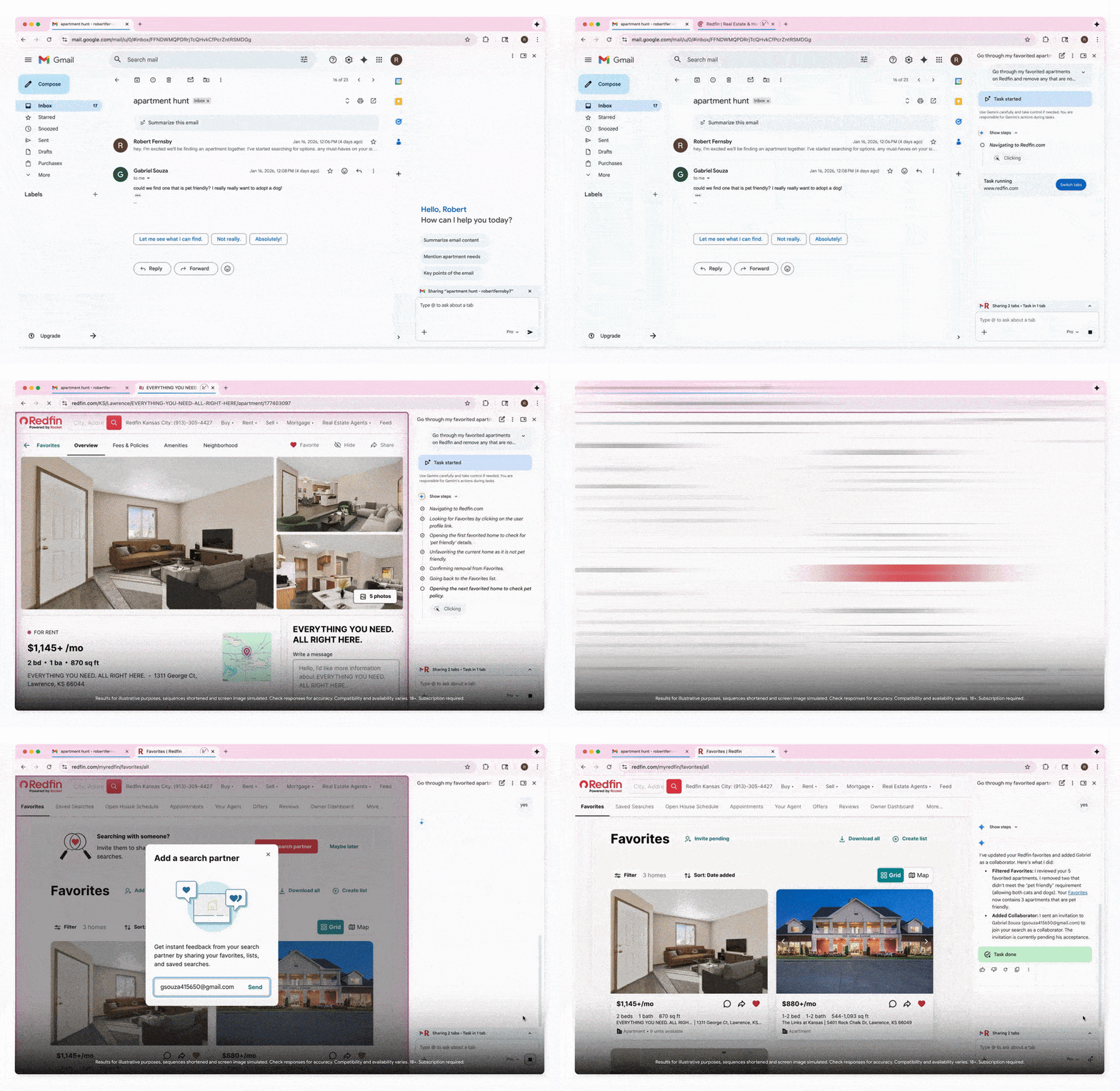
Auto-browse can accomplish more complex feats as well. One example Google offers is planning a Y2K-themed party. If you got your inspiration from a photo that perfectly captures that era, auto browse can identify what’s in that picture, search for similar items, and put them into your cart. Google claims that the AI can do all of this while staying in your budget and automatically applying discount codes.
It’s worth noting that auto browse won’t do everything for you. As a form of security and control, Google says auto browse will require your interaction for certain tasks. For example, it will ask you for confirmation before making a purchase. Or if you told Gemini to write a social media post, you’ll have to be the one who hits send. It will also request access to your saved credentials in Google Password Manager if it needs to log into one of your accounts to complete a task.

According to Google, it built auto browse with the intention of allowing users to offload the logistics of navigating the web so they can stay focused on what matters most. It remains to be seen whether users will take a shine to this feature or if they’ll prefer to navigate the web traditionally. If you’re interested in trying it out, auto browse is rolling out as a preview starting today. However, you’ll need to be a Google AI Pro or AI Ultra subscriber in the US to access the feature.
Thank you for being part of our community. Read our Comment Policy before posting.