Affiliate links on Android Authority may earn us a commission. Learn more.
I've used the Pixel 11 Pro XL for months, and I wouldn't go without these 6 accessories

Nov 25, 2026 — 6:30 AM ET



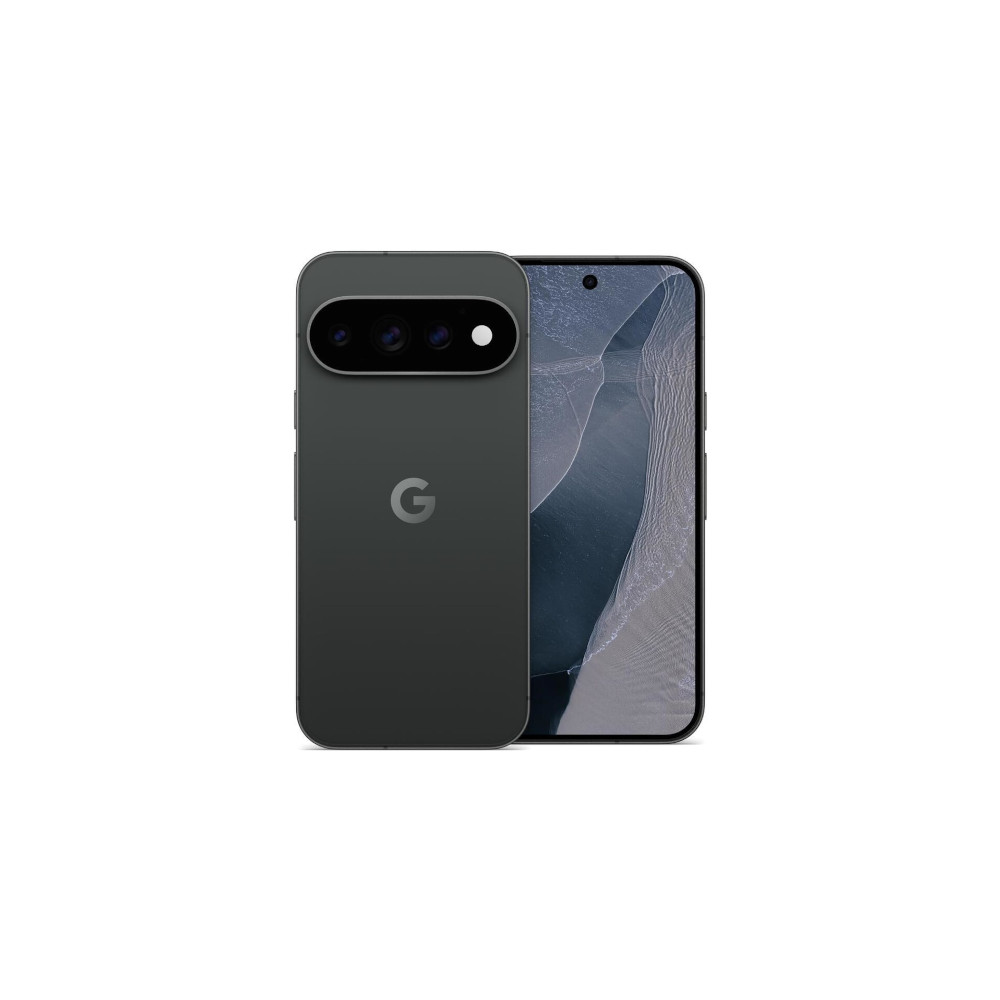
I’ve been using the Google Pixel 11 Pro XL since it launched globally in August, and after a few months, I’ve started paying closer attention to how well it holds up over time. Buying an expensive smartphone is one thing, but keeping it in good condition months or even years later takes a little more effort. No matter how careful I am, daily use eventually takes a toll, whether it’s a scratch, an accidental drop, or the battery slowly losing its ability to hold a charge.
I’ve realized that something as simple as using a good case, protecting the screen, and being mindful of how I charge my phone can go a long way in keeping it in good shape. Over the past few months, I’ve also figured out which accessories are actually worth spending money on. So, if you’ve recently bought a Pixel 11 Pro XL, here are six accessories I’d recommend investing in to keep your phone looking and working at its best for as long as possible.
Which accessory do you think is most important for keeping a phone in good shape?
The right case makes all the difference

The first accessory I’d recommend getting for your Pixel is a good case. Apart from protecting your phone from accidental drops and scratches, a case can also change how your phone looks and feels in your hand. I’ve been switching between two Mous cases on my Pixel 11 Pro XL: the Moss Super Thin case and the Limitless Black Leather case.
The Moss Super Thin case is easily my favorite for looks.
Of the two, the Moss Super Thin case is easily my favorite for looks. The green shade pairs beautifully with my Obsidian Pixel 11 Pro XL and gives an otherwise understated phone a nice pop of color. I also love how thin it is. The Pixel 11 Pro XL is already fairly heavy, and the last thing I want is a bulky case making it even heavier. This one barely adds any weight or thickness, so it’s comfortable to hold.
However, there’s one thing that bothers me. The case doesn’t have raised edges around the display, so I’m constantly worried about accidentally dropping my phone face down. As much as I love how it looks, I’m not entirely comfortable taking that risk when I’m outside.
That’s where the Limitless Black Leather case comes in. It doesn’t have the same eye-catching appeal as the Moss case, but its textured leather finish gives the phone a more premium, understated look. More importantly, I feel a lot more confident carrying my Pixel around with this case on. I’ve accidentally dropped my Pixel 11 Pro XL quite a few times, and thankfully, it’s come out completely unscathed every time. So, while I prefer the Moss case at home, I reach for the Limitless case whenever I’m heading out. And if you prefer a classic black finish over something colorful, I think you’ll appreciate its looks as much as its protection.
Power banks for my forgetful charging habits

I have a terrible habit of forgetting to charge my phone before heading out, and more often than not, I realize my battery is running low when I’m already halfway through the day. That’s why a good power bank has become one of those accessories I rarely leave home without. I’ve been using two Baseus power banks lately, the PicoGo Air and the PicoGo AM52, and while they serve slightly different purposes, both have been great companions for my Pixel 11 Pro XL. Interestingly, I originally got them for my iPhone 18 Pro, but they’ve ended up spending just as much time with my Pixel.
Of the two, I reach for the PicoGo Air most often, especially when I’m carrying a tiny bag and don’t have much room to spare. It packs a 5,000mAh battery into an incredibly slim design, and I love that it doesn’t make my already large Pixel 11 Pro XL feel noticeably bulkier when attached to the back.
Of course, it doesn’t charge as quickly or offer as much capacity as the 10,000mAh PicoGo AM52, but I don’t mind. Most days, I just need something to keep my phone going until I get home, and the PicoGo Air does that without weighing me down.
The Air doesn't charge as quickly or offer as much capacity as the 10,000mAh PicoGo AM52.
The PicoGo AM52, on the other hand, is what I’d pick when I know I’ll be away from a charger for longer. Its larger battery and faster charging make it a better option for those days, though I notice the added weight almost immediately. When I’m constantly picking up my phone to take pictures, reply to messages, or navigate around, having a heavier power bank attached isn’t comfortable.
One little detail I appreciate about both power banks is their built-in short USB-C cables. While I like the convenience of wireless charging, sometimes I’d rather plug my phone in. I can set the power bank next to my Pixel and connect the cable without carrying an extra one around. And when I’m not charging anything, the cable doubles as a handy carrying loop that I can slip over a finger. It might not sound like much, but I love that Baseus has made even the cable practical when I’m not using it to charge my phone.
This power bank stands out, literally

Besides the two Baseus power banks, I’ve also been using the UAG Slim Power Bank, which has a 5,000mAh battery, like the PicoGo Air. And if there’s one thing I appreciate about it right away, it’s the design. It has a clean, understated look that doesn’t draw too much attention, and it’s thin enough that attaching it to my Pixel 11 Pro XL doesn’t make the phone feel unnecessarily bulky. UAG also includes a USB-C cable in the box, which is nice, although I wish it were built into the power bank itself. Since I forget cables so often, having to remember one more thing before leaving the house isn’t ideal.
But there’s one feature that makes me reach for this power bank even when I don’t need the extra battery: its built-in kickstand. I spend a fair amount of time working from cafes, and being able to prop up my Pixel on the table while it charges is convenient. I can keep an eye on notifications, watch videos, or quickly glance at something on my phone without picking it up every few minutes. And since the power bank is already attached, I don’t have to worry about my battery running low while I’m doing all of that.
However, my favorite way to use the kickstand has nothing to do with work. Whenever I’m out with friends and we want to take a group picture, I simply attach the power bank to my Pixel, flip out the stand, and place the phone on a table. It saves us from awkwardly balancing the phone against a water bottle or asking someone else to take the picture. And yes, I use it just as often when I’m alone and want to take a ridiculous number of selfies without holding my phone the entire time.
My desk deserves a cute charger

While power banks are great for keeping my Pixel charged when I’m out and about, I prefer something more convenient when I’m spending the day working at my desk. The UGREEN MagFlow 2-in-1 Foldable Magnetic Wireless Charger is one of the cutest charging accessories I’ve used. Its compact, foldable design barely takes up any space, making it easy to slip into my pocket or bag whenever I need to take it somewhere.
At my desk, I unfold the charger and lay it flat, giving me two wireless charging spots side by side. I put my Pixel 11 Pro XL on one, while my Pixel Buds sit on the other. I love that I can charge both devices at once without separate chargers and cables scattered across my desk. And since I spend a good chunk of my day on my laptop, it’s nice knowing my phone and earbuds are charging right beside me, ready whenever I need them.
But beyond the convenience, I also love how it looks. I’m quite particular about keeping my desk looking neat, and the MagFlow fits right in without making my setup feel cluttered. In fact, I’d argue it makes my desk look even better. And when I’m done using it, I can fold it back up and tuck it away.
Keeping my Pixel young at heart

Now, I’m not saying you need to buy every accessory I’ve mentioned. I certainly don’t use all of them every day, either. Some come in handy when I’m traveling, others have a permanent spot on my desk, and a few have saved my Pixel from my own clumsiness. What matters is finding accessories that actually make your experience with your phone a little better, rather than buying something you’ll barely use.
And considering how much you’ve already spent on your Pixel 11 Pro XL, I think spending a little extra on the right accessories is well worth it. After all, the goal is to keep your Pixel looking good, working well, and hopefully staying by your side for years to come.
Conversation
Read what readers said or add your take.