Affiliate links on Android Authority may earn us a commission. Learn more.
Your Android phone is getting these 4 new anti-scam features
Oct 14, 2026 — 12:00 PM ET



- Google has announced a raft of security-related additions coming to Android phones.
- The company will now offer an Enhanced Protection mode in Google Messages along with call-forwarding warnings.
- Google is also bringing Scam Detection for chat notifications to a ton of other Android phones globally.
There’s no shortage of security-focused features in Android, including Advanced Protection Mode, Scam Detection for calls and texts, and theft detection. However, Google is marking Cybersecurity Awareness Month with a raft of additions to Android.
For starters, Google will offer an Enhanced Protection mode in Google Messages later this month. Opt in to this mode and you’ll activate Scam Detection with “secure” cloud analysis, warnings for links from unfamiliar numbers, and malicious link protection powered by Gemini Nano.
Are you happy with your Android phone's scam protections?
Google notes that the new link protection solution differs from the app’s current solution by also targeting brand-new domains that haven’t been cataloged just yet. The search giant says this smarter link protection feature requires a Pixel 10 or newer, a Galaxy S26 series device, the Galaxy Z8 foldables, or other “select” devices.
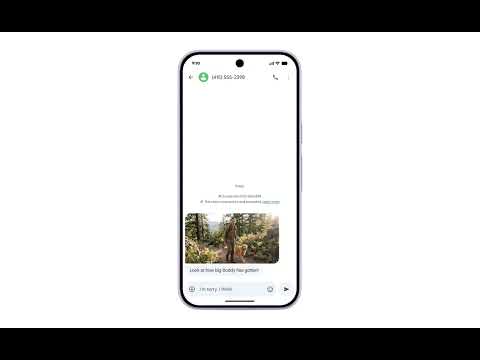
The company is also massively expanding Scam Detection in chat notifications. The feature will now be available globally via Android OEMs such as HONOR, Infinix, Motorola, OnePlus, OPPO, TECNO, vivo, and Xiaomi.
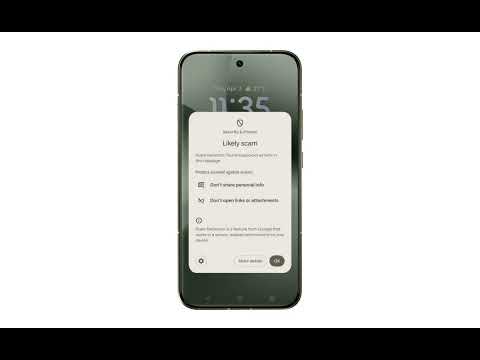
For the uninitiated, this feature will display a “likely scam” warning on chat notifications deemed to be potential scams. Tapping this warning will then reveal some tips (e.g., don’t share personal info and don’t open links/attachments). This was previously a Pixel-exclusive feature, so we’re glad to see it coming to more devices. Check out the feature in Google’s video below.
Another notable security feature announced today is automatic screen-share privacy. This feature will automatically hide login fields and payment screens when screen-sharing via Chrome or the Android System WebView — Google already offers this protection in native apps. This should give you a small measure of defense against screen-sharing scams. You’ll need a phone with Android 15 or newer to take advantage of this feature.
Finally, Google says it now prevents apps from silently enabling call forwarding in the background. Instead, your phone will now warn you if a scammer tries to trick you into forwarding your calls. The company says this stops scammers from stealing your one-time passwords, ostensibly by redirecting the verification call. This feature will roll out from early December on Pixels and other “select” phones.
Thank you for being part of our community. Read our Comment Policy before posting.