Affiliate links on Android Authority may earn us a commission. Learn more.
4 fresh AI apps and tools worth trying this week, including an Arc Browser replacement
Nov 6, 2026 — 10:15 AM ET


Generative AI is everywhere, whether it’s used as a cornerstone of a service, used to build apps, or employed to boost functionality within them. But with so many new products appearing all the time, which ones are worth checking out?
We’re here to help with a new bi-weekly series covering the best and freshest AI apps and services that you should know about.
If you’d like your app or service to be considered for future editions of this series or have found an app worthy of inclusion, reach out to us via email or drop a comment down below. Alternatively, to guarantee your app gets showcased for all our wonderful readers to see, get in touch with our partnerships team!
Tao Browser
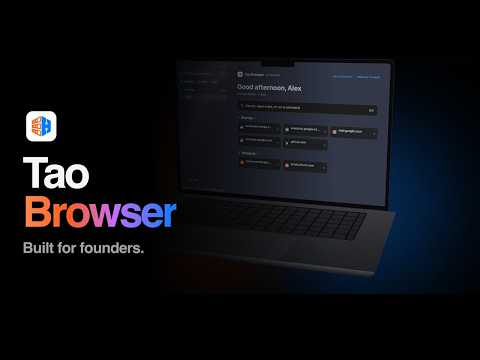
Arc Browser is shutting down in December, and those who relied on its integrated AI smarts and unusual UI are not too pleased. But, thankfully, there are a host of alternatives available. One of the newer options is called Tao Browser.
Tao, unlike Arc, has a bit of a twist: It supports multiple Spaces — essentially hot-swappable browser profiles — that keep login data and tabs completely separate. The idea allows those juggling multiple projects siloed without the need to switch browsers or run multiple windows.
Tao Browser also supports imports from Arc, packs a built-in ad-blocking tool, and can be locked using Apple’s Face or Touch ID systems. It can also be used without an account, doesn’t track users around the web or collect any data about them, and is free to use.
At present, Tao is limited to iOS and macOS, but a Windows and Android versions are in the works.
Other new AI apps and services you should know!
There are plenty of other great new AI apps and services out there, including:
Sendu

Sendu is an intriguing project for those running multiple devices across several platforms.
It’s a file-sharing service that uses Wi-Fi to easily connect Apple products, Windows, Linux, Android, and even Android TV. It can be used to send high-res video, photos, or files. It sounds pretty similar to LocalSend given that description, but it has the added benefit of streaming functionality, too. With the Pro version, users can stream video from their phones to their TVs using Sendu. That’s a nifty trick.
The app is human-coded, but the developer notes that AI played a role in smoothing out the process.
SnapFade
I covered SnapFade in my November app roundup, but it’s well worth another look here as a product that was co-created using Claude.
In short, SnapFade performs one small but useful job on Android. It ensures that screenshots are not immediately saved to storage but are instead buffered in the clipboard. This gives users quick access to recent captures; any that go unused are deleted after a set time. Of course, if there are screenshots they wish to save, they can, given the options within the app.
SnapFade is a brilliant little idea — one that probably should be a default Android function — and is a great example of how vibecoding can be used to add utility.
Your Place

Your Place is a fun example of what vibecoding can achieve if you have a particular idea.
It’s an easy-to-use Claude-made tool that produces a 3D visualization of almost every address on earth, including real relief and terrain mapping, buildings, natural features, and roads. It plots all of this on a square of 300m to 4km square, which is fully zoomable and pannable.
Your Place works with an address, a simple city name, or by manually placing a pin. The latter action will then rebuild the grid around that specific point. What’s even cooler is the option to download a poster image or export an STL file for 3D printing.
I admit that I probably spent far too long looking at 3D maps of cities this past week, but Your Place doubles as a teaching tool as much as a nifty party trick.
Conversation
Read what readers said or add your take.