Affiliate links on Android Authority may earn us a commission. Learn more.
Gemini Live's mobile UI might start looking different very soon
Oct 12, 2026 — 4:09 AM ET



- Google is testing an updated interface for Gemini Live featuring a redesigned waveform animation at the bottom of the screen.
- The company is also testing a new speaker icon near the top-right corner, which will likely let users silence Gemini’s voice output without lowering the global system volume.
- The new interface is currently a work in progress and thus lacks features such as video and screen sharing.
Google has been working on a bunch of upgrades for Gemini Live, such as an ephemeral video mode and keyboard input. There’s more in store, as Google could also bless Gemini Live with a redesigned interface alongside these changes, streamlining how Gemini’s voice-centric sessions look and behave on mobile.
You’re reading an Authority Insights story. Authority Insights brings you all the latest exclusive reports, app teardowns, leaks, and in-depth tech coverage from the Android Authority team that you won’t find anywhere else.
In Gemini Live’s current UI, the pill at the bottom displays a waveform animation to represent voice input.
Within Google app v17.65.17, we managed to activate a new UI for Gemini Live that features a different waveform UI. Since this is a rather early version of the new UI and very much a work in progress, it is missing several buttons, such as video sharing and screen sharing, compared to the current UI.
Here’s a demo of the upcoming UI in action, though, because of its early nature, it doesn’t respond to queries:
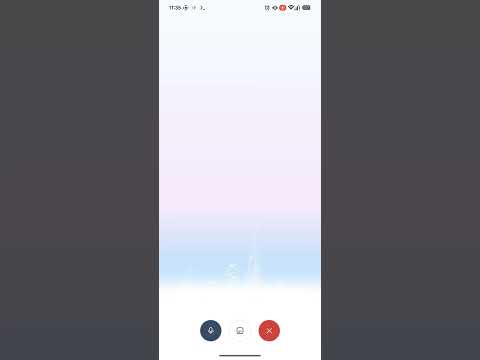
In addition to the new waveform animation, the new UI also includes a button with a speaker icon near the top-right corner. This button will likely allow users to mute Gemini Live’s voice output.
Users can currently turn on captions to see Gemini responses, then put their device on mute or lower the volume. This allows them to get quick, conversational responses from Gemini Live without spoken output. However, a dedicated option that specifically mutes Gemini Live responses would be a useful addition, especially since it would save users from putting their phone on mute or turning down its volume globally.
The new animation and the speaker button are not currently live in Gemini Live. We’ll keep you updated when we learn more.
Thank you for being part of our community. Read our Comment Policy before posting.