Affiliate links on Android Authority may earn us a commission. Learn more.
Gemini Live may finally let you switch seamlessly between speaking and typing
Sep 14, 2026 — 3:37 PM ET



- Gemini Live conversations currently require you to use voice input.
- Google appears to be preparing the option to swipe up for keyboard input, instead.
- Users could switch back and forth between text and voice input as they like.
Android users sure aren’t hurting for ways to use Gemini, and it feels like Google’s already found a home for its AI agent in nearly every nook and cranny of the platform and the company’s apps. But not every way we access Gemini is created alike, and depending on the path you take to interact with it, you may end up facing different restrictions. Today we’re checking out what could be a very useful expansion for at least one corner of Gemini, as Gemini Live gets ready to be a little more flexible.
You’re reading an Authority Insights story. Authority Insights brings you all the latest exclusive reports, app teardowns, leaks, and in-depth tech coverage from the Android Authority team that you won’t find anywhere else.
Gemini Live represents a handy way to quickly dive into a topic with Gemini, leveraging the model’s ability to engage in breezy, back-and-forth conversations. And quite understandably, that means that it’s designed for voice input.
But what if it didn’t have to be? As we were looking into some of the changes present in version 17.58.13.sa.arm64 of the Google app for Android, we uncovered what appears to be work towards implementing a new hybrid input system for Gemini Live, empowering users to switch between voice and keyboard input at their leisure.
Fire up Gemini Live today, and you only have the option for voice input. But once the changes we’ve found are active, it appears that the app will let users swipe to open a keyboard for text input:
Once the keyboard is pulled up, Live will disable voice input by default, as you can see by the crossed-out mic icon in the second screen above. But should you want to resume with voice input, simply tapping the icon will let you resume speaking directly to Gemini Live.
As a result, the change would transform Gemini Live with what’s essentially hybrid input, allowing users to seamlessly move between input methods as their needs dictate; step into a noisy crowd, and text input can help you enter messages with precision.
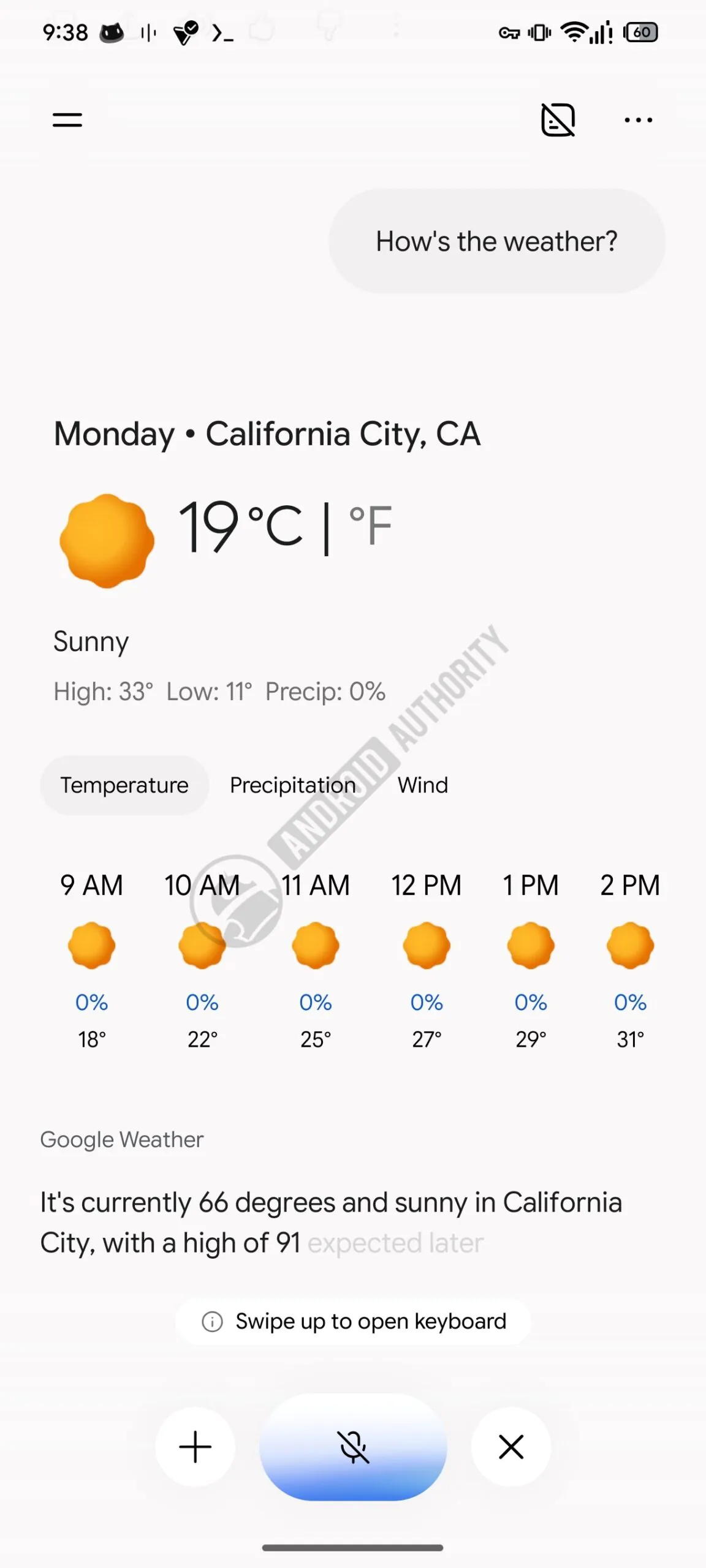
At least with the implementation we’re checking out today, once you submit a query to Gemini Live, the app will tuck the keyboard back away to make room for its full response, but you’re always free to swipe and bring it up again to continue, going back and forth between keyboard and voice input as much as you like.
Considering how many different places we might want to use Gemini Live where speaking aloud isn’t an option, this sounds like one seriously overdue upgrade. Hopefully Google finishes up its work on it and doesn’t wait too much longer before sharing this new input mode with everyone.
Thank you for being part of our community. Read our Comment Policy before posting.