Affiliate links on Android Authority may earn us a commission. Learn more.
The Z Fold 8 is the best phone I've used for Nintendo DS emulation, but it's not perfect
Oct 9, 2026 — 6:30 AM ET



I’ve generally stayed away from Nintendo DS and 3DS emulation on smartphones over the years. The main reason is that I generally found it to be a cramped experience. After all, most smartphone screens don’t comfortably show both DS and 3DS displays on-screen at once.
My outlook changed in a big way after using the Samsung Galaxy Z Fold 8 for a few weeks. In fact, I may have come frustratingly and tantalizingly close to finding the perfect phone for Nintendo DS and 3DS emulation.
Which foldable form factor do you prefer?
What makes the Z Fold 8 great for DS emulation?
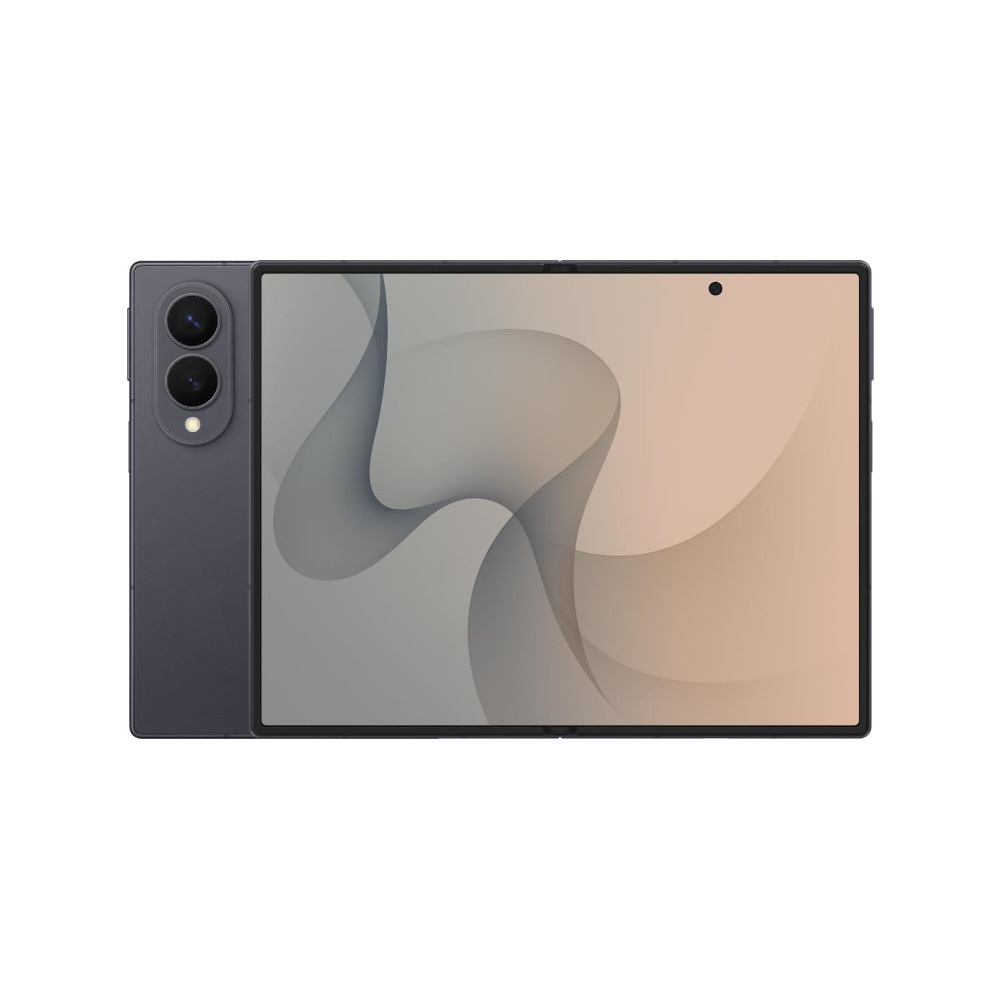
The biggest reason why I love Nintendo DS and 3DS emulation on the Z Fold 8 is the large, 7.6-inch inner screen. The 4:3 aspect ratio also gives you a more expansive canvas.
As a result, I found that running DS games via the likes of MelonDS wasn’t a cramped experience at all, as each virtual screen occupied half of the Z Fold 8 display. We do see mild letterboxing in some games, but it wasn’t distracting for me by any measure. And the letterboxing gives me space to grab the bezels after all. Playing 3DS games via Azahar resulted in the bottom 3DS screen occupying more than half of the Fold 8’s total screen area by default. But you’ve still got plenty of space to enjoy your games.
By contrast, DS emulation on a conventional phone often results in two relatively small screens or one large screen and a tiny window for the second display. These emulators also offer custom layout options, but these can only take you so far. Conventional Fold devices are a little better, as you can put a screen on each half of the display for a clamshell-like experience, but you usually end up with ridiculously thick letterboxing. At least you can place your virtual controls in this empty space, as opposed to them sitting in the play area like on the Fold 8, but it still doesn’t make the most of the large screen.
It also doesn’t hurt that the Galaxy Z Fold 8 is powered by the Snapdragon 8 Elite Gen 5 for Galaxy processor. That means the phone won’t break a sweat with DS emulation, while Nintendo 3DS emulation generally isn’t a challenge either.
There’s one major dealbreaker

Easily the biggest issue with playing DS games on the Z Fold 8 (and other emulated titles) is that the phone doesn’t play nicely with most mobile controllers. For one, it simply won’t fit into some controllers, like my Razer Kishi. But even if you have a mobile controller that can accommodate an unfurled Fold 8, the phone’s USB-C port also presents a problem. Many USB-C-based mobile controllers have the port on the right side of the gamepad, but plugging in a Fold 8 like this means that you’re effectively holding the Fold 8 by the top half, leaving the bottom half hanging below the controller.
This means Bluetooth gamepads such as the GameSir G8 Plus are likely your best bet, although there are options like the GameSir X5 Lite with the USB-C port on the left-hand side. We’ve also seen a string of magnetic controllers recently, which could be a good alternative when paired with a magnetic phone case. You can also use a PlayStation or Xbox controller, but this reveals another problem.
The Galaxy Z Fold 8 doesn’t have Flex Mode, which means it can’t prop itself up like a laptop while I play games with my Xbox One controller. It also makes for a less immersive DS emulation experience, as the original Nintendo DS and 3DS indeed had a free-stop hinge. So you’ll need to buy a case with a kickstand if you want to play games with a conventional controller.
The Galaxy Z Fold 8 is great for DS emulation, but iffy gamepad support and the lack of Flex Mode are two significant downsides.
The gamepad-related issue means that, short of buying a brand-new mobile controller or a kickstand case, there isn’t an easy way to play action games and similarly fast-paced DS titles on the Galaxy Z Fold 8. However, there was no shortage of DS games that made extensive use of the touch screen.
I found myself playing games like Trauma Center, Advance Wars: Dual Strike, B17: Fortress in the Sky, and Cooking Mama. So there are more than a few titles that work well on the Fold 8. Even titles like the Pokémon RPG series work okay here.
It’s worth noting that I do have an LG V60 and a second-screen case. This should also make for a pleasant Nintendo DS emulation station, but it’s quite bulky in comparison to the Fold 8. Furthermore, you’ll need to find a mobile controller that can fit the LG V60 with the second-screen case attached. It’ll have to be a Bluetooth controller too, as the second-screen case uses the phone’s USB-C port.
The Z Fold 8 is so close to a perfect DS emulation machine

One of the first things I did with the Galaxy Z Fold 8 when I got my review unit was to try out Nintendo DS games. And it’s clear that this is more enjoyable than DS emulation on a conventional smartphone. That large screen gives you plenty of space for both DS displays, while the powerful internals ensure that even 3DS emulation runs at a good clip.
However, the fact that most mobile controllers don’t adequately support the unfurled Galaxy Z Fold 8 is a bitter pill to swallow. So there’s no guarantee your current mobile gamepad will support the unfolded device. Furthermore, the lack of Flex Mode means you have to invest in a kickstand case if you want to play with a conventional controller.
Still, if you’re in the market for a Galaxy Z Fold 8 and enjoy emulation, this might be the best phone for Nintendo DS games. Aside from the Surface Duo and LG V60 with a dual-screen case. Otherwise, those hankering for retro dual-screen action should use an Android tablet or pick up a dual-screen handheld.
Thank you for being part of our community. Read our Comment Policy before posting.