Affiliate links on Android Authority may earn us a commission. Learn more.
Facebook is taking a page from Google's playbook with these new features
Jun 15, 2026 — 4:50 PM ET



- Facebook is getting an AI mode for enhanced search and exploration.
- Camera roll sharing suggestions are getting updated with collage cutout templates.
- Meta is also introducing AI photo presets that allow you to customize your hair, clothing, and accessories.
Like most other tech companies these days, Meta has been increasingly infusing AI into many of its products. The latest instance of this will see three new AI-powered features roll out to Facebook. These features aim to enhance search and bring more creative tools to the social experience.
Don’t want to miss the best from Android Authority?
- Set us as a favorite source in Google Discover to never miss our latest exclusive reports, expert analysis, and much more.
- You can also set us as a preferred source in Google Search by clicking the button below.


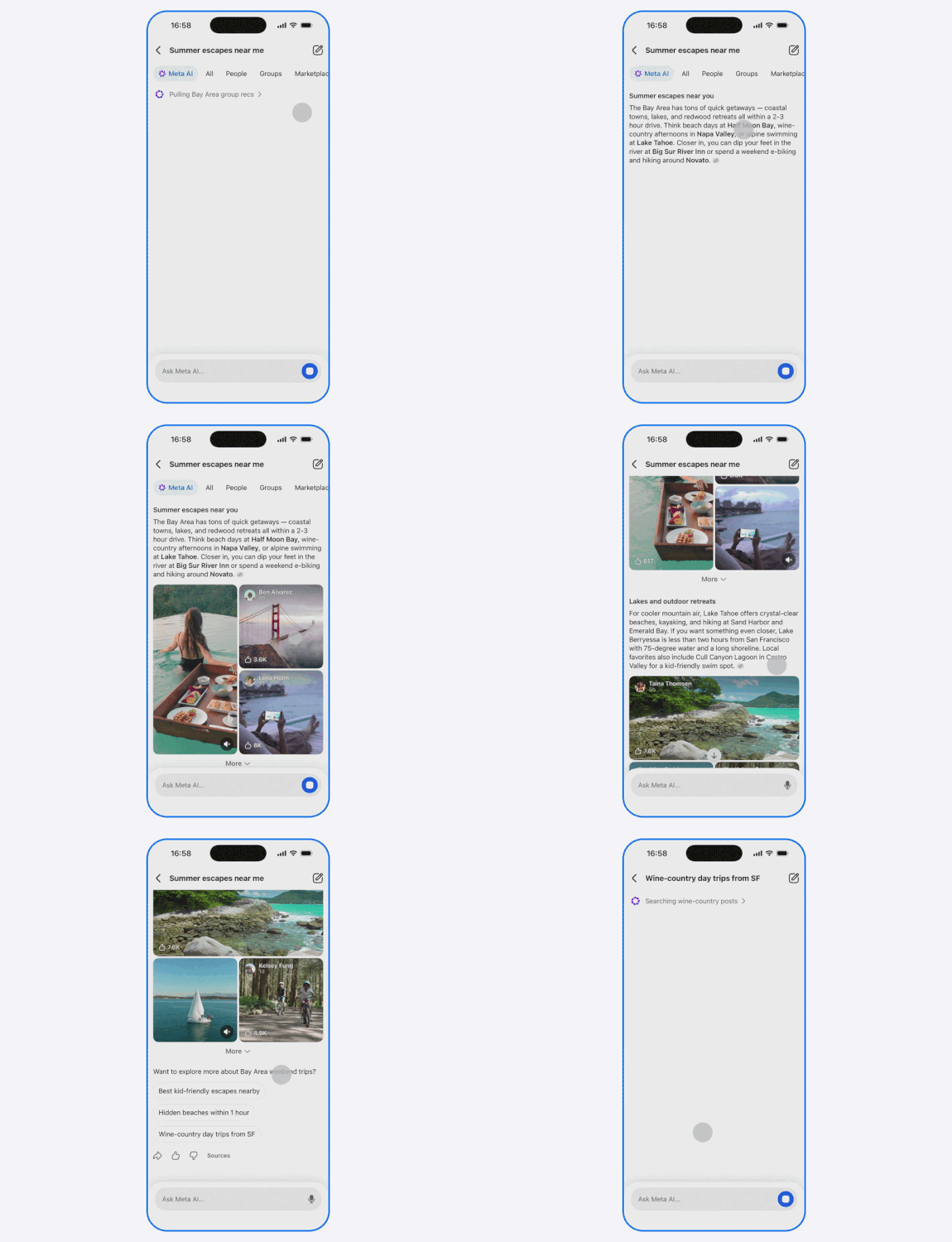
The first of these features takes a page right out of Google Search’s playbook. Meta announced today that Facebook will be getting an AI mode. This new mode will answer whatever questions you have. It will also surface information based on what people are saying publicly across Meta’s apps, like Groups and Reels.
The second new feature coming your way is collage cutout templates and transition effects. This is an update to the camera roll sharing suggestions that Meta introduced late last year. As the company explains, these tools will allow you to ” produce smooth, stylized video montages.” Meta notes that this is an opt-in only feature and it can be turned off at any time.

The final part of this rollout introduces new photo presets. With these presets, you’ll be able to use AI to change your clothing, hair, and accessories. All you’ll have to do is tap on the “AI edit” icon in stories and select “Wear it.” You can also go to your profile picture and tap “Restyle” to do the same.
Thank you for being part of our community. Read our Comment Policy before posting.