Affiliate links on Android Authority may earn us a commission. Learn more.
Chrome on Googlebook gets proper desktop-style vertical tabs stacking and more

Nov 17, 2026 — 4:05 AM ET


- Chrome on Android is getting new features for Googlebook that make it more fitting for a desktop environment.
- These include an option to expand the tab strip by hovering the cursor, the option to resize the vertical tab bar, and a persistent button to stop casting tabs during video presentations.
- Google is also testing new features for Googlebook laptops on Chrome Beta that users can already try.
Google recently updated Chrome on Android to version 157, and a special version is now rolling out to Googlebook laptops as well. The new version improves vertical tab stacks, among other features that haven’t been on par with other desktop versions, and includes a long list of fixes for previous versions.
Mishaal Rahman, community engagement manager at Google and former Android Authority editor, recently posted about Chrome’s M157 update for Googlebooks, highlighting the “quality-of-life improvements” to the browser specifically on the new category of Google laptops.
The biggest improvement Rahman highlights is vertical tabs on Chrome. Now, users can expand the icon stack by hovering the mouse pointer over the minimized icon rail. Previously, this would require users to click the dedicated icon on the tab bar.
The functionality is enabled by default, but users will have the option to turn it off. To disable the auto-expanding of the tab bar, users can go to Settings > Appearance > Tab position and turn on the toggle for Auto expand tabs on hover.
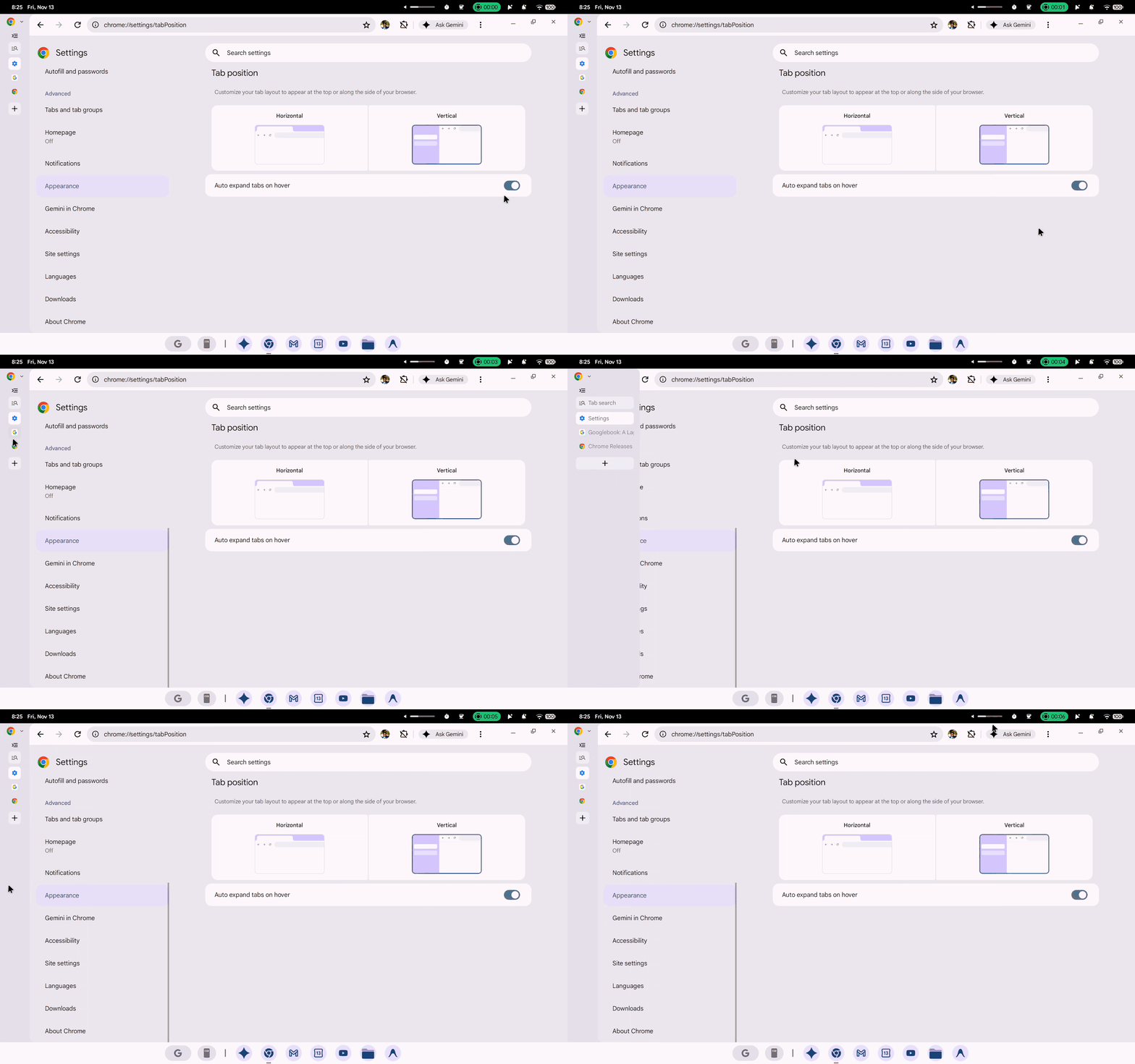
For those who prefer not to use the auto-expanding bar, Google is adding the option to resize the tab bar’s thickness. This will be retained at this exact position even after you restart the browser.
Along with this, various settings options now have specific URLs, such as chrome://settings/ai for AI settings in Chrome, just as they do on other desktop platforms. For quicker access, users can bookmark settings they visit frequently.
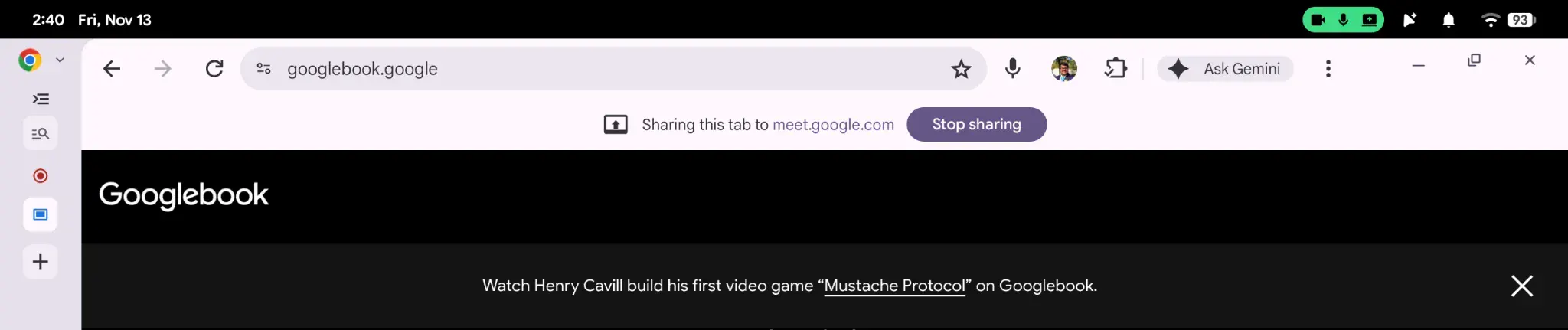
Another feature borrowed from existing desktop versions includes persistent controls on top of the browser window when a tab is being shared during a video call. This includes a button to “Stop Sharing” the tab when you switch away from the video call.
Additionally, saving media, especially images, now shows a dialog box that lets you choose the directory. Previously, media would automatically be saved in Downloads, and users were required to enable a Chrome flag to prompt a “Save as” dialog. Now, however, it is the default way to save media. However, if you press a button to save any other file type, it will still be saved in Downloads.
Upcoming features users can try
Rahman adds that Google is working to make “Save as” the default way of downloading files on Googlebooks in the form of an “Ask where to save files” toggle in Settings. Those who want to try the feature can download Chrome Beta from the Play Store and enable a flag called enable-download-save-as-system-file-dialog. This will enable a toggle for Ask where to save files under Settings > Downloads.
Along with this, Google is testing two more options: Startup page settings and support for an eyedropper tool to pick colors from a particular element on a webpage. Both of these are also available for testing in Chrome Beta. To enable the former, Googlebook users can enable a flag called on-startup-settings-ui, then go to Settings > On startup to choose their preferred behavior. The latter is enabled by default, and you can use the eyedropper in web versions of design tools such as Canva and Figma.
Lastly, Google is fixing an extensive list of issues, and you can see details in the Reddit post linked above.
Conversation
Read what readers said or add your take.