Affiliate links on Android Authority may earn us a commission. Learn more.
Here’s your first look at Google Messages’ upcoming media editor integration


Nov 16, 2026 — 6:25 AM ET


- Google Messages could soon let users edit images and videos in their device’s default media editor app before hitting send.
- We spotted early development of this media editing workflow last week, and we can now offer an early glimpse of its functionality.
- Google Messages previously offered a basic media editor, but removed it as part of a redesign several months ago.
We recently spotted Google Messages working on a media editing workflow that would redirect users to their preferred editing apps before sending an image or video. Although we only had code strings to report at the time, we can now share our first look at this photo and video editing feature in action.
APK teardown
This reporting is based on work-in-progress code. These features may not ship.
In version 20261110_00 beta of Google Messages, we activated the “Edit before you send” option, accessible from a pencil icon at the top right of the media preview page. When it’s widely available, you should see a tooltip explaining that you can crop, trim, or adjust your pictures and videos via the phone’s default editing app.
Tapping the pencil icon opens a list of all the media editing apps on your phone. We’ve chosen Google Photos for this experiment. After you’ve made the necessary adjustments to your photo or video in the editing app of your choosing, the changes are instantly reflected in the Google Messages app.
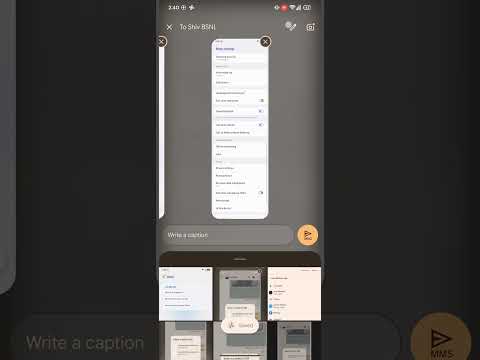
Notably, this new editing option also appears when you send multiple photos or videos in Messages, as shown in the video above. All users need to do is swipe between the media and tap the pencil icon to get started.
As we learned in our initial discovery, Google Messages appears to be using an intent-based system to edit media rather than building a dedicated media editor in the app.
While older versions of the messaging app included a basic image editing tool, it was removed after a redesign several months ago. Since then, users have had no choice but to edit their photos in another app before attaching them to the Messages conversation. By building integration directly with editing apps, Messages users wouldn’t have to switch apps just to send media to their contacts.
While the Edit before you send tool appears to work as it should in our testing, it’s hard to say when it will be rolled out widely. For now, we can only hope Google Messages adds this basic functionality sooner rather than later.
Conversation
Read what readers said or add your take.