Affiliate links on Android Authority may earn us a commission. Learn more.
Gmail is turning its stars and importance markers blue, and users aren’t happy
Sep 24, 2026 — 8:54 AM ET



- Google replaced Gmail’s default yellow stars and yellow importance chevrons with high-contrast, saturated blue markers to improve accessibility.
- However, users complain that the identical blue tones flatten the visual hierarchy, make email scanning harder, and add visual clutter.
- While there’s no way to revert the changes, you can manually select a yellow star preset (and re-star items) or hide importance chevrons entirely in Settings.
Google is rolling out a visual overhaul to Gmail on the web, replacing its longstanding yellow stars and importance markers with a bright, high-contrast blue. While Gmail has gained plenty of genuinely practical upgrades recently, such as letting you copy 2FA codes directly without opening emails or leveraging AI overview search capabilities, this particular color switch has annoyed desktop users who rely on quick visual cues to scan their messages.
In a post on X, the official Gmail team confirmed the change, explaining that it updated the default star and “Important” label colors from yellow to blue to meet modern accessibility standards and ensure inboxes are easier to read and more inclusive.
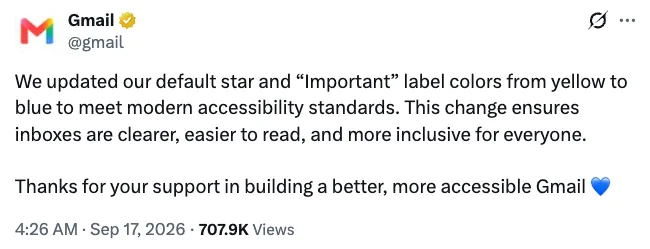
Despite the well-intentioned shift toward better contrast ratios, the move hasn’t landed smoothly with everyone. Frustrated users across Reddit and Google Support Forums have voiced annoyance over the abrupt update, with some complaining that both markers share an identical, saturated blue tone that looks visually harsh and clutters the interface.
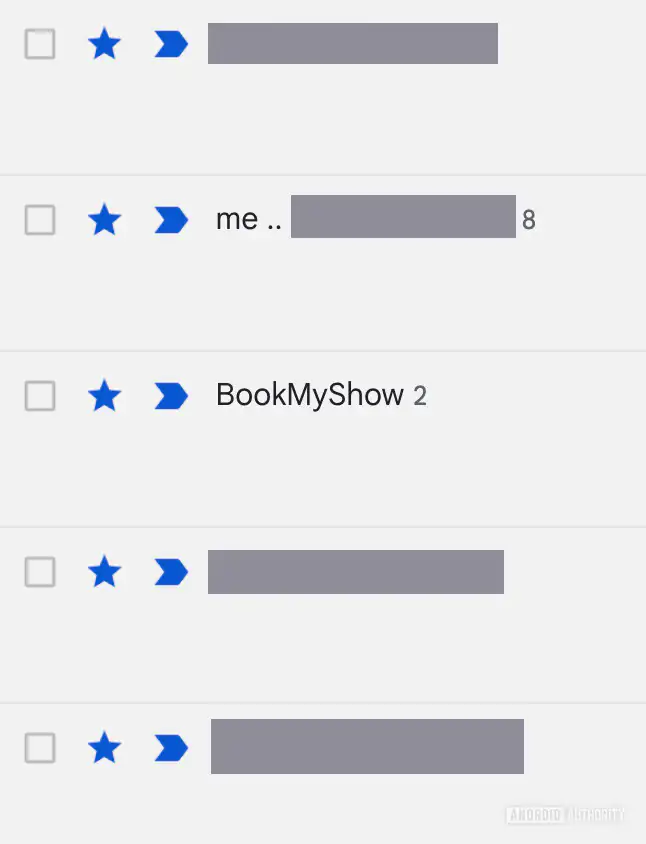
Beyond the possible knee-jerk reaction to the change, the primary issue seems to stem from how the redesign flattens Gmail’s visual hierarchy. For years, the golden chevron denoted an algorithmically prioritized message, while the yellow star represented a manual flag you set yourself on messages you found important. Switching both to the exact same blue color makes them harder to distinguish at a glance.
Unfortunately, Google has not included a toggle in settings to let users revert to the classic yellow accents.
If you find the new look too noisy, your best recourse right now is to switch the star color to yellow by going to Settings > See all settings > General > Stars and selecting the yellow star preset, but note that this will not automatically update already-starred emails. You will have to un-star and then re-star your messages for the yellow star to be applied.

You can also hide the importance chevrons entirely via Settings > See all settings > Inbox > Importance markers > No markers, as there’s no way to change their color.
The change doesn’t seem to have reached the mobile apps (completely) yet. On Android, the star and chevron follow your device theme (which is often based on your wallpaper’s color), while on iPhone, the chevron is yellow, but the star is blue already.
Thank you for being part of our community. Read our Comment Policy before posting.