Affiliate links on Android Authority may earn us a commission. Learn more.
This dual-screen Android handheld costs less than $100, but just got Linux
May 18, 2026 — 5:09 AM ET



- ANBERNIC has released a brand-new Linux distribution for its dual-screen RG DS handheld.
- This version of Linux supports both screens for system navigation and Nintendo DS emulation.
- The new OS can be installed on a microSD card, so you don’t have to wipe your Android installation.
The ANBERNIC RG DS delivers a dual-screen Android handheld for under $100, making it worth a look if you’d like to replay your Nintendo DS games on a more modern platform. You can also install the neat Rocknix Linux distribution if you’d like to get even more out of the handheld, but ANBERNIC has now released its own Linux distribution for the device.
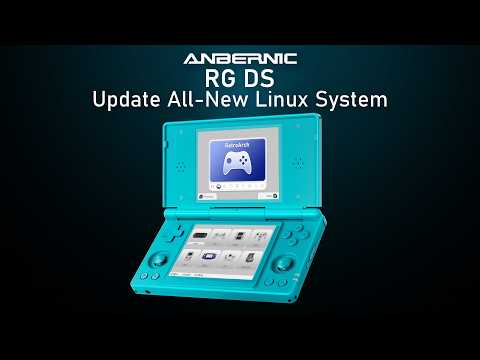
ANBERNIC announced a new Linux system for the RG DS in a recent YouTube video and X post. In a cool touch, the company says this Linux distribution is “designed for dual screens.” The top screen shows the main menu while the bottom panel shows detailed sub-menus. These sub-menus display game lists, emulator info, settings, and more. Check out the clip below.
Don’t want to miss the best from Android Authority?
- Set us as a favorite source in Google Discover to never miss our latest exclusive reports, expert analysis, and much more.
- You can also set us as a preferred source in Google Search by clicking the button below.


The dual-screen support doesn’t end here, as ANBERNIC says you can also swap content between the screens and adjust brightness for each panel. Either way, this dual-screen support is particularly welcome, as it means you can make the most out of the RG DS hardware. It also means you can comfortably play Linux versions of Nintendo DS emulators, complete with stylus support.
Otherwise, we get a good look at the Linux-based platform. We see support for navigation via the physical controls, integrated RetroArch for a wide variety of emulators, and your choice of three system themes.
ANBERNIC’s video also offers brief instructions for installing Linux on the RG DS, and you don’t have to sacrifice your Android installation. This process entails downloading the Linux OS via ANBERNIC’s website, writing it to a 64GB or larger microSD card using a tool like Rufus, and then popping the card into your device and booting it up. Want to switch back to Android? The manufacturer says you can simply turn off your RG DS, remove the microSD card, and then boot it up again. It’s unclear if you have to change the handheld’s boot order, though.
Nevertheless, we’re glad to see another alternative operating system for the RG DS. So between Android, Rocknix, and this new Linux platform, there’s no shortage of operating systems for your dual-screen ANBERNIC device.
Thank you for being part of our community. Read our Comment Policy before posting.