Affiliate links on Android Authority may earn us a commission. Learn more.
The cheapest Googlebook is bootlooping for some users
Oct 8, 2026 — 6:35 AM ET
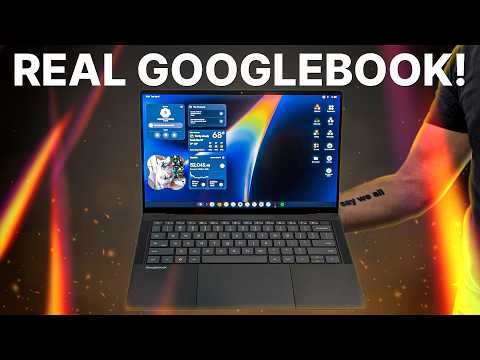


- Some Acer Googlebook 14 owners have reported that their device is stuck in a bootloop.
- At least four users have reported the issue, while solutions like unlocking and re-locking the bootloader don’t seem to work.
- We’ve asked Acer for comment regarding the problem.
There are five Googlebooks available at launch, with the Acer Googlebook 14 being both the cheapest model and the only convertible. So we definitely expect plenty of people to pick up this device. Unfortunately, some early adopters are reporting that their machines are bootlooping.
At least four Redditors have reported that their Acer Googlebook 14 models are stuck in a boot loop. That is, the users report that their machine shows an “Updating” screen for a few seconds, restarts, then displays the same “Updating” screen before restarting and continuing the cycle indefinitely.
User GreenLanternsPodcast outlined his experience:
I was excited to have the Acer Googlebook. Got to work, booted it up, connected my phone and then it wanted to do an update. I said go for it and all of a sudden for an hour my new laptop would show the Acer screen for a few seconds then say updating for ten or so and loop that over and over.Tried to unlock and relock the bootloader to no changes. Had to take it back in and they didn’t have anymore.
User One-Reveal8606 also confirmed the issue:
My Acer Googlebook is stuck rebooting/updating. Even with the recovery screen, it says no internet partition, so cannot do internet recovery, only can do usb recovery. But there are no files to use for usb recovery. It’s been bricked even before it was used.
Googler Mishaal Rahman suggested that affected users try unplugging all USB devices from their laptop. From here, they should press and hold Escape+F2, then quickly press the power button to enter the recovery menu. Users are then told to unlock the bootloader via Advanced > Unlock bootloader, then re-lock it after the device boots up again. The laptop should then restart again, and users are told to choose “boot from internal disk.” Unfortunately, it seems like these steps haven’t worked for users.
Regardless of the workaround, this is a very concerning problem. I’m not expecting a ton of Acer Googlebooks (and Googlebooks in general) to be sold so far given the $900 recommended price and the fact that these devices have been on the market for less than a week. However, it’s troubling that at least four users are experiencing this issue, suggesting that it’s not an isolated problem by any measure.
We’ve asked Acer for comment regarding this issue and will update the article when the company gives us an answer.
Thank you for being part of our community. Read our Comment Policy before posting.