Affiliate links on Android Authority may earn us a commission. Learn more.
How to set up mobile hotspot on Android
Mar 24, 2025 — 12:00 AM ET
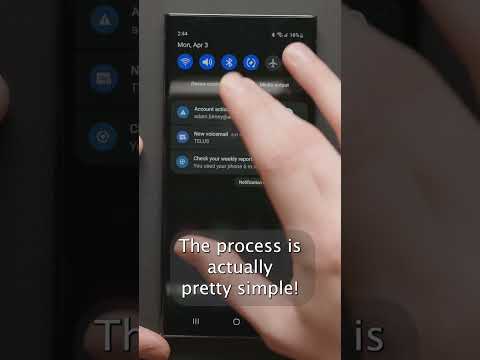


Have no internet? Actually, you do. It’s in your pocket. You can turn your Android phone into a mobile hotspot and share your connection with other devices. This post will show you the ins and outs of setting up a mobile hotspot on Android, so let’s get started.
Take a look at our list of the best mobile hotspot plans if you want to take this feature to the next level.
QUICK ANSWER
Mobile hotspot can be activated on Android by heading to Settings > Network & internet > Hotspot & tethering, and toggle on Wi-Fi hotspot.
JUMP TO KEY SECTIONS
Editor’s note: Some of the steps in this article were put together using a Google Pixel 8a running Android 16. Steps might vary depending on your hardware and software.
How to set up a mobile hotspot on Android

You have likely seen the hotspot button in your device’s quick settings drawer. While that is the fastest and easiest way to turn your mobile hotspot on and off, you will want to take a moment to configure things first.
Here’s how you configure a hotspot connection on Android:
- Open the Settings app.
- Go into Network & internet.
- Select Hotspot & tethering.
- Toggle on Wi-Fi hotspot.
- Now, your Wi-Fi hotspot is on, but you will want to tap on Wi-Fi Hotspot if you wish to customize the settings. This page has options for turning the hotspot feature on and off. Additionally, you can change the network name, security type, password, and more.
- Follow the instructions to customize the hotspot feature to your liking.
- When ready, you can also toggle on Use Wi-Fi hotspot from here.
Once your hotspot settings are configured, you can also use the Quick Settings in the notification area. Here’s how to do it.
Turn on the mobile hotspot using the Android Quick Settings:
- Swipe down from the Home Screen.
- Swipe down again to see more Quick Settings toggles.
- Find Hotspot and tap on it.
- If you don’t see it, you can tap on the pencil icon and drag the Hotspot toggle to the active Quick Settings.
Set up mobile hotspot via USB
It’s also possible to set up a mobile hotspot using your Android phone’s USB connection. Just keep in mind this won’t work with every Android device. If yours supports it, here are the steps to do it.
How to set up USB tethering on Android:
- Use your Android phone’s USB cable to connect it to your computer.
- Wait a bit for your computer to set up the connection.
- Open the Settings app.
- Tap on the Network & internet option.
- Select Hotspot & tethering.
- Toggle the USB tethering option on.
The same process can activate Bluetooth tethering, but we don’t recommend it over Wi-Fi or USB because it’s much slower. If you still want to do it, connect other devices to your tethering source via Bluetooth instead of performing step number one. Then, for step number six, toggle on Bluetooth tethering instead. You can see all the options mentioned in the screenshots from the previous sections.
Set up a mobile hotspot with a third-party app
Any recent smartphone should come with hotspot capabilities built-in, but this wasn’t the norm in the past. Those of you using older smartphones might not have a tethering/hotspot option at your disposal, in which case you might depend on using a third-party app. This is also the case if your hotspot tethering feature is disabled for any reason. Two of our favorite options are PdaNet+ and Portable Wi-Fi hotspot.
FAQs
Not always. Carriers can tell when data is being used by your smartphone natively, or if it’s being routed through the hotspot feature. Some plans will use your data allotment. Others offer a dedicated amount of data just for hotspot purposes. Some plans don’t allow using the hotspot feature. You’ll have to look into your data plan for more details.
It depends on what you’re doing. Connected devices will pull all the data they need from your phone’s hotspot. This means you should use very little data for tasks like writing emails. The story won’t be the same if you stream or download significant amounts of content.
It’s not recommended to use a phone’s hotspot capabilities to replace traditional internet services. This will run your phone hot constantly, and the battery will die very quickly. Additionally, it can cost you a lot, as cellphone plans don’t typically offer unlimited hotspot data plans. That said, it’s an excellent temporary solution for trips, working from coffee shops, and other similar scenarios.
Using the hotspot feature, you can share your phone’s internet with up to 10 devices.
If you want to enable your hotspot feature on an iPhone, go to Settings > Personal Hotspot, and toggle on Allow Others to Join. Here, you can also customize the Wi-Fi Password.
Thank you for being part of our community. Read our Comment Policy before posting.